
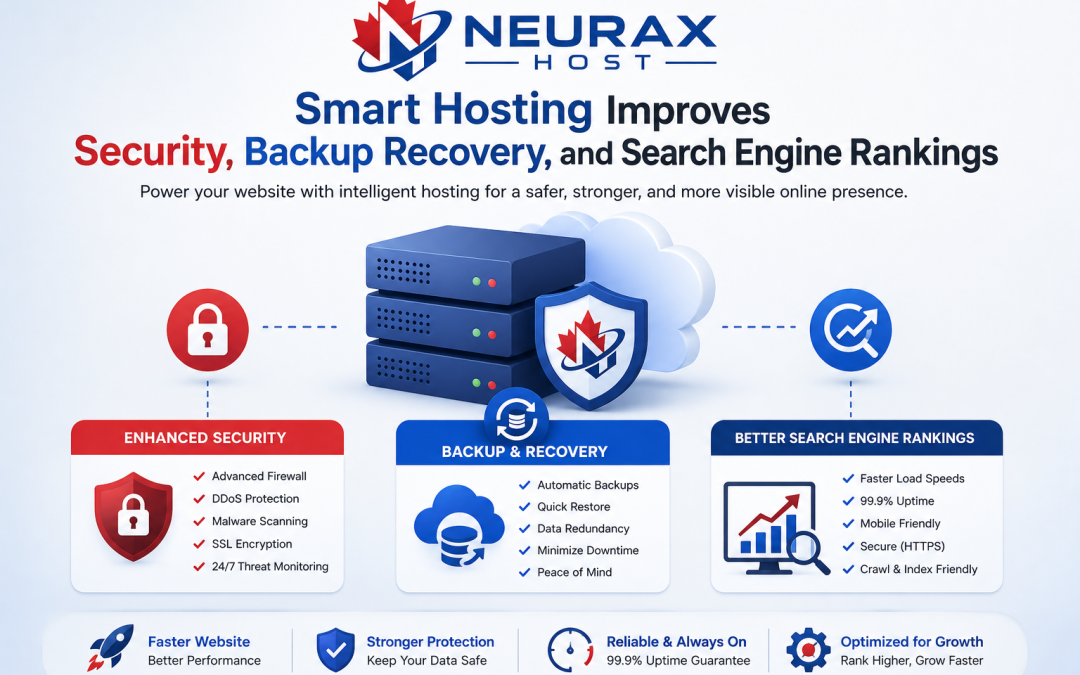
How to Secure Your Domain
Securing your domain is crucial in order to safeguard your website from cyber threats, unauthorized access, and data breaches. A secured domain will make your online presence safe, trusted, and reliable for the users.
1. Enable Domain Privacy Protection (WHOIS Protection)
Domain registrars store your personal information (such as name, email, and phone number) in the WHOIS database at the time of domain registration. This info is publicly available if you don’t protect it and can be misused.
You can protect your data by enabling domain privacy protection option at your registrar. This way, your exposed info is significantly reduced and it helps to keep your domain safe from spam, phishing, and identity theft.
2. Use Strong Domain Registrar Security Settings
The domain registrar account is basically the control panel of your domain. In case hackers get their hands on your account, they may even transfer or hijack your domain.
For better security:
- Use a strong password containing different types of characters
- Turn on two-factor authentication (2FA)
- Change passwords regularly
- Do not use public Wi-Fi for accessing your account
These measures make it difficult for hackers to gain unauthorized access to your account or steal your domain.
3. Lock Your Domain to Prevent Unauthorized Transfers
This security mechanism is essential for stopping domain transfer without your authorization. Your domain transfer will not be carried out without your consent when domain is locked.
It is recommended that you always:
- Turn on Domain transfer lock
- Use Registrar lock feature
The existence of these locks means that even if a person intends to steal the domain, the transfer processing will be prevented.
4. Install SSL Certificate for Secure Connections
SSL certificate (Secure Sockets Layer) makes your site visitors’ interaction secured & encrypted when they exchange information with your website. Having HTTPS/SSL can indirectly give you a lift in both domain security and SEO rankings.
SSL advantages:
- Protection of user credentials & payment information
- Convey trustworthiness to website users
- Prevention of data spying by hackers
Most hosting companies provide free SSL certificates, so setting up a secure site is almost effortless.
5. Monitor DNS and Renew Domain on Time
Regular monitoring of DNS settings helps detect unauthorized changes. Hackers often modify DNS records to redirect traffic to malicious sites.
Also, never forget domain renewal:
- Enable auto-renewal
- Keep payment details updated
Expired domains can be taken over by others, leading to loss of control and brand damage.
Protect Your Domain for Long-Term Security
Securing your domain is not a one-time task but an ongoing process. By enabling privacy protection, using strong authentication, locking your domain, installing SSL, and monitoring DNS, you can safeguard your website effectively.
A secure domain builds trust, improves credibility, and ensures your online presence remains protected from evolving cyber threats.
How Do Backups and Recovery Work in Hosting?
Backup and recovery are two very important aspects of web hosting which help in protecting your website from loss of data, cyberattacks, and technical breakdowns. Knowing the workings of these systems will help you safeguard your website and get back to normal fast if any issues arise.
Understanding Website Backups in Hosting
Backing up a website means making a copy of its data in case the original gets lost or corrupted. Hosting companies either do this automatically or make the backups on a one-time basis and save them in a safe place.
Backups can be categorized as:
- Full backups, Making an entire website copy
- Incremental backups, Only backing up changes
- Differential backups, Backing up changes since full backup
Protection from data loss and timely restoration is the main purpose of these backup techniques.
How Automated Backup Systems Operate
Automating backups have become standard in hosting companies nowadays. Such systems let you forget about it by doing it for you on a regular basis.
Main features are:
- Backup occurring according to schedule (daily/weekly/real-time)
- Staff backup data safe from hardware failures via cloud
- Backup retention arrangements (duration how long backups are stored)
Automated backups help decrease the likelihood of errors caused by humans and make sure your website data is always current.
What is Disaster Recovery and Data Restoration?
Recovery means using a backup copy of a website in order to restore it after the data has been lost or corrupted. It can be a result of hacking, server crashes, deletion by mistake, or software errors.
Recovery is a complex task and it:
- Requires choosing the correct backup copy (date/time)
- Restoring the files and database
- Verifying that the website is working properly
Most recovery utilities that come with hosting control panels make it possible to restore the backup very quickly with minimal downtime and business continuity.
Best Practices for Backup and Recovery in Hosting
Follow these tips and tricks to make sure your website is always safe and reliable:
- Maintain several backup records in different locations
- Employ backups that are offsite or in cloud for highest security
- Perform backup operations from time to time for validation
- Enable automatic backups in your hosting plan
These practices strengthen your disaster recovery strategy and reduce risks.
Why Backup and Recovery Are Critical
Backups and recovery systems are your safety net in web hosting. They ensure that even if something goes wrong, your website can be restored quickly without losing important data.
By understanding how backup systems work and following best practices, you can protect your website, maintain uptime, and ensure a smooth online experience for your users.
How Does Hosting Speed Affect SEO Ranking?
In SEO, website speed is a genuine game-changer. Hosting quality is one of the major determinants of the speed at which a website is loaded. This, in turn, impacts the user’s experience, ranking on the search engine result pages, and the general performance of the site.
1. Website Speed and Its Relation to Search Engine Ranking
Google and other search engines consider page speed as one of the factors while deciding the ranking of the websites. A quick loading website ensures a more delightful user experience, the very reason search engines give more preference to such sites.
Hosting is the determining factor when we talk about:
- The server response lag
- The time elapsed before the first byte is received (TTFB)
- The total page load speed
Your website’s loading time will be drained if your host server is slow, the direct effect of which is your SEO declining.
2. Hosting and Its Role in Core Web Vitals
Core Web Vitals are the metrics that emphasize the user’s experience by assessing a website’s loading speed, interaction power, and visual consistency.
The major aspects that hosting determines are:
- Largest Contentful Paint (LCP), speed of loading
- First Input Delay (FID), how quickly the website responds to user inputs
- Cumulative Layout Shift (CLS), how stable the page is visually
To stabilize these measurements and keep them on a good level, a trustworthy and fast hosting company is what you need. It may even increase your likelihood of receiving a higher rank in search results.
3. Server Location, CDN, and Performance Optimization
If you think about it, hosting the website on a server located far from the users will result in slower loading times due to the physical distance.
Ways to increase loading speed:
- Pick a server geographically near the people you want to reach
- Deploy a Content Delivery Network (CDN)
- Turn on caching and compression
By supporting these methods, you will be saving user time and simultaneously strengthening your website, which is good for SEO.
4. Downtime, Uptime, and Crawlability
Your hosting service determines not only the hours that your site is available but also the quality of those hours. With the site being down at times, it’s pretty clear why it will be difficult for search engine bots to crawl your site.
Consequences of low-quality hosting are as follows:
- Less frequent search engine indexing
- Diminished search relevance
- An unfavorable user experience
Hosting with high uptime (99.9% or more) helps make sure your website is always accessible, which is both good for SEO and user confidence.
Why Hosting Speed Matters for SEO
Hosting speed doesn’t just concern the technical side, it’s one of the main SEO factors as well. Quick, dependable hosting cuts down on the time it takes for a page to load, improves Core Web Vitals metrics, and provides easier access to website content for search engines.
With the help of good hosting and a few server tweaks, you stand a good chance of climbing higher in search results, delighting website visitors, and attracting more free (unpaid) traffic to your site.