
For a small business, your website is often the first place customers interact with your company. If it loads slowly, is difficult to use, or struggles when traffic increases, it can affect how customers experience and trust your business. It can make it harder for customers to find information, contact your business, book a service, or complete a purchase.
A slow website is not always caused by poor design. Website performance can be affected by the hosting environment, available CPU and RAM, storage performance, caching, database activity, CMS configuration, plugins, images, and traffic levels.
Neurax Host helps businesses address the hosting and infrastructure side of these problems with hosting environments designed to support different website workloads.
What’s Really Making Your Website Load So Slowly?
One of the most common problems for small businesses is a website that looks simple but takes too long to load. If you use WordPress or another content management system, every dynamic request can require server-side processing. The server may need to execute PHP, access the database, retrieve files from storage, and generate the page before sending it to the visitor.
When available resources are limited, these operations can take longer. The result can be slow page delivery, a slow WordPress dashboard, or inconsistent performance when several requests arrive at the same time.
Neurax Host provides hosting environments using technologies such as NVMe storage, LiteSpeed Web Server, and LSCache. These technologies are designed to improve how website files and cached content are processed and delivered.
For WordPress websites, available hosting features can also include backups, staging, automatic updates, CDN integration, and different CPU and RAM resource configurations.
The important point is that hosting is only one part of performance. A faster hosting environment cannot automatically fix oversized images, inefficient plugins, poorly optimized code, or slow database queries. The hosting environment needs to provide a suitable technical foundation while the website itself is properly optimized.
More Traffic, More Demand—Can Your Hosting Handle It?
A website that performs well with limited traffic can behave differently as the business grows. More visitors mean more requests reaching the server. At the same time, a growing business often adds new pages, images, forms, booking systems, products, customer accounts, or other dynamic functionality. This increases the amount of work the hosting environment may need to handle.
If CPU, RAM, storage performance, or other available resources become a bottleneck, response times can increase, particularly when multiple requests need to be processed concurrently.
Neurax Host provides business, WordPress, and VPS hosting with different resource options. Businesses can choose a setup that fits their current website needs and move to a higher-resource plan as traffic, storage, or other technical requirements grow.
The focus is not simply on adding more resources, but on maintaining a hosting environment that matches the website’s traffic, CMS requirements, performance demands, and ongoing growth.
More Functionality Means More Technical Demands
As a small business website develops, it often becomes more than a collection of informational pages. A business may add online bookings, eCommerce functionality, forms, customer accounts, payment processing, marketing integrations, analytics, and additional WordPress plugins.
These features can require additional server-side processing and database activity. For example, an eCommerce website may need to retrieve product information, process customer requests, manage sessions, query inventory data, and communicate with payment or third-party services. That does not mean every additional plugin or feature will automatically make a website slow. Performance problems usually depend on how efficiently those components operate, how the website is configured, and whether the hosting environment has sufficient resources.
Neurax Host offers VPS hosting for websites that need more control over their server setup and resources. With VPS hosting, businesses can customize their hosting environment based on their website’s technical needs and performance requirements.
Slow Websites Have More Than One Cause
Changing hosting is not a universal solution for every slow website. A website can remain slow because of unoptimized images, excessive JavaScript, inefficient database queries, heavy themes, poorly configured caching, third-party scripts, or other application-level issues. This is why website performance should be approached by identifying the actual choke point rather than assuming that one technology will solve everything.
Neurax Host provides infrastructure features such as LiteSpeed, LSCache, NVMe storage, and CDN integration options that can support an overall performance strategy. The hosting environment provides the foundation. Website configuration and optimization determine how effectively that foundation is used.
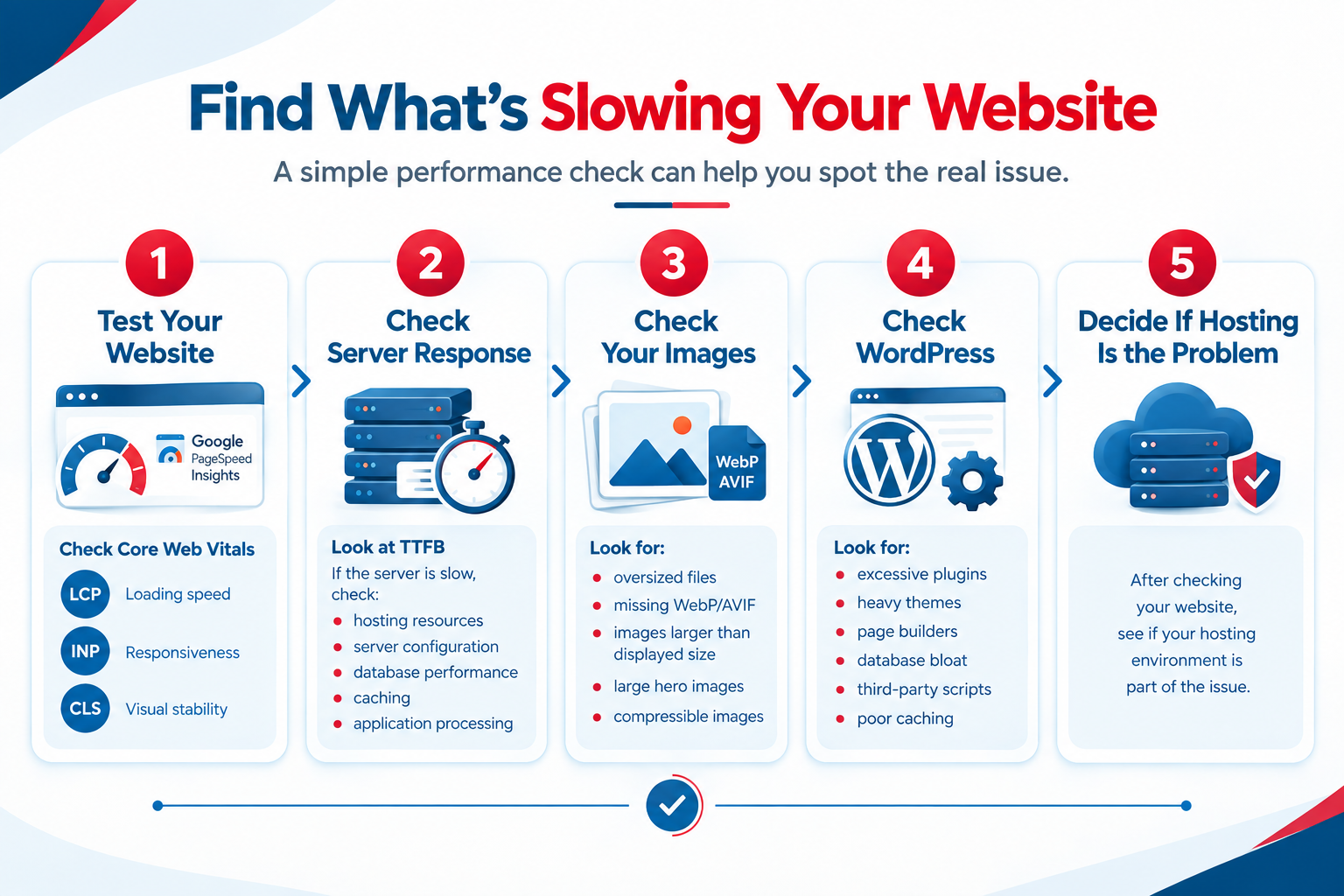
A simple performance check can help determine where the problem is coming from.
Step 1 — Test Your Website
Start by testing your website with Google PageSpeed Insights.
Pay attention to the Core Web Vitals and performance information provided by the test, including:
LCP (Largest Contentful Paint) — measures how quickly the main content of a page becomes visible.
INP (Interaction to Next Paint) — measures how responsive a page is when visitors interact with it.
CLS (Cumulative Layout Shift) — measures whether elements on the page move unexpectedly while the page loads.
These measurements can help identify whether the problem is related to loading, responsiveness, or visual stability.
Step 2 — Check Server Response
Next, look at TTFB (Time to First Byte), which measures how long it takes for the browser to begin receiving a response from the server.
If the server takes a long time to start responding, investigate factors such as:
- hosting resources
- server configuration
- database performance
- caching
- application processing
A slow server response can be a sign that the hosting environment or the website’s server-side workload needs further investigation. However, it should be evaluated together with the rest of the website rather than treated as proof that hosting is the only problem.
Step 3 — Check Your Images
Images are another common source of unnecessary page weight.
Check for:
- oversized JPG or PNG files
- missing modern formats such as WebP or AVIF
- images that are much larger than their displayed dimensions
- unnecessarily large hero images
- images that could be compressed without noticeably reducing quality
Optimizing images can reduce the amount of data that visitors need to download and can improve page loading performance.
Step 4 — Check WordPress
If your website uses WordPress, review the components that can increase processing and page weight.
Look for:
- excessive plugins
- heavy themes
- page builders
- database bloat
- third-party scripts
- poorly configured caching
Not every plugin, theme, or page builder will automatically cause a performance problem. The impact depends on how each component is built, configured, and used on the website.
Step 5 — Decide Whether Hosting Is the Problem
After checking the website itself, determine whether the hosting environment is contributing to the problem. If the website is properly optimized but still experiences slow server response, resource limitations, inconsistent performance during traffic increases, or insufficient CPU, RAM, or storage performance, the hosting environment may need to be reviewed. This is where choosing the right hosting environment becomes important.
From business hosting to WordPress and VPS solutions, Neurax Host offers options suited to different website needs. Whether a site has steady traffic or requires more resources, businesses can choose a hosting setup that matches their workload and technical requirements.
Building a Stronger Technical Foundation for Business Growth
For a small business, the purpose of better hosting is not simply to achieve a faster loading time. The larger objective is to maintain a website that can support customers as the business grows. When the hosting environment has appropriate resources, efficient storage, caching, and the infrastructure required by the website, businesses have a stronger technical foundation for handling increasing traffic and website complexity.
Neurax Host helps small businesses choose hosting infrastructure according to their website requirements, from business and WordPress hosting to higher-resource VPS environments. Your hosting should support the way your business operates today while giving your website room to handle tomorrow’s requirements.
Hosting Solutions for Different Small Business Needs
Not every small business website has the same performance requirements. The right hosting setup depends on how your website is built, how customers use it, and how much traffic it handles.
WordPress Business Websites
If your WordPress website feels slow even after optimizing images, plugins, and other site elements, your hosting environment may also need attention. Neurax Host provides WordPress-focused hosting designed to support the resources and performance needs of business websites.
Need a faster WordPress hosting environment? Explore Neurax Host WordPress hosting and choose a setup that fits your website’s workload.
Online Stores
For an online store, slow product pages, cart activity, or checkout processes can make it harder for customers to complete purchases. A hosting environment with appropriate resources and performance-focused infrastructure can help your store handle its workload more reliably.
Running a slow online store? Explore hosting options designed to support growing eCommerce workloads and customer activity.
Service-Based Businesses
Service businesses often depend on their website for contact forms, appointment bookings, service information, and customer enquiries. If these pages are slow or become unreliable during busy periods, the website can create friction for potential customers.
Is your business website slowing down customer enquiries? Choose hosting resources that support the pages and services your customers use most.
Growing Businesses
As a business grows, website traffic, content, customer activity, and application workloads can increase. If performance drops during traffic spikes, your current hosting resources may no longer match your website’s needs.
Expecting your website traffic to grow? Explore scalable hosting options that can provide the resources your website needs as your business expands.