
Shared GPU hosting is generally suited to testing, development and smaller workloads, while dedicated GPU hosting provides more predictable access to GPU resources and greater control for demanding or production workloads. The right option depends on GPU memory requirements, workload duration, inference traffic, performance consistency and budget.
AI projects need a lot of computing power to work well. Neurax Host offers dedicated GPU servers for AI models, APIs, and heavy tasks such as AI training, image generation, large data processing, and AI automation. You can use these servers to build AI apps, train and fine-tune models, create images, or process large amounts of data. You can also run LLaMA, Mistral, and Gemma, build AI agents, and grow your projects as your needs increase.
Choosing Shared or Dedicated GPU Hosting for AI Performance
Shared GPU hosting can be useful for testing and small AI projects. However, GPU power is shared with other users, so performance may slow down during busy periods. Dedicated GPU hosting gives your AI projects consistent performance and more control. Dedicated GPU hosting provides more controlled GPU capacity for AI inference, LLMs, chatbots, image generation, machine learning, and AI SaaS applications. The table below explains the key differences in simple terms.
Factor |
Shared GPU Hosting |
Dedicated GPU Hosting |
Why Choose Neurax Host? |
| GPU Resources | Shared resources | Dedicated resources | Dedicated Tesla T4 GPU resources |
| Performance | Can vary with other workloads | More predictable | Built for consistent AI workloads |
| Resource Control | Limited control | Greater control | Dedicated environment for your workload |
| AI Inference | Good for testing | Suitable for regular inference | Supports ongoing AI inference workloads |
| LLM Applications | Better for experiments | Better for production use | Suitable for LLM-based applications |
| AI Chatbots | Small-scale testing | Customer-facing workloads | Private setup for AI chatbot projects |
| Image Generation | Basic workloads | Frequent workloads | Dedicated GPU for demanding tasks |
| Machine Learning | Testing and experiments | More controlled workloads | GPU environment for ML development |
| AI SaaS | Early-stage projects | Live AI products | Useful for building AI SaaS applications |
| Privacy | Shared environment | Private environment | Private AI container |
| Development Setup | May need manual setup | More control over setup | CUDA-ready environment |
| Remote Access | Provider dependent | SSH may be available | SSH access included |
| Networking | Shared or limited options | Dedicated options available | Dedicated public IP |
| Getting Started | Setup can take time | Faster with managed options | Fast provisioning + expert support |
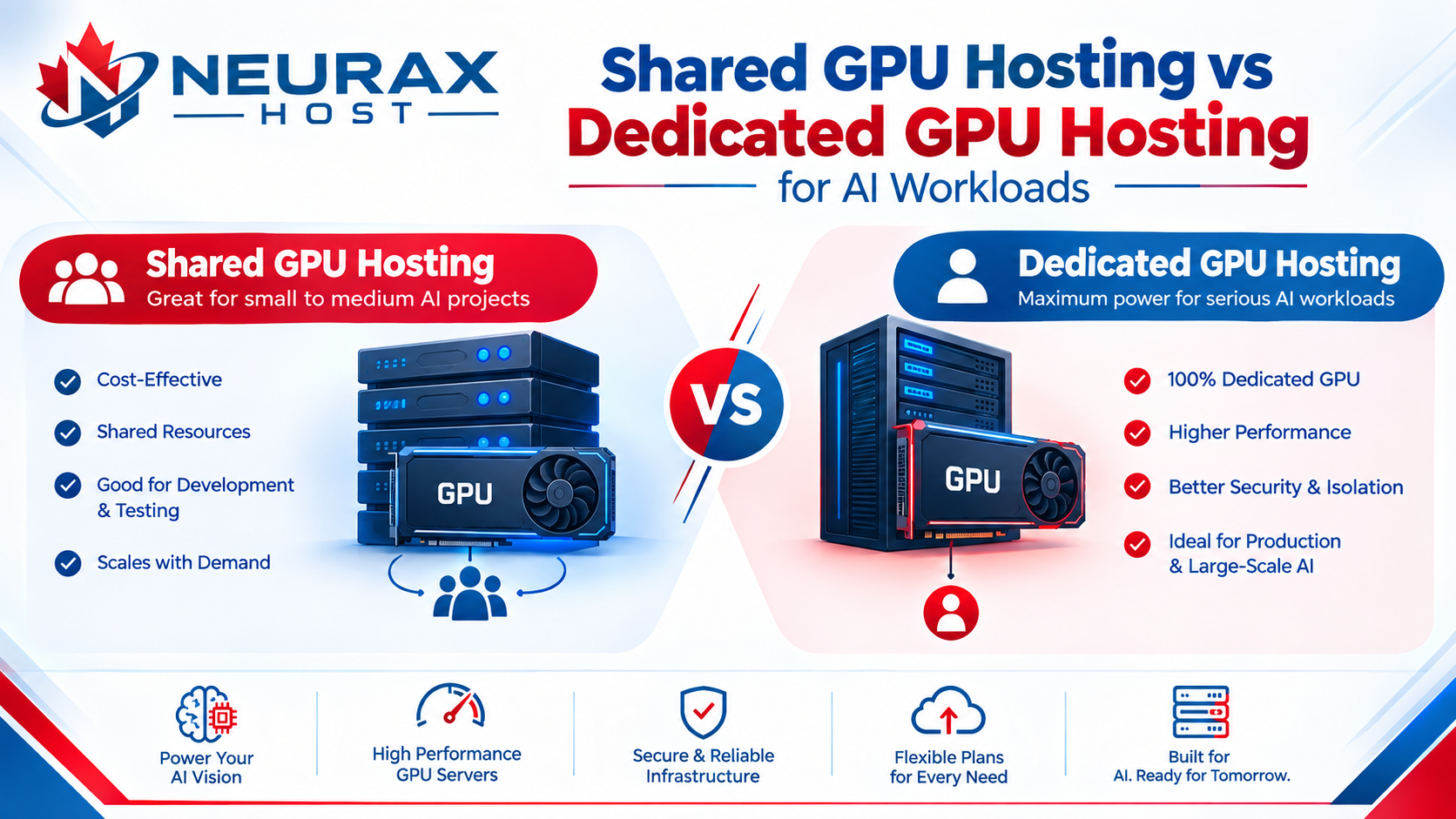
How GPU Resources Work
Shared GPU hosting lets many users use part of the same GPU. This can lower costs, but the speed may change when resource use is high. Dedicated GPU hosting gives one user full access to a GPU. This means your AI work gets steady GPU power and full access to its memory. Dedicated GPUs are often better for large AI models, regular AI tasks, and apps that need steady speed.
Why Does Dedicated GPU Hosting Matter?
AI applications often need steady computing power. When customers use your application, they expect it to respond and work smoothly. Dedicated GPU resources can help provide a more consistent environment for your AI workload. It can also make development easier. Developers can use a private environment to manage their software, models, libraries, and other AI tools.
Who Needs Dedicated GPU Hosting?
Dedicated GPU hosting can be useful for developers building AI applications, startups testing new AI products, and SaaS businesses running AI features for customers. It can also help machine learning teams working with models, image generation, inference, and other GPU-heavy workloads. If your AI application needs steady GPU resources, a dedicated environment can provide more control than a shared setup.
Choose the GPU Plan Built for Your AI Workload
From AI inference and chatbot development to LLMs, image generation, and demanding machine learning workloads, the right GPU plan can make deployment simpler and more efficient. Neurax Host combines dedicated Tesla T4 GPU resources with a private AI environment, CUDA-ready setup, SSH access, and fast provisioning—so creators and ML engineers can choose resources that match their workload without unnecessary infrastructure complexity.
Plan |
Best For |
Resources & Key Features |
Why Choose It? |
| AI GPU STARTER | AI inference, chatbots & development | 4 vCPU · 8 GB RAM · 40 GB NVMe · GPU-Accelerated Compute · Private AI Container · CUDA Ready · SSH Access · Dedicated Public IP · Free Domain for 1 Year | A practical starting point for developers building, testing, and running AI applications with dedicated Tesla T4 resources. |
| AI GPU PRO Most Popular | LLMs, image generation & AI apps | 8 vCPU · 12 GB RAM · 80 GB NVMe · High-Performance GPU Compute · Private AI Container · CUDA Ready · SSH Access · Dedicated Public IP · Priority Processing | More computing and storage for AI applications that need additional resources for LLM workloads, image generation, and development. |
| AI GPU ULTRA | Demanding AI workloads | 12 vCPU · 16 GB RAM · 120 GB NVMe · Premium GPU Compute · Private AI Container · CUDA Ready · SSH Access · Dedicated Public IP · Priority Processing | Built for larger and more resource-intensive AI workloads that require additional CPU, RAM, storage, and premium GPU compute. |
Make your AI infrastructure simpler: choose the plan based on your workload today, then scale to higher resources as your AI applications grow.
When Should You Consider Dedicated GPU Hosting?
Shared GPU hosting can work well for basic testing and smaller workloads. A dedicated GPU environment may make more sense when you are running an AI product for customers, using AI inference regularly, building an LLM application, creating an image generation tool, or running a growing AI SaaS platform. The goal is not just to get a GPU. The goal is to give your AI application the resources and environment it needs to work reliably.
Run Your AI Workload on the Right GPU Hosting
The right GPU hosting setup can make AI development easier and give your application the resources it needs. Shared GPU hosting can be useful for simple and lower-demand work. Dedicated GPU hosting gives businesses more control over their GPU resources and can provide a more consistent environment for demanding AI workloads.
Neurax Host provides dedicated Tesla T4 GPU resources with private AI containers, CUDA-ready environments, SSH access, dedicated public IPs, fast provisioning, and support for AI workloads. Explore Neurax Host GPU Hosting and choose a GPU environment that fits your AI workload.
What Makes Neurax Host Different
Customers choose Neurax Host for reliable GPU performance and an AI-ready hosting environment. With dedicated GPU resources, you do not have to share GPU power with other users.
- Dedicated GPU performance — Get GPU power without sharing resources.
- Fast NVMe storage — Load and process data faster.
- Full root and API access — Get more control over your server and applications.
- AI-ready setup — Use CUDA, Docker, PyTorch, and other AI tools.
- Canadian hosting — Host your AI workloads on Canadian infrastructure.
- Real human support — Get help from real support experts, not just ticket systems.
FAQ
1. What makes Neurax Host Dedicated GPU Hosting different?
Neurax Host provides dedicated GPU resources without sharing GPU capacity with other users. This gives AI workloads a more controlled environment for inference, LLMs, image generation, and machine learning.
2. How quickly can I deploy a GPU server with Neurax Host?
Neurax Host offers fast GPU deployment, helping you get your AI environment live in hours. This allows developers and businesses to start building, testing, and running AI workloads sooner.
3. Is Neurax Host GPU hosting ready for AI development?
Yes. Neurax Host provides an AI-ready environment with CUDA support, private AI containers, SSH access, dedicated public IPs, and GPU resources for AI development and deployment.
4. Can Neurax Host handle growing AI workloads?
Yes. Dedicated GPU resources can support workloads such as LLM applications, AI inference, chatbots, image generation, machine learning, and AI SaaS applications as they grow.
5. What support does Neurax Host provide for AI hosting?
Neurax Host provides real support for GPU hosting, including help with deployment, server setup, and technical issues. This can help businesses spend less time troubleshooting and more time building their AI applications.