
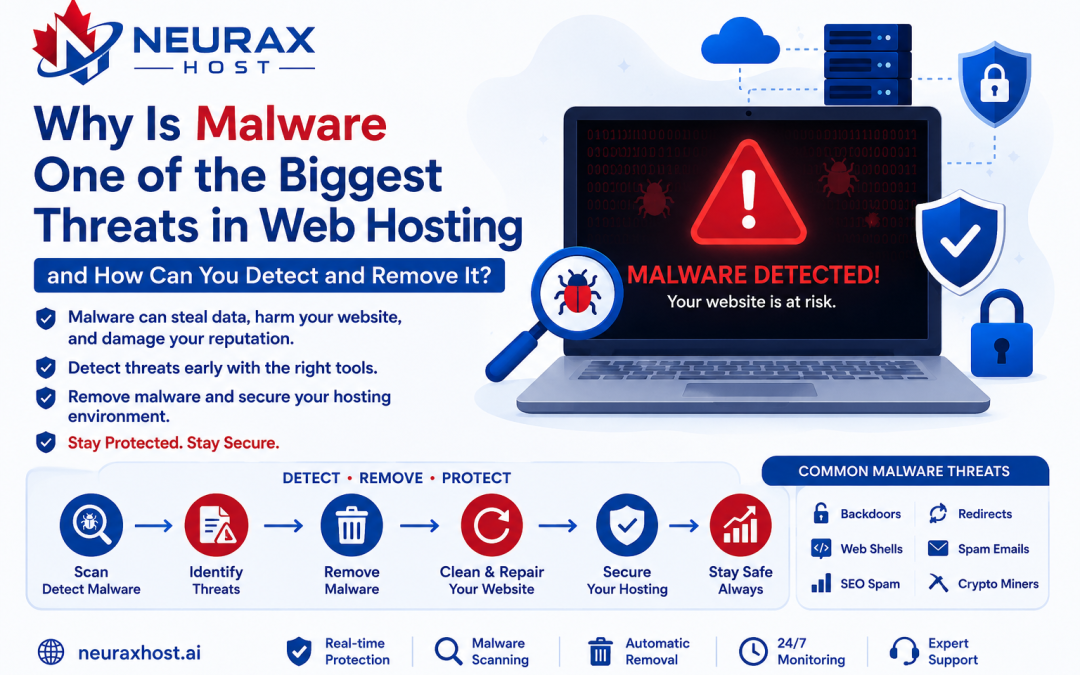
Is Your Website Acting Strange? Malware Could Be the Reason
Let’s say a customer reaches your hosting company and reports:
- My website has been hacked.
- Visitors on my website are redirected to other sites.
- Google is displaying a security warning.
- The website is sending out spam emails.
- The CPU usage reaches up to 100% all of a sudden.
- Unrecognized files keep showing up in my hosting account.
These are some of the typical support tickets hosting providers get every day worldwide. More often than not after investigation, the cause turns out to be malware.
Regardless of if you are running a Shared Hosting product, a VPS Hosting, or a Website Hosting, a malware attack is one of the scariest issues that can arise from a security point of view.
Cybersecurity research shows that there are 30, 000 websites being hacked every day. Besides, it turns out that websites with security flaws are the most frequently attacked ones. Small business websites are even more vulnerable because many don’t give security the attention it deserves.
For website owners, hosting providers, and those new to the hosting industry it is critical to know the basics of malware.
What Does Malware Actually Mean?
The full form of Malware is Malicious Software. It encompasses any kind of software that a website or server doesn’t authorize to perform a given function and that function is a harmful one.
Types of malware actions include:
- Information theft
- Unauthorized access
- Spam emailing
- Visitor redirection
- Overloading server resources
- SEO damage
Malware is often hidden inside web hosting environments:
- PHP files
- JavaScript files
- WordPress plugins
- WordPress themes
- Uploaded files
Since malware is often made to look like regular files, website owners usually don’t realize it’s there for some time.
A Real Hosting Example
Imagine the scenario: a customer owns a WordPress site. They get themselves a “Premium Theme Free Download” from a shady website. The theme looks like it is working perfectly. However, the content of the theme is a hidden virus/code.
After installation:
- The attacker gets access.
- More malware is uploaded.
- The files can be changed.
- Spam emails can be sent.
- Customer data can be stolen.
Usually, the website owner is not aware of any problem until the users start complaining about the issues.
How Does Malware Enter a Hosting Server?
Understanding the ways malware gets in can help us keep attacks under control.
Vulnerable Plugins
In fact, this is a leading reason why computers get infected with malware.
Let us say that:
A website has an old WordPress plugin.
This plugin harbors a security vulnerability that is well known.
In fact, a hacker might find this vulnerability and place malicious codes through this plugin.
Cybersecurity research has revealed that using outdated plugins and extensions contribute significantly to the majority of website compromises.
So, how do we prevent it?
- Keep updating your plugins.
- Get rid of those plugins you don’t need.
- Only work with developers who are trusted.
Pirated Themes and Nulled Software
Lots of website managers attempt to cut down on their expenses by getting:
- Nulled themes
- Pirated plugins
- Cracked software
However, these may be maliciously infected or have backdoor codes.
One may be deceived by the appearance of normal operations, but the attackers can get in at any time.
How to prevent
Only get your themes and plugins from reputable sources.
Weak Passwords
Weak passwords remain one of the top security risks.
Here are some examples of weak passwords:
- admin123
- password123
- 12345678
Most hackers use automated software that can try thousands of password combinations in a matter of minutes.
Once the hacker gets a login, it is very easy for them to put malware on the system.
Ways to Prevent
Passwords should be made up of the following:
- Upper case letters
- Lower case letters
- Numbers
- Special symbols
An ideal password would have at least 12 characters.
Insecure File Upload Systems
Most sites would allow a user to upload files, and the example goes something like this:
A site is looking forward to receiving:
image.jpg
A hacker/attacker sends:
shell.php
If the file validation is not strong enough, then the PHP file will be running on the server.
That is when the attacker has direct access to the server.
To prevent such an attack:
- Limit the file types you have to upload.
- Have the upload files scanned.
- Make sure that the file extensions are being validated properly.
Major Types of Malwares Found in Web Hosting
Not all types of malwares target the same thing.
Here are the most common ones.
Backdoor Malware
Backdoors are among the most dangerous kinds of malware.
Their aim is simple:
Give attackers stealthy, persistent access.
Even if the visible malware is cleaned up, the attacker can come back using the hidden backdoor. This allows attackers to run commands remotely.
Why It’s Unsafe
- Access remains hidden.
- Attackers can re-install the malware.
- Websites are frequently infected again.
Web Shell Malware
A web shell allows attackers to control the server directly through a browser.
Popular examples include:
- c99 Shell
- r57 Shell
- WSO Shell
What Can Attackers Do?
Through a web shell they can:
- Manage files
- Access databases
- Execute commands
- Upload malware
- Download sensitive data
A successful web shell installation can lead to full website compromise.
SEO Spam Malware
SEO spam has become a big business on the internet. Most website owners never find out that their site has been spammed.
On the other hand, search engines can identify:
- Casino sites
- Gambling hyperlinks
- Adult material
- Cryptocurrency spam
Example
The visitors:
About Us
Google:
Best Online Casino Bonus
Side Effects
- SEO rankings get lowered.
- Traffic goes down.
- Google penalties happen.
- Website reputation gets affected negatively.
Redirect Malware
Redirect malware automatically sends visitors to unwanted websites.
For example:
Visitors open:
example.com
But get redirected to:
- Spam websites
- Fake stores
- Malware distribution pages
Sometimes only mobile users are redirected, making detection difficult.
Common Symptoms
- Unexpected redirects
- User complaints
- Increased bounce rates
Spam Mail Malware
Hackers frequently use infected websites to send mass email campaigns.
Examples include:
- Phishing emails
- Scam emails
- Advertising spam
An infected website may send:
10,000 to 100,000 emails daily.
Consequences
- IP blacklisting
- Email delivery failures
- Damaged reputation
One compromised account may occasionally have an impact on other users in shared hosting situations.
Crypto Miner Malware
Mining cryptocurrencies secretly using server resources.
They don’t intend to steal data.
They want to misuse resources.
Signs
- CPU usage almost 100% all the time
- A website that is running slow
- A very high server load
- An unusually high level of resource consumption
Example
A customer reports:
“My website is very slow.”
Server investigation reveals:
- CPU constantly at 100%
- Unknown processes running
Further analysis identifies hidden crypto-mining malware.
Common Symptoms of Malware Infection
These warning indicators should be recognized by all hosting providers.
- Abnormally High CPU Utilization
- High Memory Usage
- Quick Growth in Disk Space
- Unknown Files Showing Up
- Complaints about Spam Emails
How Hosting Companies Detect Malware
Manual Investigation
Most of the time admins look for suspicious files on their own. In this way, they find out the unexpected PHP files.
Searching Dangerous Functions
Many malware scripts use functions.
Linux Malware Detect (Maldet)
A well-liked malware scanner for Linux hosting servers is called Maldet. It looks for known malware signatures on hosting accounts.
ClamAV
ClamAV is another widely used malware scanner.
Imunify360
Lots of leading hosting companies rely on Imunify360.
It offers a wide range of features, such as:
- Malware detection
- Continuous monitoring
- Firewall for protecting web applications
- Neighborhood defense system
- Auto repair
It has become the standard for the shared hosting segment.
How Professional Hosting Companies Remove Malware
Most hosting providers follow a structured process.
Step 1: – Suspend the infected account. This prevents further damage.
Step 2: – Create a full backup.
Step 3: – Perform a complete malware scan.
Step 4: – Identify infected files.
Step 5: – Remove malware and backdoors.
Step 6: – Reset all passwords:
- cPanel
- FTP
- WordPress
- Database accounts
Step 7: – Update software, plugins, and themes.
Step 8: – Restore the cleaned website.
Malware constitutes one of the most frequent and highly dangerous threats in the field of web hosting. It hardly matters whether your role is managing Shared Hosting, VPS Hosting, WordPress Hosting, or Dedicated Servers because malware can cause hacking of websites, SEO loss, spam campaigns, misuse of resources, and leaking of customer data.
Here are some of the common malware Types:
- Backdoors
- Web Shells
- SEO Spam
- Redirect Malware
- Spam Mail Malware
- Crypto Miners
Fortunately, the majority of the infections may be prevented by means of strong passwords, regularly updating, using only trusted software sources, scanning malware, and monitoring in a proactive way.
For anyone who will be in the hosting industry, knowledge about malware is not a choice but a necessity. It is a key ability that enables protection of websites, customers, servers, and business reputation. The more knowledge you get on malware now, the less difficult it will be for you to secure hosting environments in the future.