
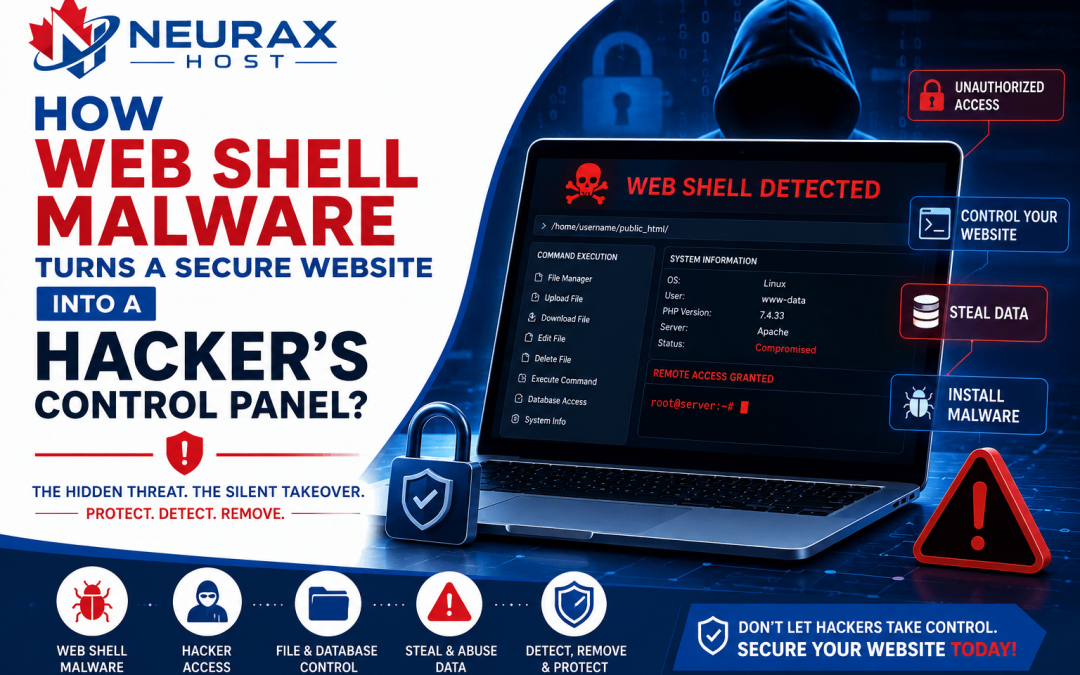
Imagine opening your website one morning and finding that everything looks perfectly normal. The homepage loads without any errors, visitors can browse your pages, and the WordPress dashboard is still accessible. At first glance, nothing seems wrong. However, behind the scenes, an attacker may already have complete control over your website. This is exactly what can happen when a Web Shell is installed on a server.
Unlike many other types of malware that immediately display obvious symptoms, a Web Shell often works silently. It allows attackers to control your website remotely, upload additional malware, modify files, steal sensitive information, and even reinfect the website after you think it has been cleaned.
Because of this, Web Shell malware is considered one of the most dangerous threats for website owners, WordPress users, and web hosting providers. Here, you’ll learn what Web Shell malware is, how it works, how it enters a website, where attackers hide it, and why removing it requires much more than simply deleting one malicious file.
What Is Web Shell Malware?
A Web Shell is a malicious script that attackers upload to a website after gaining unauthorized access. Instead of damaging the website immediately, the Web Shell acts like a hidden control panel that lets attackers manage the website remotely through a web browser.
Normally, website owners access their websites using:
- WordPress Dashboard
- cPanel
- FTP
- SSH
These methods require valid usernames and passwords.
A Web Shell works differently. Once it is installed, the attacker can access the website through the hidden script without relying on the normal administration panel. In simple words, a Web Shell becomes a secret management tool that only the attacker knows about.
Think of it like this.
Imagine someone secretly installs a remote control inside your house. Even after you lock every door and window, that person can still control the lights, unlock doors, or move around inside without entering through the main entrance. A Web Shell works in a very similar way.
Why Is Web Shell Malware So Dangerous?
Many types of malware perform only one task, such as redirecting visitors or displaying spam advertisements.
A Web Shell is different. Instead of performing a single malicious activity, it gives attackers continuous control over the website. Once attackers have access, they can perform almost any action they want.
For example, they may:
- Upload additional malware.
- Delete important website files.
- Modify website content.
- Redirect visitors to fraudulent websites.
- Create hidden administrator accounts.
- Access configuration files.
- Install ransomware.
- Send spam emails.
- Use server resources for malicious activities.
In other words, a Web Shell is often the starting point for many other cyberattacks.
How Does Web Shell Malware Enter a Website?
A Web Shell cannot install itself automatically. Before attackers upload one, they must first find a weakness in the website or server. This weakness is known as the entry point or infection source.
Let’s look at the most common ways attackers install Web Shell malware.
- Outdated Plugins
- Outdated Themes
- Nulled Themes and Plugins
- Weak Administrator Passwords
- Stolen FTP Credentials
- Insecure File Upload Forms
Where Do Attackers Usually Hide Web Shells?
Attackers rarely use obvious file names like webshell.php. Instead, they disguise Web Shells so they blend in with legitimate website files.
Common hiding places include:
Theme Files
Frequently modified files include:
- functions.php
- header.php
- footer.php
Because these files are executed regularly, malicious code can remain unnoticed.
Plugin Directories
Attackers often create additional PHP files inside plugin folders because website owners rarely inspect every file manually.
Upload Folders
The wp-content/uploads directory should normally contain images, videos, PDFs, and other media files.
If you ever discover executable PHP files inside this folder, they should be investigated immediately because they may indicate the presence of a hidden Web Shell.
Other Places Where Web Shells May Be Hidden
In addition to themes, plugins, and upload folders, attackers may hide Web Shells in several other locations to make them harder to find.
Root Website Directory
The root folder of a website is another common hiding place. Attackers may upload malicious files directly into directories such as public_html or the website’s main installation folder.
Since these directories contain many important files, suspicious scripts can easily blend in with legitimate website content.
Files with Normal-Looking Names
Attackers rarely use names that immediately look suspicious. Instead, they choose filenames that appear to be part of the website.
Some examples include:
- cache.php
- config.php
- system.php
- upload.php
- admin.php
- data.php
- index1.php
At first glance, these files may look harmless. However, they may actually contain malicious code that allows attackers to control the website remotely.
For this reason, unknown PHP files should always be investigated before assuming they are safe.
What Can an Attacker Do After Installing a Web Shell?
Once a Web Shell is active, the attacker gains significant control over the website. The exact capabilities depend on the server configuration, but in many cases, the attacker can perform actions such as:
Upload Additional Malware
A Web Shell allows attackers to upload new malicious files whenever they want.
These may include:
- Redirect malware
- Backdoor scripts
- Spam pages
- Phishing pages
- Ransomware
Therefore, removing one malware file without removing the Web Shell often leads to repeated infections.
Modify Website Files
Attackers can edit important website files and inject malicious code into themes, plugins, or core files. As a result, visitors may experience unexpected redirects, broken pages, or unauthorized content.
Delete Important Files
Some attackers intentionally damage websites by deleting important files.
This may cause:
- Website crashes
- Missing images
- Broken functionality
- Error messages
Steal Sensitive Information
A Web Shell may allow attackers to access important configuration files and collect sensitive information such as:
- Database credentials
- Website configuration details
- User information
- API keys
Execute Server Commands
If the hosting environment allows command execution, attackers may run system commands directly on the server. This gives them even greater control over the hosting account.
Abuse Server Resources
Some attackers use compromised servers to:
- Send spam emails
- Host phishing pages
- Store illegal files
- Launch attacks against other websites
As a result, the hosting provider may suspend the affected hosting account.
Warning Signs That a Web Shell May Be Installed
One of the biggest challenges with Web Shell malware is that it often remains hidden. However, several warning signs may indicate its presence.
Watch for the following symptoms:
- Malware keeps returning after cleanup.
- Unknown PHP files appear unexpectedly.
- Visitors are redirected to suspicious websites.
- Website files change without your permission.
- New administrator accounts appear.
- Server CPU or RAM usage suddenly increases.
- Spam emails are sent from your hosting account.
- Security scanners repeatedly detect new infections.
- Your hosting provider reports suspicious activity.
Although these symptoms do not always confirm a Web Shell, they should never be ignored.
How Do Security Professionals Detect Web Shell Malware?
Finding a Web Shell requires more than simply running a malware scanner. Professional investigators combine automated tools with manual inspection.
Some common investigation steps include:
Reviewing Recently Modified Files
Unexpected file modifications often reveal where attackers have been working.
Inspecting Theme and Plugin Files
Security experts carefully examine important PHP files for suspicious code or unauthorized changes.
Checking Upload Directories
Since upload folders should normally contain images and documents, executable PHP files found there deserve immediate attention.
Reviewing User Accounts
Unknown administrator accounts may indicate that an attacker has already gained access.
Comparing Files with Clean Versions
WordPress core files, themes, and plugins are often compared against original copies to identify unauthorized modifications.
Examining Server Logs
Access logs and error logs help investigators determine:
- Which files were accessed
- Which URLs were exploited
- When suspicious activity occurred
- Which IP addresses were involved
This information often helps identify the original infection source.
How to Remove Web Shell Malware Properly
Removing a Web Shell requires a systematic approach. Simply deleting one suspicious file is rarely enough.
Follow these steps for a complete cleanup.
Step 1: Put the Website into Maintenance Mode
If possible, temporarily restrict public access while investigating the infection. This reduces the risk of additional damage during the cleanup process.
Step 2: Create a Full Backup
Before making any changes, create a complete backup of:
- Website files
- Database
- Configuration files
A backup provides a recovery point if something important is accidentally removed.
Step 3: Locate the Web Shell
Search carefully through:
- Theme folders
- Plugin directories
- Upload folders
- Root website directory
Pay special attention to unknown PHP files or recently modified scripts.
Step 4: Remove the Malicious Files
After confirming that a file is malicious, remove it completely. If a plugin or theme has been modified, reinstall a fresh copy from the official source instead of trying to repair individual files. This reduces the chance of leaving hidden code behind.
Step 5: Identify the Original Entry Point
This is one of the most important steps.
Ask yourself:
- Was a plugin outdated?
- Was the theme vulnerable?
- Was a nulled plugin installed?
- Were FTP credentials stolen?
- Was the administrator password weak?
- Was a file upload form insecure?
Unless the original security weakness is fixed, another Web Shell can be installed.
Step 6: Update Your Website
Immediately update:
- WordPress Core
- Plugins
- Themes
Also remove unused plugins and themes that are no longer required. Keeping unnecessary software increases the website’s attack surface.
Step 7: Reset All Passwords
Change every important password, including:
- WordPress administrator passwords
- Hosting control panel passwords
- FTP passwords
- Database passwords
- SSH passwords (if enabled)
Always use strong, unique passwords for every account.
Step 8: Remove Unauthorized Users
Review all website users and remove any administrator accounts that you did not create or no longer trust.
Step 9: Perform Another Security Scan
After completing the cleanup, scan the website again. The goal is to confirm that no hidden Web Shells or additional malware remain on the server.
How Can You Prevent Web Shell Malware?
Although no website is completely immune to cyberattacks, following good security practices can significantly reduce the risk.
Some of the most effective prevention tips include:
- Keep WordPress, plugins, and themes updated.
- Download software only from trusted sources.
- Never install nulled themes or plugins.
- Use strong and unique passwords.
- Enable two-factor authentication whenever possible.
- Protect FTP and hosting credentials.
- Remove unused plugins and themes.
- Monitor website files regularly.
- Scan your website for malware on a routine basis.
- Keep regular backups stored in a secure location.
Small security improvements today can prevent major security incidents in the future.
Web Shell malware is far more than just another malicious file. It acts as a hidden control panel that allows attackers to manage your website remotely, install additional malware, steal sensitive information, and regain access even after the visible infection has been removed.
This is why successful malware removal requires much more than deleting suspicious files. Website owners must identify the hidden Web Shell, investigate the original infection source, eliminate every malicious script, update vulnerable software, and strengthen the overall security of the website.