
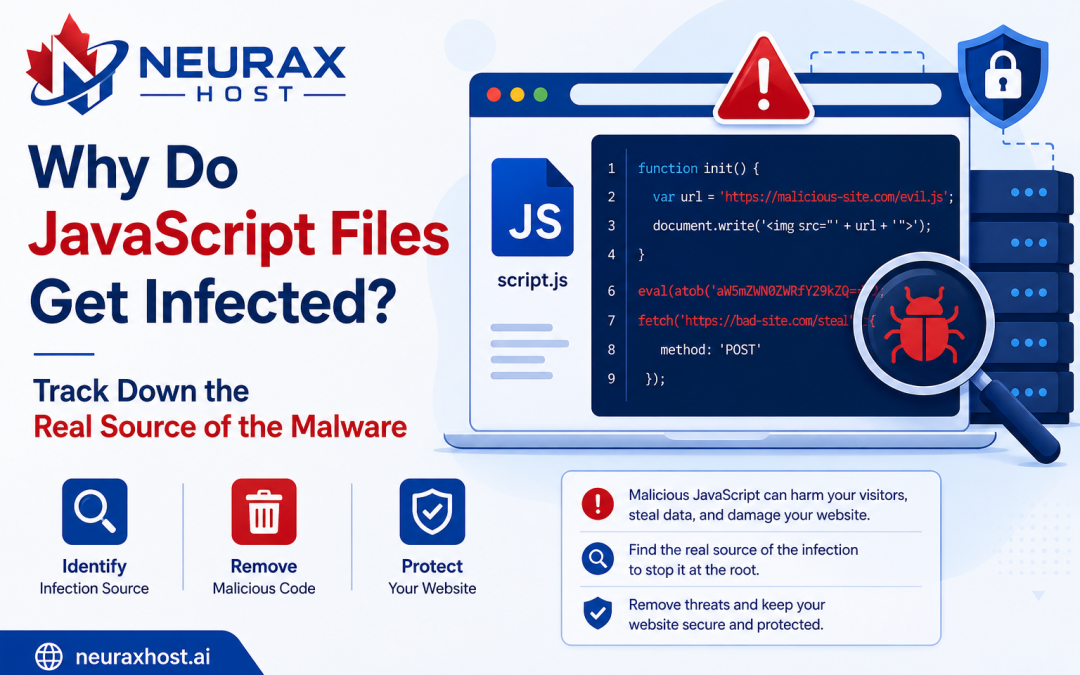
The protection of a website is something that no one should be compromising these days. In fact, the protection from malware should be the first concern of a website owner, regardless of the fact that whether the website is a personal blog, an online shop, or a business website. You might be familiar with JavaScript files being the source of security threats, but what the majority of the website owners don’t even know is that these files are the ones infected with malicious code. That is usually the point at which people start getting reports of unusual behavior from the visitors or search engines start coming up with security warnings.
Luckily, the complexity of the topic should not hinder you from figuring it out. It is perfectly possible to get acquainted with how JavaScript files operate, through which of them the malware spreads, and how to track down the source of the infection leading to a better and safer website for your users.
What Are JavaScript Files?
JavaScript is a programming language used to make websites interactive and dynamic. HTML is the one responsible for creating the structure of the page, while CSS takes care of the appearance of it. However, the addition of functionalities is the role of JavaScript.
To illustrate, most websites’ functions are enabled and enhanced through JavaScript, for example:
- Showing/hiding menus
- Making popups appear
- Search functionalities
- Checking the validity of a form
- Creating a slideshow of images
- Loading content without a page refresh
- Integration of a chat system
Such JavaScript files have ‘”.js”‘ as their extension.
Some typical examples are:
- app.js
- script.js
- main.js
- custom.js
In the case of a web page visit, the visitor’s browser makes a request to the server and downloads these JavaScript code files which it then proceeds to execute automatically.
Why Are JavaScript Files Important?
JavaScript is something that modern websites are almost impossible to function without these days. In fact, it would require quite a bit of effort to get everything to work properly if that technology was not around.
User experience might get some pretty good upgrades when websites turn out to be:
- Quicker to load
- Much more interactive by the help of JavaScript
- It becomes easy to navigate
- Highly responsive
In the end, it is exactly this fact of JavaScript being executed in the client’s browser that makes the attackers target these files.
What Is JavaScript Malware?
JavaScript Malware refers to the malicious software that criminals embed within JavaScript codes or even directly on web pages. In most instances, the primary aim of JavaScript malware is to perform harmful activities without the owner of the website being aware of it. Such harmful activities might be:
- Redirecting users to dangerous websites
- Displaying spammy or obnoxious ads
- Collecting user login details
- Acquiring credit/debit card information
- Tracking user activities
- Acquiring more malware
- Carrying out phishing
Since JavaScript is run on a visitor’s computer, a compromised script can potentially affect all users who visit that website.
Why are JavaScript Files Vulnerable?
To be honest, JavaScript files getting infected by themselves is almost non-existent. Usually, attackers locate a loophole and use it.
Knowing these reasons will help you take the necessary precautions to keep the infections at bay.
Old Site Software
One major factor causing a malware infection is software that is not updated.
This can be:
- WordPress
- Joomla
- Drupal
- Magento
- Plugins
- Themes
Hackers keep monitoring sites running older versions in order to exploit the vulnerabilities that are already disclosed. When a vulnerability is identified, harmful JavaScript can be added to the website’s files.
Unsecure Plugins and Themes
To add functionalities, many website owners decide to install plugins and themes. But a badly coded or obsolete plugin can introduce security gaps. Hackers frequently take advantage of such flaws to alter JavaScript files and incorporate malicious codes.
Acquiring Files from Untrustworthy Sources
Some website owners go to the extent of downloading premium themes and plugins from unlicensed stores. Such files may harbor malware that is concealed. After installation, the malware can get activated and throughout the website it will start to spread.
Use of Weak Passwords
If your password is not strong, the bad guys can more easily get hold of:
- Website control panels
- Hosting providers accounts
- FTP connections
After they gain entry, they can manipulate the JavaScript files right away.
Stolen FTP Credentials
FTP account holders get the ability to transmit website-related files. If phishing attacks or malware-infected computers result in stealing FTP login details, then the hijackers may gain entry to the website folders and put removable harmful scripts there.
Unsafe File Upload Mechanisms
It is a common practice for websites to offer visitors file uploading feature. Should upload security lack proper configuration, attackers may be able to upload remote files that will lead to the infection of JavaScript code at a later stage.
Compromise of Third-Party Script
Many websites rely on external services like:
- Analysis tools
- Advertising networks
- Chat widgets
- Tracking systems
Should one of these external services be compromised, malware could be delivered through legitimate scripts.
Common Signs of JavaScript Malware
JavaScript malware often leaves clues.
Website owners should watch for the following warning signs.
Unexpected Redirects: – Users’ browsers redirect them without consent to other websites.
Strange Popups: – Ads or alert messages which seem suspicious pop up without the user’s intention.
Slow Website Performance: – Outputting a harmful code can be one reason why the website takes longer to load.
Unauthorized Content Changes: – One day you visit your site and all the content is totally different not to say changed beyond recognition without any notice.
Browser Security Warnings: – Warning messages indicating that a site might contain harmful content will be shown by browsers.
Search Engine Alerts: – Search engines may identify and label the site as a potential security threat.
Unusual Traffic Patterns: – Large influxes in traffic combined with abnormal user behavior are the primary signs of malware presence in your website.
How to Identify the Real Infection Source
Many website owners make the mistake of removing malware without identifying how it entered the website. This often results in repeated infections. Finding the infection source is the most important part of the cleanup process.
Review Recent Website Changes
Start by asking:
- Did you recently install a plugin?
- Did you update a theme?
- Did someone upload new files?
- Was custom code added recently?
Recent changes often reveal the source of the problem.
Check Website Logs
Server logs provide valuable information about:
- Login attempts
- File uploads
- File modifications
- Suspicious requests
Logs can help identify the exact moment an infection occurred.
Inspect Recently Modified Files
Review files that were changed recently.
Pay close attention to:
- JavaScript files
- Theme files
- Plugin files
Unexpected modifications may reveal the infection source.
Review Administrator Accounts
Attackers often create hidden administrator accounts.
Check all user accounts for:
- Unknown usernames
- Suspicious email addresses
- Recently created accounts
Remove anything that should not be there.
Analyze Third-Party Scripts
Review all external scripts used on the website. Ensure they come from trusted providers and have not been modified.
Use Browser Developer Tools
Developer tools can help identify:
- Suspicious scripts
- External connections
- Unauthorized network requests
Unexpected requests to unfamiliar domains are often signs of malware.
Common Types of JavaScript Malware
Redirect Malware
Automatically redirects visitors to spam or scam websites.
Advertising Malware
Displays unwanted advertisements on webpages.
Phishing Scripts
Creates fake login forms designed to steal usernames and passwords.
Credit Card Skimmers
Captures payment information entered by customers. These attacks are especially dangerous for eCommerce websites.
Cryptojacking Malware
Uses visitors’ devices to mine cryptocurrency without their permission.
How to Remove JavaScript Malware
Removing malware requires a careful and organized approach.
Create a Full Backup
Before making any changes, back up:
- Website files
- Databases
- Configuration files
Put the Website in Maintenance Mode
This protects visitors while cleanup is being performed.
Scan the Website
Use security tools to locate malicious code.
Common tools include:
- Imunify360
- Wordfence
- ClamAV
- Malware Detect
Remove Malicious Code
Delete infected scripts and remove unauthorized code from JavaScript files.
Restore Clean Files
If clean backups are available, restore affected files from a trusted backup.
Update Everything
Update:
- CMS software
- Plugins
- Themes
- JavaScript libraries
Updates often fix security vulnerabilities.
Change All Passwords
Reset passwords for:
- Website administrators
- FTP accounts
- Hosting accounts
- Database users
Remove Unauthorized Accounts
Delete any accounts created by attackers.
Fix the Entry Point
This is the most important step. Determine exactly how the malware entered and fix the vulnerability.
For example:
- Remove vulnerable plugins.
- Replace infected themes.
- Strengthen passwords.
- Secure upload forms.
- Update outdated software.
JavaScript files are essential parts of modern websites and also a major reason of websites being compromised through malware. This is mostly due to the fact that most users do not update their software, use weak passwords, get infected through vulnerable or malicious plugins or script files, get their accounts compromised, or allow unsecure file uploads to the server.
Removing the malicious payload is definitely necessary but the real solution is to detect the source of infection which most likely is the open entry point used by the attacker for initial and later virus injections.
Therefore, the best way to deal with the problem is to educate oneself on how these malicious JavaScript files operate, constantly checking the website activities as well as logs, ensuring user accounts are safely secured, and regularly upgrading software and all components of service.