
Why Do Beginners Get So Confused About Hosting Types?
When people come into the web hosting industry, one of their biggest issues is understanding the different hosting options available.
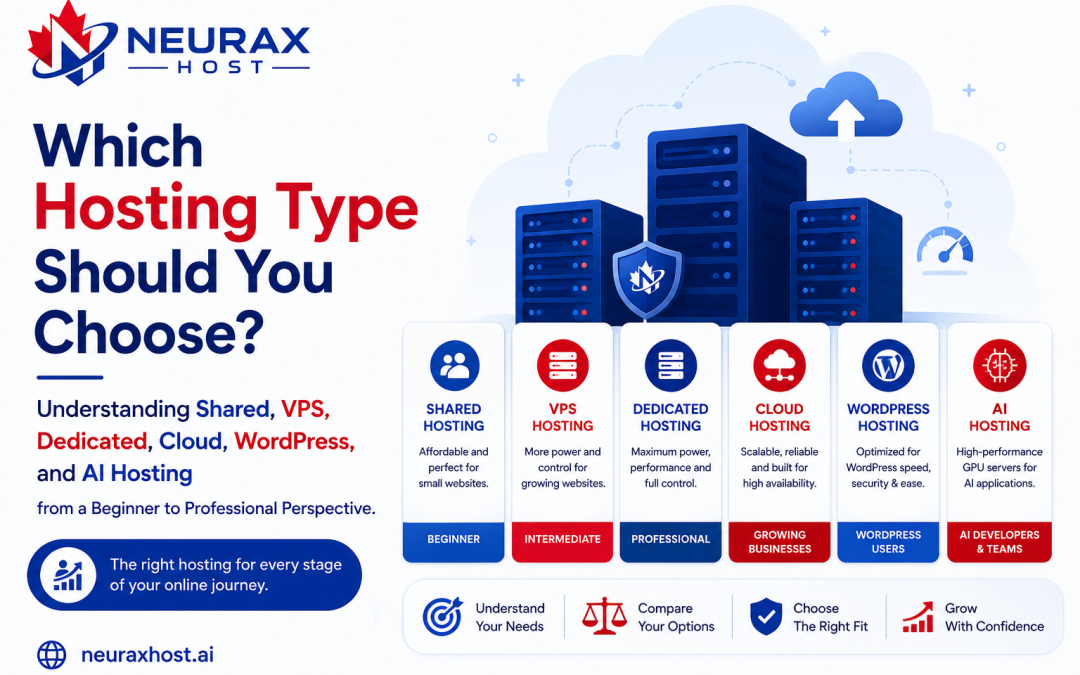
Shared Hosting, VPS Hosting, Dedicated Servers, Cloud Hosting, WordPress Hosting, and AI Hosting these terms are everywhere. However, beginners have a hard time figuring out what distinguishes one from another.
In fact, what ends up happening is a whole lot of confusion and very often the following important questions are asked:
- What hosting type is suitable for a new website?
- At what stage should the website stop using shared hosting?
- Why do some businesses dedicate servers for their use?
- What is it that makes cloud hosting different?
- What is it about AI hosting that makes it so popular?
Knowledge of the different hosting types is necessary because hosting is the factor that determines a website’s speed, security, uptime, scalability, and user experience. Google research indicates that users want websites to load in less than 3 seconds, and a delay of just one second can have a negative effect on conversions. So, selecting an unsuitable hosting environment can impact both the performance of the website and business growth.
We will look at each hosting type one by one and illustrate them with practical examples, technical details, and real-world use cases.
Shared Hosting: The Most Popular Starting Point
For beginners and small businesses, Shared Hosting is the most common hosting solution. In shared hosting, hundreds or even thousands of websites are hosted on the same physical server and share the same resources, such as:
- CPU
- RAM
- Storage
- Network bandwidth
- Operating system resources
Simple Example
Imagine a large apartment building where many families live together and share some things. Each has his or her own apartment, but they share the resources of the building. Shared hosting works in much the same way.
Technical Facts
Most shared hosting servers use:
- SSD or NVMe storage
- LiteSpeed or Apache web servers
- Shared CPU cores
- Shared memory pools
Industry studies suggest that over 70% of websites worldwide begin on shared hosting plans because they are affordable as well as simple to manage.
Advantages
- Lowest cost hosting
- Easy for beginners
- Simple control panels
- Basic technical skill is required
Limitations
The server is shared so if one website on the server is using too many resources then websites can have performance issues. This is often called the “Noisy Neighbor Effect.”
Best For
- Personal blogs
- Portfolio websites
- Small business websites
- Startup projects
VPS Hosting: Dedicated Resources Without Dedicated Hardware
VPS means Virtual Private Server.
Technically speaking, a VPS consists of one physical server that is partitioned into several independent virtual servers by means of virtualization technology. Each VPS is assigned its own set of resources.
Simple Example
It is like residing in an apartment complex and having a whole private floor just for you.
You are sharing the building; at the same time your resources are exclusive to you.
Technical Facts
Typical VPS plans include:
- 2–16 CPU cores
- 2GB–64GB RAM
- Dedicated storage allocation
- Root server access
Virtualization technologies commonly used include:
- KVM
- VMware
- Hyper-V
- OpenVZ
Unlike shared hosting, a VPS guarantees resources regardless of what neighboring websites are doing.
A VPS hosting provides you with a set amount of resources that are always at your disposal and which you do not have to share with other websites.
Advantages
- Better performance
- Dedicated resources
- Enhanced security
- Root access
- Custom software installation
Best For
- Growing businesses
- eCommerce stores
- Membership websites
- Agencies
- Developers
Real-World Example
A VPS hosting provides a substantial performance boost over shared hosting, especially when a site is attracting 20, 000 to 50, 000 visitors a month.
Dedicated Server Hosting: Ultimate Performance and Full Control
When you get a dedicated hosting, you are given exclusive rights to the whole physical server. You don’t share anything. One company has access to all the processor cores, memory, and storage devices.
Simple Example
Owning a building versus renting an apartment. You control everything in the building.
Technical Facts
Modern dedicated servers commonly include:
- Intel Xeon processors
- AMD EPYC processors
- 32GB–512GB RAM
- NVMe SSD storage
- Multiple dedicated IP addresses
Enterprise servers can support:
- Millions of monthly visitors
- Large databases
- Resource-intensive applications
Advantages
- Full hardware control
- Maximum performance
- Highest customization level
- Strong security isolation
Challenges
Dedicated servers require:
- Higher budgets
- System administration knowledge
- Ongoing maintenance
Best For
- Large enterprises
- SaaS platforms
- Financial systems
- High-traffic websites
Cloud Hosting: Built for Scalability and Reliability
Cloud Hosting has risen as one of the quickest expanding hosting technologies.
Unlike a single physical server, cloud hosting employs numerous networked servers that function collectively as one system.
Simple Example:
Think of a group of standby generators linked to each other. If one fails, the other one instantaneously steps in.
It is comparable to how cloud infrastructure operates.
Technical Facts
Cloud hosting environments often use:
- Distributed storage
- Load balancing
- Virtualized computing
- Multi-server redundancy
Major cloud providers include:
- Amazon Web Services
- Microsoft Azure
- Google Cloud
Many cloud systems provide uptime levels approaching 99.99% availability.
Advantages
- High availability
- Flexible scaling
- Excellent uptime
- Traffic spike management
Best For
- Growing businesses
- SaaS applications
- Online stores
- High-traffic websites
Example
Cloud hosting can automatically assign more resources to manage unexpected spikes in demand during significant sales occasions.
WordPress Hosting: Designed with WordPress in Mind
WordPress is the most used content management system, powering over 43% of all websites worldwide.
Numerous hosting companies provide customized WordPress hosting as a result of this popularity.
Technical Optimizations
WordPress hosting often includes:
- Server-level caching
- LiteSpeed Cache
- PHP optimization
- Automatic updates
- Malware protection
- WordPress-specific support
Advantages
- Faster WordPress performance
- Improved security
- Easier management
- Automatic backups
Best For
- Bloggers
- Small businesses
- Content creators
- Marketing websites
- Technical Benefit
After the implementation of the right WordPress hosting environment, optimized accurately, the load times of website pages can be further shortened by more than half compared to the initially poorly configured hosting environment.
AI Hosting: A New Era of Hosting Infrastructure
Artificial Intelligence (AI) programs use computational power much more heavily than the typical websites. This in turn has led to the rise of AI Hosting.
How is AI Hosting Different?
Typically, normal hosting primarily relies on the processing power of CPUs. However, AI hosting is large-scale use of GPUs (Graphics Processing Units).
Only a few attributes of GPUs are leveraged, mainly parallel processing, that is why these devices are well-suited for tasks related to machine learning and AI workloads.
Technical Hardware Examples
Modern AI hosting may use:
- NVIDIA A100 GPUs
- NVIDIA H100 GPUs
- NVIDIA RTX 4090 GPUs
- Multi-GPU clusters
Used For
- Chatbots
- Large Language Models (LLMs)
- Machine Learning
- Deep Learning
- Computer Vision
- AI Research
Real Fact
Specialized AI hosting environments are now necessary since training sophisticated AI models can take hundreds or even thousands of GPU hours.
Advantages
- Massive computational power
- Faster model training
- Large dataset processing
- Scalable AI infrastructure
Best For
- AI startups
- Research organizations
- Machine learning engineers
- Data scientists
Quick Hosting Comparison Table
| Hosting Type | Resource Model | Performance | Scalability | Typical Users |
| Shared Hosting | Shared Resources | Basic | Low | Beginners |
| VPS Hosting | Dedicated Virtual Resources | High | Medium | Growing Businesses |
| Dedicated Hosting | Entire Physical Server | Very High | Medium | Enterprises |
| Cloud Hosting | Multiple Connected Servers | High | Very High | Scaling Businesses |
| WordPress Hosting | Optimized WordPress Environment | High | Medium | WordPress Users |
| AI Hosting | GPU-Powered Infrastructure | Extremely High | Very High | AI Applications |
How Should Beginners Choose the Right Hosting?
A straightforward method is to assess four factors:
Traffic Volume
- Under 10,000 visitors/month → Shared Hosting
- 10,000–50,000 visitors/month → VPS Hosting
- Higher traffic → Cloud or Dedicated Hosting
Budget
Shared hosting is by far the cheapest option when considering the price, whereas dedicated and AI hosting require larger amounts of money.
Technical Requirements
Very complex and heavy-duty applications are usually run better on VPS, cloud, or dedicated environments.
Growth Potential
Besides focusing only on current needs, you should also consider what position the website will be in 12-24 months.
Understanding different types of hosting is crucial not only for professionals working in the industry but also for those who are just getting acquainted with it. Hosting is not just about finding the cheapest option but rather the one that matches the purpose, and knowing the differences will help you make better decisions and recommendations.
Typically Shared Hosting is the easiest way for newcomers to start. When there is more traffic and requirements, then VPS Hosting gives more control and dedicated resources. Dedicated Servers are powerful enough to give service at the highest level whereas Cloud Hosting offers both capacity and trust. WordPress Hosting takes the hassle away from WordPress management, and AI Hosting drives the future of smart applications.
The major takeaway is straightforward: it is not that one single hosting type is the best. The appropriate decision depends on various factors such as the number of visitors to the website, finances, aspirations for the result, security aspects, and plans for future development. Finding out about these things will empower you to help customers make informed decisions and also lay a good foundation in the hosting business.