
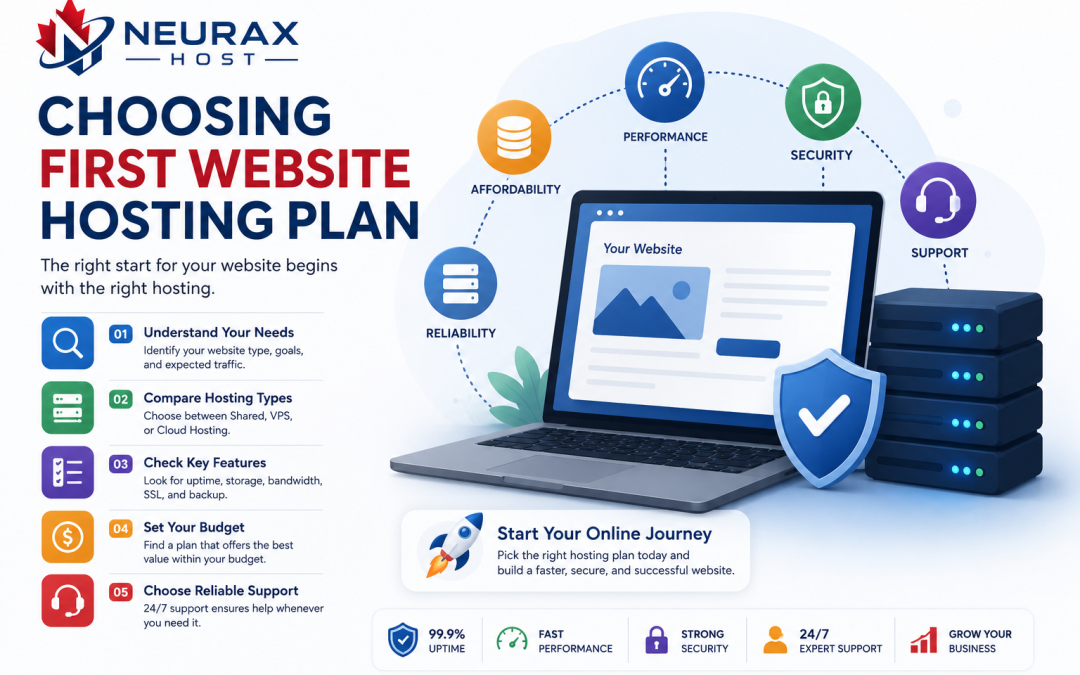
Choosing the first hosting plan is one of the most important technical decisions for anyone starting a website. Whether it is a blog, business page, portfolio, or online store, the hosting environment directly affects speed, security, uptime, and long-term scalability. For beginners, the options can feel overwhelming because hosting providers often advertise similar features with different pricing structures and technical terms. So the real question is: what should beginners know before choosing their first hosting plan for a website?
The answer goes beyond price or storage. It involves understanding how hosting works, what your website actually needs, and how to avoid common mistakes that lead to slow performance or unexpected limitations later. This guide breaks everything down in a practical and beginner-friendly way.
Understanding What Web Hosting Actually Does
Web hosting is the service that stores your website files and makes them accessible on the internet. Without hosting, your website cannot be viewed by anyone online.
When someone visits your site, the hosting server delivers:
- Website files (HTML, CSS, scripts)
- Images and media
- Database content (for dynamic websites like WordPress)
In simple terms, hosting is the engine behind your website’s availability. Different hosting types exist because websites have different needs, ranging from simple blogs to high-traffic business platforms.
Why Beginners Often Start with Shared Hosting
Most beginners are introduced to shared hosting first because it is affordable and easy to manage.
Shared hosting is suitable for:
- Personal blogs
- Small business websites
- Portfolio websites
- Early-stage startups
- Low to moderate traffic websites
It works well because setup is simple and technical management is minimal. However, beginners should understand that shared hosting has limitations in performance and scalability, which become more visible as traffic grows.
Key Factors Beginners Must Evaluate Before Choosing Hosting
Before selecting any hosting plan, beginners should evaluate several core aspects instead of focusing only on cost.
Website Purpose and Type
A blog does not require the same resources as an eCommerce store or web application. Understanding your website’s purpose helps determine the right hosting level.
Expected Traffic
Hosting needs depend heavily on how many visitors you expect. Low-traffic sites can function well on shared hosting, while high-traffic platforms require stronger infrastructure.
Performance Requirements
Speed matters for user experience and SEO. Hosting quality affects:
- Page loading time
- Server response time
- Overall website stability
Security Needs
If your website collects user data, you need stronger security features like SSL, malware protection, and firewalls.
Future Growth
A hosting plan should support future scaling without requiring a complete rebuild.
Comparing Beginner Hosting Options
To understand what beginners should choose, it helps to compare the most common hosting types.
| Hosting Type | Ease of Use | Performance Level | Scalability | Cost Range | Best For |
| Shared Hosting | Very Easy | Basic | Limited | Low | Beginners and small websites |
| VPS Hosting | Moderate | Good | High | Medium | Growing websites |
| Cloud Hosting | Moderate | High | Very High | Medium to High | Expanding businesses |
| Managed WordPress Hosting | Easy | Optimized | Medium | Medium | WordPress users |
This comparison shows that shared hosting is a starting point, not a permanent solution for all website types.
Importance of Website Speed and Performance
Website speed directly impacts user experience and search engine rankings. A slow website can lead to:
- Higher bounce rates
- Lower conversions
- Reduced SEO performance
- Poor user engagement
Hosting plays a major role in determining speed because it controls how quickly server resources respond to visitor requests.
Beginners should look for hosting providers that offer:
- SSD storage
- Built-in caching systems
- Optimized server configurations
- Content delivery network (CDN) support
These features help improve performance even on entry-level plans.
Security Features Beginners Should Not Ignore
Security is often overlooked by beginners, but it is essential for protecting websites from threats.
Important hosting security features include:
- Free SSL certificates
- Malware scanning
- Firewall protection
- Automatic backups
- Account isolation (in shared hosting)
Even a small personal website can be targeted by automated attacks. A secure hosting environment reduces these risks significantly.
Storage and Bandwidth Considerations
Beginners often assume more storage automatically means better hosting. However, what matters more is how efficiently resources are managed.
Storage
Storage is used for website files, images, and databases. Most beginner websites do not require large storage unless they are media-heavy.
Bandwidth
Bandwidth refers to the amount of data transferred between your website and visitors. Higher traffic websites require more bandwidth.
Instead of choosing maximum storage, beginners should focus on balanced resource allocation.
Hidden Limitations Beginners Should Be Aware Of
Many hosting plans appear attractive but come with hidden limitations such as:
- CPU usage caps
- Entry process limits
- Email sending restrictions
- File count limitations
- Performance throttling during high usage
These restrictions are especially common in shared hosting environments. Beginners should always read the fine print before purchasing a plan.
How Support Quality Impacts Hosting Experience
Technical support is one of the most important factors for beginners. When something goes wrong, fast and reliable support can prevent downtime and confusion.
Look for hosting providers that offer:
- 24/7 support availability
- Live chat or ticket assistance
- Clear documentation
- Fast response times
Good support reduces the learning curve and helps beginners manage their websites more confidently.
Common Mistakes Beginners Make When Choosing Hosting
Many first-time website owners make avoidable mistakes such as:
- Choosing hosting based only on price
- Ignoring scalability needs
- Overlooking security features
- Not checking renewal costs
- Selecting the wrong hosting type for their website
Avoiding these mistakes can save time, money, and future migration challenges.
When to Upgrade Your Hosting Plan
Beginners should also understand that hosting is not permanent. As websites grow, hosting needs change.
You should consider upgrading when:
- Website speed decreases consistently
- Traffic increases significantly
- You run an online store or membership system
- You need more control over server resources
- You experience frequent downtime or limits
Upgrading to VPS or cloud hosting ensures better performance and stability.
Choosing the first hosting plan is not just a technical purchase—it is the foundation of your website’s future performance and reliability. Beginners should focus on understanding their website’s purpose, expected traffic, security needs, and long-term growth before making a decision.
Shared hosting is often a good starting point because it is affordable and easy to manage. However, it should be chosen with awareness of its limitations and upgrade path. The best hosting choice is not the cheapest or the most powerful—it is the one that matches your current needs while allowing room for future growth.