
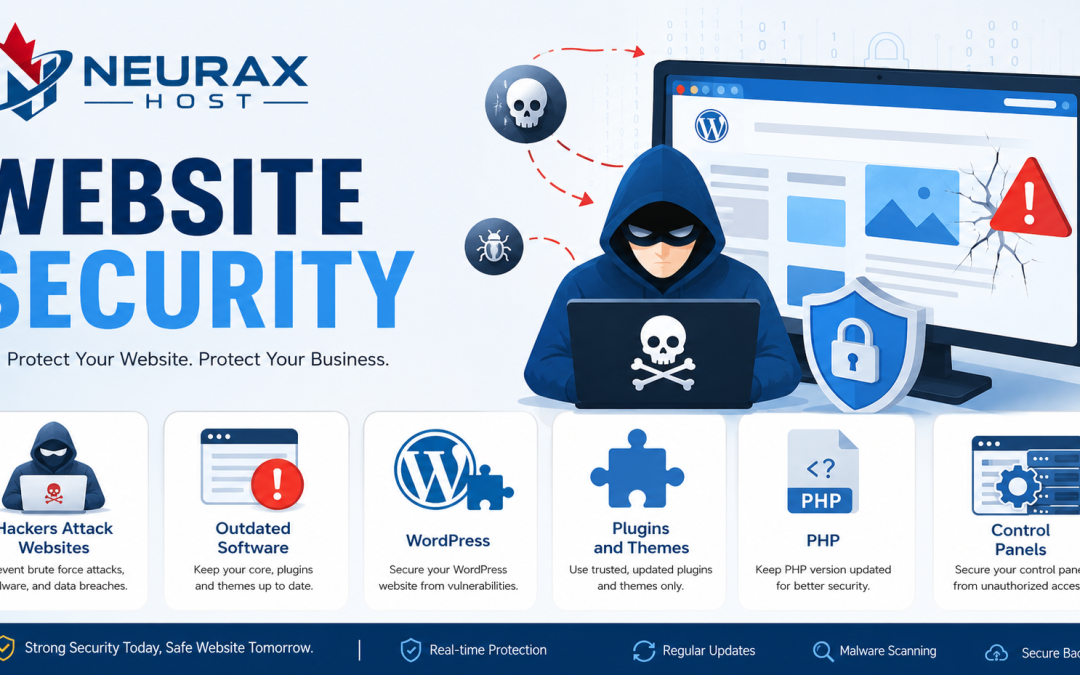
If you own a website, your web hosting server is one of the most important parts of your online business. It stores your website files, databases, emails, and customer information. Unfortunately, hackers know this too. A successful attack on a hosting server can affect not just one website, but many websites hosted on the same server.
The good news is that most common attacks can be prevented with the right security steps. In this beginner-friendly guide, you will learn how hackers attack web hosting servers, the warning signs of an attack, and the practical steps that website owners and hosting providers can take to stay safe.
What Is a Web Hosting Server?
A web hosting server is a computer connected to the internet that stores your website and delivers it to visitors when they type your domain name.
Think of it like an apartment building:
- The server = the building
- Each website = an apartment
- The hosting provider = the building manager
If a hacker breaks into the building, they may try to enter one apartment or several apartments at once. That is why server security is so important.
Why Do Hackers Target Hosting Servers?
Hackers attack hosting servers for several reasons:
- To steal customer data
- To install malware
- To send spam emails
- To redirect visitors to fake websites
- To use the server for other attacks
- To demand ransom money
A hosting server is a valuable target because it often contains many websites and large amounts of data.
The Most Common Ways Hackers Attack Hosting Servers
Weak Passwords
This is the easiest and most common attack. Hackers use automated tools that try thousands of common passwords such as admin123, password, or 123456.
Example: If your hosting account uses a simple password, a hacker may gain access in minutes.
Prevention: Use a long, unique password with uppercase letters, lowercase letters, numbers, and symbols.
Brute-Force Login Attacks
In a brute-force attack, a hacker repeatedly tries different username and password combinations until one works.
Targets include:
- cPanel or Plesk logins
- FTP accounts
- SSH access
- WordPress admin pages
Prevention: Enable two-factor authentication (2FA) and limit failed login attempts.
Outdated Software
Hackers constantly search for websites and servers running old versions of:
- WordPress
- Plugins and themes
- PHP
- Control panels
- Server software such as Apache or Nginx
When a security flaw is discovered, attackers quickly try to exploit servers that have not been updated.
Prevention: Keep all software updated and apply security patches promptly.
Vulnerable Plugins and Themes
A poorly coded WordPress plugin or theme can create a back door into the server.
Example: A file upload vulnerability may allow a hacker to upload a malicious script.
Prevention: Install plugins and themes only from trusted sources and remove unused ones.
SQL Injection
If a website does not properly validate user input, a hacker can insert malicious SQL commands into forms or URLs.
What can happen:
- Database data can be stolen.
- User accounts can be modified.
- Entire tables can be deleted.
Prevention: Use prepared statements, input validation, and a web application firewall (WAF).
Cross-Site Scripting (XSS)
In an XSS attack, malicious JavaScript is injected into a website. Visitors who load the infected page may have their cookies or session data stolen.
Prevention: Sanitize user input and keep web applications updated.
Malware Uploads
Hackers may upload malicious files through vulnerable forms, plugins, or FTP accounts. The malware can then spread to other files on the server.
Prevention: Restrict file uploads, scan uploads for malware, and use server-side security tools.
DDoS Attacks
A Distributed Denial of Service (DDoS) attack floods the server with massive amounts of traffic, making the website slow or completely unavailable.
Prevention: Use DDoS protection services, a content delivery network (CDN), and rate limiting.
What Happens After a Server Is Compromised?
Once hackers gain access, they may:
- Create hidden administrator accounts
- Install backdoors for future access
- Modify website files
- Steal databases and customer information
- Send spam emails from the server
- Use the server to attack other systems
Many victims do not realize they have been hacked for days or even months.
Warning Signs of a Hosting Server Attack
Watch for these symptoms:
- Website suddenly becomes very slow
- Unknown files appear on the server
- Unexpected redirects to other websites
- Hosting provider sends abuse or spam warnings
- Search engines display security warnings
- High CPU or bandwidth usage
- New administrator accounts appear
- SSL certificate warnings occur unexpectedly
If you notice any of these signs, investigate immediately.
Essential Steps to Prevent Hosting Server Attacks
Use Strong Passwords Everywhere
Create unique passwords for:
- Hosting account
- Control panel
- FTP/SFTP accounts
- SSH access
- WordPress admin accounts
- Database users
A password manager can generate and store strong passwords securely.
Enable Two-Factor Authentication (2FA)
With 2FA, logging in requires both your password and a second code from an app such as Google Authenticator or Authy. Even if a hacker steals your password, they still cannot log in without the second factor.
Keep Everything Updated
Set a regular schedule to update:
- WordPress core
- Plugins and themes
- PHP version
- Server software
- Control panel software
Many hosting providers offer automatic updates for critical security patches.
Use SFTP or SSH Instead of FTP
Standard FTP sends passwords in plain text. SFTP and SSH encrypt the connection, making it much harder for attackers to intercept your credentials.
Install a Web Application Firewall (WAF)
A WAF filters malicious traffic before it reaches your website. It can block:
- SQL injection attempts
- XSS attacks
- Malicious bots
- Known exploit patterns
Many managed hosting providers include a WAF by default.
Limit User Permissions
Give each user only the access they need.
Example:
- Content editors should not have server administration rights.
- Developers should not use the root account for everyday tasks.
This principle is called least privilege.
Perform Regular Backups
Backups are your safety net. Follow the 3-2-1 rule:
- 3 copies of your data
- 2 different storage types
- 1 copy stored offsite
Test your backups regularly to ensure they can be restored.
Monitor Server Activity
Enable logging and review:
- Login attempts
- File changes
- Error logs
- Resource usage
Automated monitoring tools can alert you to suspicious activity in real time.
What Hosting Providers Should Do
A reputable hosting provider should provide:
- Server-level firewalls
- Malware scanning
- DDoS protection
- Account isolation on shared hosting
- Regular security patching
- 24/7 monitoring
- Automated backups
- Security incident response
When choosing a hosting provider, ask specifically about these features.
A Simple Security Checklist for Beginners
Use this checklist once a month:
- Change weak or reused passwords.
- Verify that 2FA is enabled.
- Update WordPress, plugins, and themes.
- Delete unused plugins, themes, and accounts.
- Check backup status and perform a test restore.
- Review recent login activity.
- Scan the website for malware.
- Confirm that SSL certificates are valid.
Completing these steps takes less than an hour and dramatically improves security.
What To Do If You Suspect an Attack
Act quickly:
- Take the website offline if it is actively spreading malware.
- Change all passwords immediately.
- Contact your hosting provider and ask for security assistance.
- Scan and clean the server using trusted malware removal tools.
- Restore from a clean backup if necessary.
- Update all software and remove the vulnerability that allowed the attack.
- Monitor logs for any remaining suspicious activity.
Do not simply delete suspicious files; hackers often leave hidden backdoors that can reinfect the server.
Hackers attack web hosting servers through weak passwords, brute-force attacks, outdated software, vulnerable plugins, SQL injection, XSS, malware uploads, and DDoS attacks. While these threats sound intimidating, the most effective defenses are surprisingly practical: strong passwords, two-factor authentication, regular updates, secure file transfer methods, firewalls, backups, and continuous monitoring.
Think of server security like protecting your home. A strong lock, an alarm system, good lighting, and regular maintenance work together to keep intruders out. No single security measure is perfect, but multiple layers of protection make attacks much more difficult and greatly reduce the chance of serious damage.
By following the steps, even a beginner can build a much safer hosting environment and protect their website, customer data, and business reputation from modern cyber threats.