
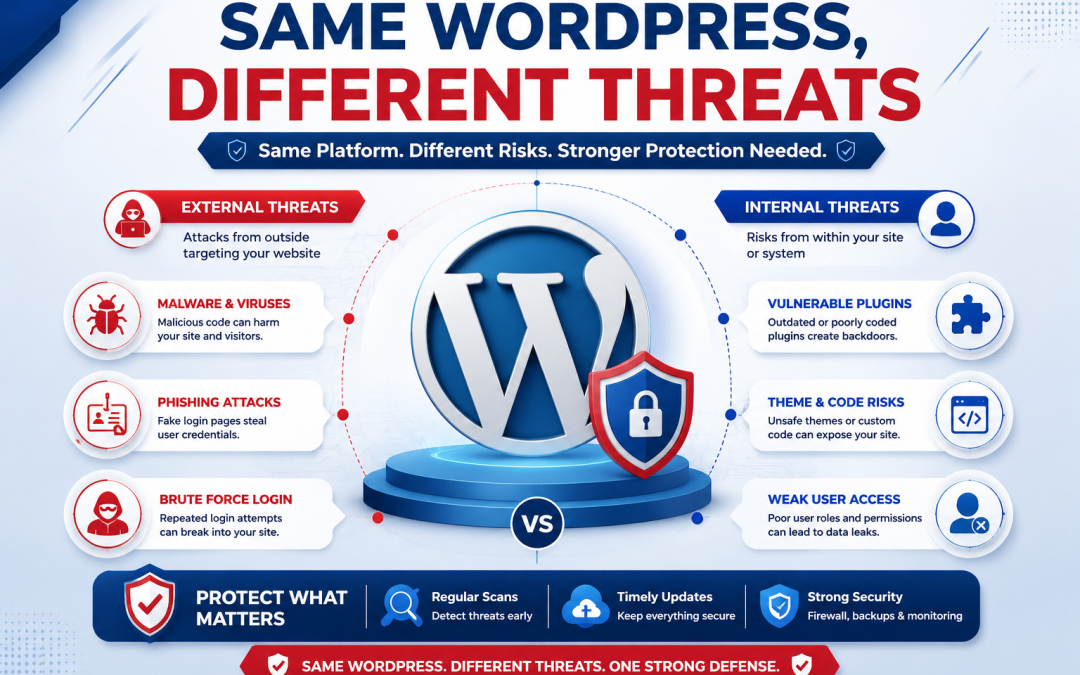
Many website owners think that if two websites use the same WordPress version, theme, plugins, and hosting plan, they have the same level of protection. That is not true. Two websites may look exactly alike, but their security risks can be very different. Small changes in passwords, plugin updates, user accounts, traffic, or server settings can create big problems. One website may stay safe for years, while the other gets hacked overnight. Knowing why this happens helps you protect your website before attackers find a weakness. The sooner you understand these hidden risks, the easier it is to stop expensive damage, data loss, and downtime.
| Security Factor | Safe Website | High-Risk Website |
| WordPress Updates | Updated regularly | Outdated version |
| Plugins | Trusted and updated | Old or abandoned plugins |
| User Passwords | Strong passwords | Weak passwords |
| Website Backups | Daily backups | No recent backup |
| Security Monitoring | Active scanning | No monitoring |
| Hosting Environment | Secure server settings | Weak server protection |
The Same WordPress Setup Does Not Mean the Same Security
Many people believe copying a website also copies its safety. Sadly, hackers know this is false. Every website changes over time. Even two websites with the same installation develop different website vulnerabilities.
One owner may update plugins every week. Another may forget for months.
One website may remove unused plugins. Another may leave old software installed. Even inactive plugins can become an easy target for attackers.
Small security gaps grow quickly. Hackers use automated bots that scan thousands of websites every hour looking for outdated software, weak passwords, and exposed files.
This is why one website gets attacked while another stays safe.
Hidden Risks Inside Your Hosting Environment
Your hosting environment plays a much bigger role than many website owners realize. Good hosting providers add multiple security layers that work silently behind the scenes.
They often include malware scanning, web application firewalls, account isolation, automatic updates, login protection, server monitoring, and file integrity checks.
However, websites are still responsible for their own security habits.
The table below shows how everyday actions change your security level.
| Website Action | Security Impact | Risk Level |
| Update WordPress quickly | Closes known security holes | Low |
| Ignore plugin updates | Leaves known exploits open | High |
| Remove unused plugins | Reduces attack surface | Low |
| Reuse passwords | Makes hacking easier | Very High |
| Enable two-factor authentication | Protects user accounts | Low |
| Scan for malware regularly | Finds threats early | Low |
Even on secure hosting, poor maintenance can create serious problems.
Small Mistakes Create Big Website Vulnerabilities
Hackers rarely break into websites by guessing. They usually enter through simple mistakes. Weak administrator passwords remain one of the biggest causes of hacked WordPress websites.
Another common issue is installing plugins from unknown websites. These plugins may contain hidden malware or backdoors that allow attackers to take control later. Old themes also become dangerous when developers stop releasing security updates.
Other hidden risks include:
- Too many administrator accounts
- Unused themes left installed
- Unsafe file permissions
- Missing security scans
- No automatic backups
Each mistake may seem small, but together they create easy opportunities for attackers.
Why WordPress Security Depends on Daily Habits
Good WordPress security is not only about software. It depends on how the website is managed every day. A website owner who checks updates, reviews user accounts, monitors login activity, and creates backups regularly is much harder to attack.
Another owner using the exact same setup may ignore security alerts for weeks. Cybercriminals constantly search for websites that are easy to enter.
Simple habits make a huge difference:
- Update WordPress, themes, and plugins immediately.
- Use strong, unique passwords.
- Enable two-factor authentication.
- Remove software you no longer need.
- Review administrator accounts often.
- Keep automatic backups.
These actions reduce security risks without requiring advanced technical skills.
How to Keep Your Website Safer Than Similar Websites
Many website owners focus only on adding more security plugins. While plugins help, they cannot replace good security practices. Choose reliable hosting with firewall protection, malware detection, SSL certificates, automatic backups, and real-time monitoring. Check your website regularly for unusual activity. Watch for unknown users, unexpected file changes, strange redirects, or sudden traffic spikes. If something looks unusual, act immediately. Waiting even one day can allow malware to spread across your website. The best defense combines secure hosting, updated software, careful user management, and regular monitoring.
Two websites may share the same WordPress installation, theme, plugins, and design, yet face completely different security risks. The difference often comes from daily maintenance, update habits, password strength, and the quality of the hosting environment. Even small website vulnerabilities can become entry points for hackers if left unattended. Strong WordPress security is built through regular updates, trusted hosting, continuous monitoring, secure backups, and proactive protection. Taking action today is far easier than recovering from a successful cyberattack tomorrow. A few simple security steps can protect your website, preserve customer trust, and keep your business running safely.