
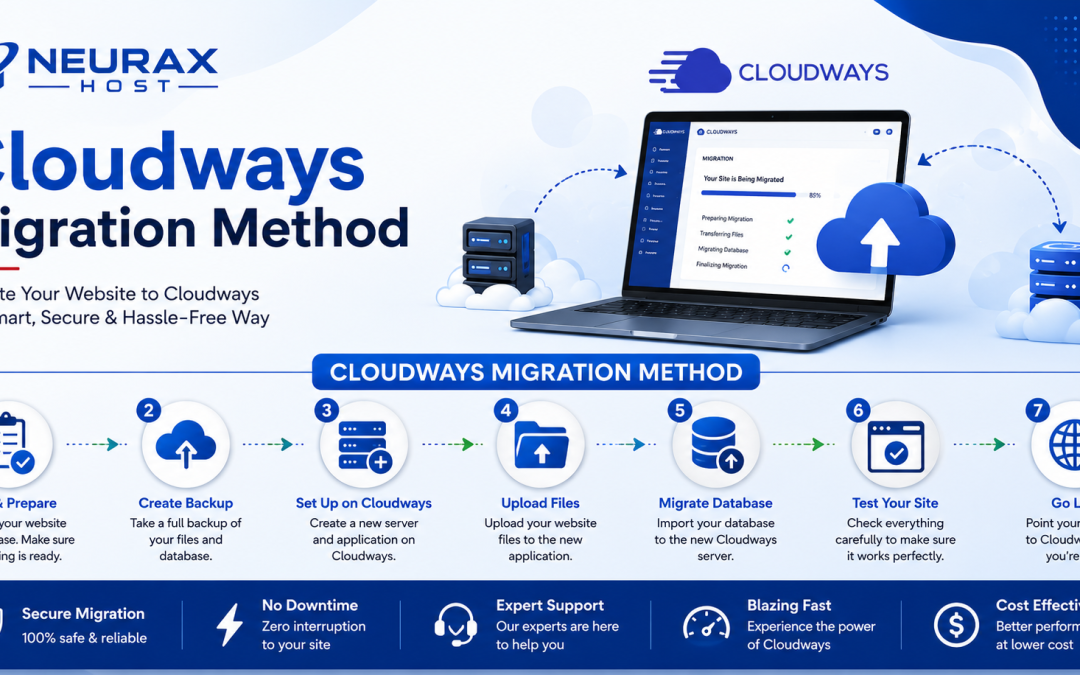
Moving a WordPress website from one hosting provider to another is called website migration. Many website owners move their sites to get better speed, stronger security, improved support, or more reliable hosting. However, moving a website can feel stressful. A wrong step can cause missing files, broken pages, or website downtime. This is why choosing the right migration method is important.
Cloudways offers different ways to move a WordPress website. The best method depends on your technical skills, website size, and how much control you want during the move. A successful migration should keep your website design, content, images, and settings working properly. With the right method, you can move your website safely with less trouble.
Common Cloudways Migration Methods Explained
Cloudways provides several migration options to help users transfer their WordPress websites. Each method has different benefits.
| Migration Method | Best For | Skill Level | Main Benefit |
| Cloudways Migrator Plugin | Most WordPress users | Beginner | Easy and automatic migration |
| Manual Migration | Developers and advanced users | Advanced | Full control over every step |
| Cloudways Support Migration | Users needing help | Beginner | Expert assistance during migration |
| Backup and Restore Method | Websites with backups | Medium | Simple recovery and transfer |
| Staging Site Migration | Testing before launch | Medium | Safe website changes before going live |
| Server Transfer Method | Large websites | Advanced | Better control for complex moves |
| Database Migration | Custom WordPress setups | Advanced | Useful for special website needs |
-
Cloudways WordPress Migrator Plugin: Best Choice for Most Users
For many WordPress website owners, the Cloudways Migrator Plugin is the easiest option.
This plugin is designed to help users move their websites without needing deep technical knowledge. It transfers important website files, database information, and other content to the new Cloudways server.
You usually need your old hosting details and your new Cloudways information. The plugin guides you through the process step by step.
This method is best for:
- Small business websites
- Blogs
- Personal websites
- Small online stores
The biggest advantage is simplicity. You do not need to manually copy files or edit database settings.
However, before starting the migration, always create a backup of your website. A backup gives you a safe copy if something goes wrong.
2. Manual Migration: Best for Technical Users
Manual migration gives you complete control over the entire process. It involves moving website files, exporting the database, updating settings, and checking everything after the transfer.
This method is commonly used by developers or experienced website managers.
Manual migration may be useful when:
- Your website has custom coding
- You have special server settings
- Your website is very large
- You need complete control
The process requires more technical knowledge. Mistakes in database settings or file transfers can create errors.
For beginners, manual migration may take more time and create unnecessary problems. But for experts, it provides flexibility.
3. Cloudways Expert Migration Support: Best for Users Who Want Help
Not everyone wants to handle website migration alone. If you are worried about technical issues, Cloudways support migration can be a helpful choice.
With expert assistance, professionals can help move your website and reduce the chance of mistakes.
This option is useful for:
- Business owners with limited technical skills
- Websites that cannot afford long downtime
- Users moving important business websites
Getting professional help can save time and reduce stress, especially when your website is important for customers and sales.
4. Backup and Restore Method: Best for Safe Transfers
A backup and restore method works by creating a copy of your website and moving that copy to the new hosting environment.
This method is useful when you already use a reliable backup system.
A backup normally includes:
- Website files
- Images and media
- WordPress database
- Website settings
Before restoring a backup, check that the backup file is complete and working. A damaged backup can create problems during migration.
This method is also helpful when you want a safety option before making major website changes.
How to Choose the Best Cloudways Migration Method
The best migration method depends on your website needs. If you are a beginner, the Cloudways Migrator Plugin is usually the simplest choice. It reduces manual work and makes the process easier. If you manage a complex website or have technical experience, manual migration may give you better control. For business websites where mistakes can affect customers, expert migration support may be the safest option.
Before moving your website, consider these questions:
- How large is your website?
- Do you have technical experience?
- Can your website handle downtime?
- Do you have a recent backup?
- Are there custom features on your website?
Answering these questions will help you choose the right migration method.
Moving a WordPress website to Cloudways does not have to be difficult. The right migration method can make the process smooth and safe. For most users, the Cloudways Migrator Plugin is the easiest option. Advanced users may prefer manual migration, while businesses that need extra support can choose expert help.
Always create a backup before migration, check your website after moving, and make sure all pages, images, and features work correctly. A careful migration helps your WordPress website enjoy better performance, stronger security, and a more reliable hosting experience.