
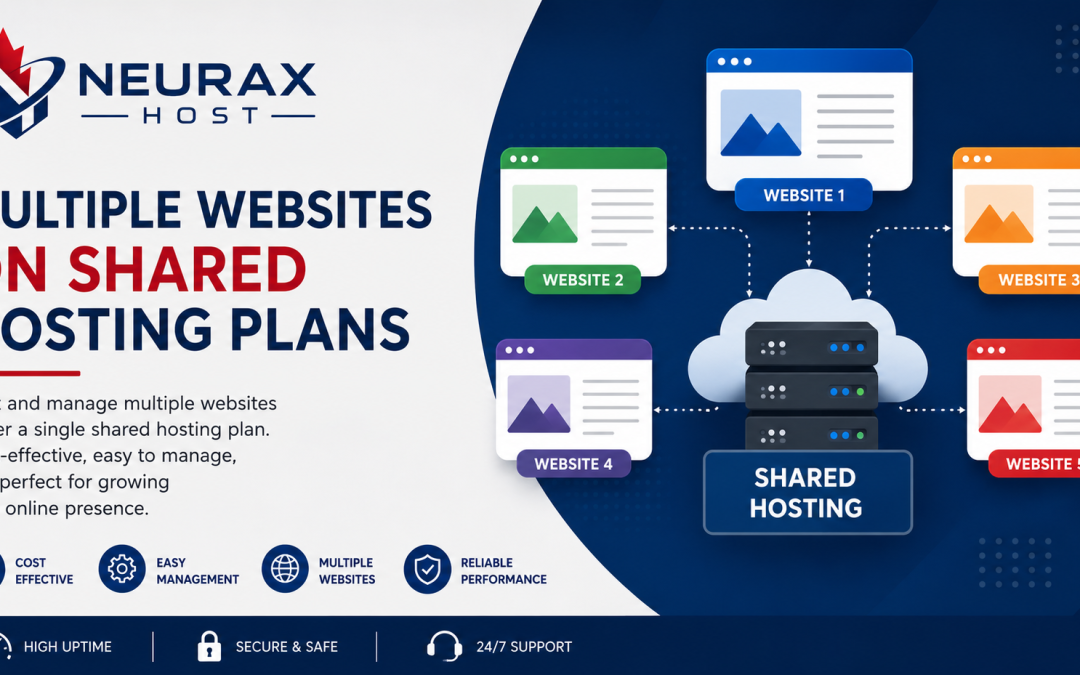
Freelancers, agencies, bloggers, and small business owners frequently employ this tactic to manage multiple websites. It is tempting to host several projects under one account because shared hosting plans frequently promote “unlimited websites.” This appears to be an affordable solution at first glance. However, the true drawbacks of shared hosting become far more apparent when you start managing multiple websites at once. What limitations should you anticipate while using shared hosting services for several websites is the practical question.
In actuality, “unlimited” rarely refers to unrestricted performance. Typically, it relates to how many domains you can add rather than how many resources such websites can use. This blog describes the operational difficulties, performance bottlenecks, and practical limitations that come with hosting several websites in a shared environment.
Knowing How Shared Hosting Manages Several Websites
Several users—and even several websites from the same user—use a single server in a shared hosting configuration. Every website has access to the same resources, such as:
- CPU processing power
- RAM (memory)
- Disk input/output (I/O)
- Bandwidth
- Database capacity
Even if you host five or ten websites under one plan, they are all competing for the same underlying resources. This structure works fine when usage is light. But as soon as traffic or complexity increases across multiple sites, limitations start appearing.
The Illusion of “Unlimited Websites”
Many hosting providers market plans as allowing unlimited websites. In reality, this refers only to domain hosting capability not actual server performance.
What this usually means:
- You can add multiple domains
- Each domain can host a separate website
- No fixed cap on number of sites
What it does NOT mean:
- Unlimited speed
- Unlimited traffic handling
- Unlimited CPU usage
- Unlimited database performance
So while you can technically run many websites, their performance is still bound by shared server resources.
Key Performance Limits You Will Encounter
When multiple websites run on the same shared hosting account, certain limitations become unavoidable.
- CPU Usage Bottlenecks
Every website request requires processing power. If several of your sites receive traffic at the same time, CPU limits can be reached quickly, causing slow loading or temporary throttling.
- Memory Constraints
Each active website consumes RAM. WordPress sites with plugins, themes, and dynamic content can increase memory usage significantly. Multiple active sites amplify this issue.
- Disk I/O Limitations
Even if storage space is available, reading and writing data simultaneously across multiple websites can slow performance due to I/O restrictions.
Concurrent Process Limits
Shared hosting plans often restrict how many processes can run at the same time. Multiple websites increase background tasks, cron jobs, and database queries.
How Multiple Websites Affect Speed and Stability
When resources are stretched across several websites, performance inconsistencies become common.
You may notice:
- One website loads slower when another receives traffic
- Admin dashboards become laggy
- Page caching becomes less effective
- Random spikes in load time
- Occasional 503 or 508 errors
This happens because all your websites are essentially competing for the same limited resources.
Comparison: Hosting One vs Multiple Websites on Shared Hosting
| Factor | Single Website Setup | Multiple Website Setup |
| Resource Usage | Stable and predictable | Highly variable |
| Speed Performance | Generally consistent | Fluctuates under load |
| Server Strain | Low | Moderate to High |
| Risk of Slowdowns | Minimal | Frequent during traffic spikes |
| Maintenance Complexity | Easy | More complex |
| Scalability | Better controlled | Limited by shared resources |
This comparison highlights that shared hosting becomes significantly less stable when multiple websites are added.
Database Load and Its Hidden Impact
Each website typically uses its own database. WordPress sites, in particular, rely heavily on database queries.
With multiple websites:
- Database queries multiply
- Server response time increases
- MySQL load becomes heavier
- Backup operations take longer
- Indexing and updates slow down
Even if websites appear small individually, combined database activity can create performance strain.
Email and Background Process Limitations
If your shared hosting plan also handles email services, running multiple websites can indirectly affect email performance.
Common issues include:
- Delayed email sending or receiving
- SMTP connection throttling
- Queue delays during server load
- Resource conflicts between web and email services
Additionally, background processes such as backups, cron jobs, and plugin updates run across all sites, further increasing load.
Security and Isolation Risks
Although modern shared hosting uses account isolation, running multiple websites still increases your exposure.
Potential risks include:
- If one site is compromised, others may be affected
- Malware scans take longer across multiple directories
- Plugin vulnerabilities multiply attack surfaces
- Security monitoring becomes more complex
Even with isolation, more websites mean more entry points for potential issues.
Realistic Limits of Shared Hosting for Multiple Websites
While limits vary by provider, here is a general expectation:
- 1–2 websites: smooth performance
- 3–5 websites: manageable with optimization
- 6–10 websites: noticeable slowdowns during peak usage
- 10+ websites: high risk of instability
These are not strict rules but practical performance observations based on shared resource behavior.
Optimization Techniques That Can Extend Capacity
You can improve performance if you must run multiple websites on shared hosting.
Use Lightweight Themes
Avoid heavy WordPress themes that consume excessive resources.
Enable Caching Systems
Caching reduces repeated processing and improves speed.
Optimize Images
Compressed images reduce bandwidth and load times.
Limit Plugins
Each plugin adds processing overhead.
Schedule Background Tasks
Avoid running backups and updates simultaneously across sites.
These steps can delay the need for upgrading hosting.
When Shared Hosting Becomes Unsuitable
At some point, shared hosting will no longer be practical for multiple websites.
You should consider upgrading when:
- Sites frequently slow down simultaneously
- Resource usage limits are repeatedly triggered
- You manage client websites or agency work
- Traffic is increasing across multiple domains
- Maintenance becomes too complex
At this stage, VPS or cloud hosting becomes more efficient and scalable.
Better Alternatives for Managing Multiple Websites
If you are planning to grow, consider alternatives that handle multi-site environments better.
VPS Hosting
Provides dedicated resource allocation and better stability.
Cloud Hosting
Offers scalable performance based on demand.
Managed Hosting Platforms
Optimized for multiple WordPress installations with performance tuning.
These solutions reduce resource conflicts and improve reliability.
Running multiple websites on shared hosting is possible, but it comes with clear and predictable limitations. While it may seem cost-effective, shared resources quickly become strained as the number of websites increases. The main challenges include CPU bottlenecks, memory constraints, database load, and performance fluctuations. These issues become more noticeable as traffic grows or as websites become more complex.
Shared hosting works best when used for a small number of lightweight websites. Beyond that point, upgrading to a more powerful hosting environment ensures better stability, speed, and long-term scalability. Shared hosting can support multiple websites but only up to a point where performance begins to matter more than cost savings.