
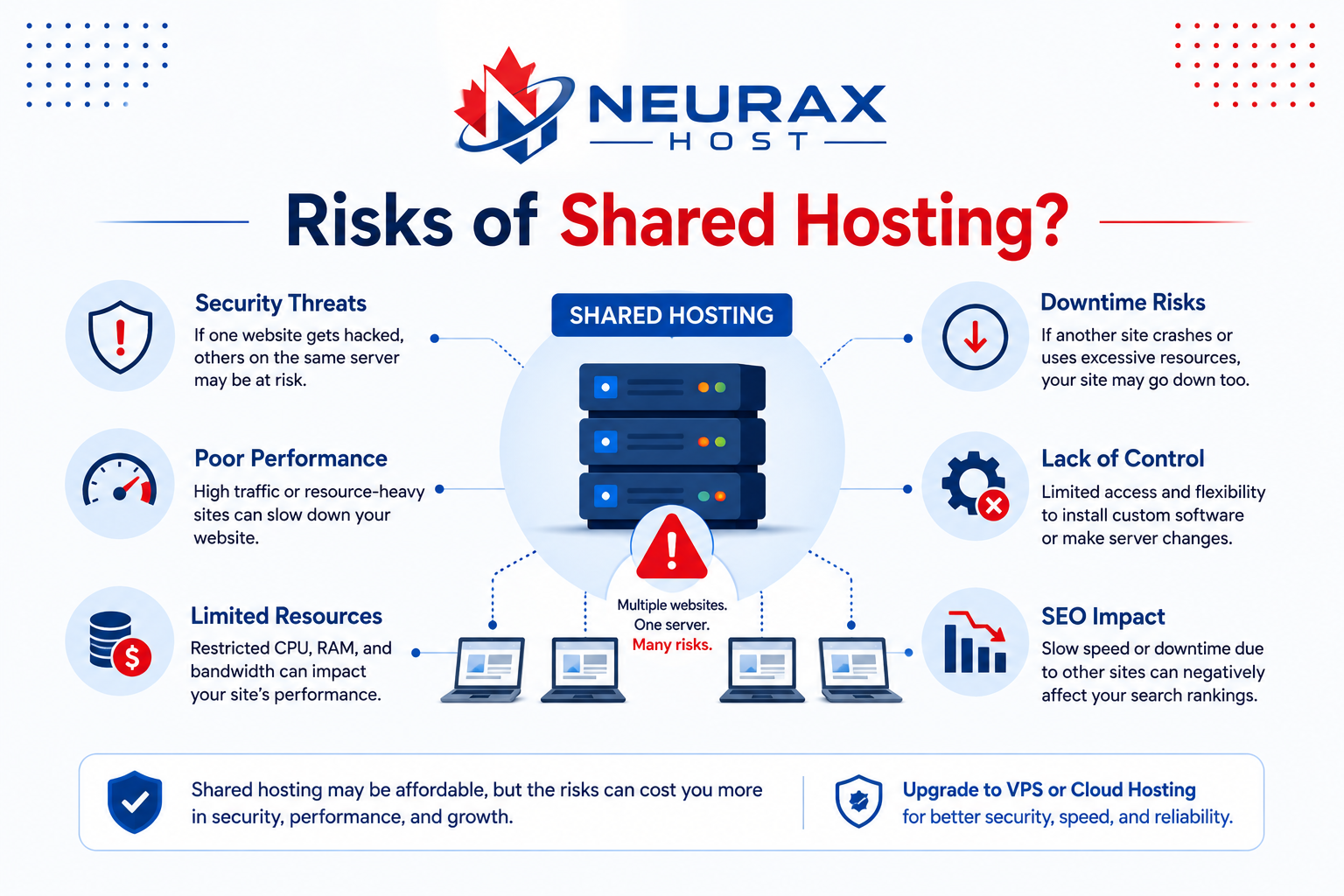
Shared hosting is one of the most popular hosting options for beginners and small businesses because it is affordable and simple to manage. In fact, industry reports suggest that more than 70% of small websites start with shared hosting plans due to their low cost and beginner-friendly setup. However, many website owners later ask an important question: “What are the most common risks of shared hosting?” This concern is understandable. While shared hosting is budget-friendly, it also comes with limitations and security challenges that can affect website performance, safety, and reliability.
The good news is that most shared hosting risks can be managed or reduced with the right knowledge and smart decisions. Understanding these risks helps website owners improve shared hosting security, maintain better website safety, and avoid expensive problems later.
Shared Hosting Explained: How It Really Works
Before understanding the risks, it is important to know how shared hosting works. Shared hosting means multiple websites use the same server resources, including:
- CPU power
- Memory
- Storage
- Bandwidth
Because costs are shared among many users, hosting providers can offer very low prices.
This makes shared hosting ideal for:
- Small businesses
- Beginner bloggers
- Portfolio websites
- Startup websites
However, sharing server resources also creates several possible risks.
Slow Website Performance
One of the most common complaints about shared hosting is slow website speed. Since many websites use the same server, one high-traffic website can consume large amounts of resources. This affects other websites on the same server.
This issue is often called the “noisy neighbor effect.”
For example:
- One website suddenly receives heavy traffic
- CPU and memory usage increase
- Other websites on the server become slower
Studies show that over 50% of users leave websites that load slower than 3 seconds, making speed a serious business issue.
How to Reduce This Risk
You can improve performance by:
- Choosing trusted hosting providers
- Using caching tools
- Compressing images
- Removing unnecessary plugins
- Upgrading hosting plans when traffic grows
Reliable providers offering secure web hosting usually manage server resources more efficiently.
Security Vulnerabilities
Security is another major concern with shared hosting. Although hosting companies separate accounts, websites still share the same server environment. If one website becomes infected or vulnerable, nearby websites may face increased risk.
Hackers often target shared hosting because:
- Beginners ignore updates
- Weak passwords are common
- Cheap plans sometimes lack advanced protection
Cybersecurity reports show that small businesses experience nearly 43% of all cyberattacks worldwide.
How to Reduce This Risk
Improve shared hosting security by:
- Using strong passwords
- Installing SSL certificates
- Enabling two-factor authentication
- Updating plugins regularly
- Choosing hosting with malware scanning
Good security habits reduce most hosting-related threats.
Limited Server Resources
Shared hosting plans come with fixed resource limits.
If your website exceeds limits for:
- CPU usage
- RAM
- Disk space
- Bandwidth
your website may slow down or temporarily stop working.
This problem often happens during:
- Traffic spikes
- Marketing campaigns
- Seasonal sales
- Viral social media posts
- How to Reduce This Risk
Monitor resource usage regularly through your hosting dashboard.
You can also:
- Optimize website files
- Reduce heavy scripts
- Upgrade plans when necessary
- Use Content Delivery Networks (CDNs)
Many providers now include performance monitoring tools to help website owners manage usage.
Downtime and Website Availability Problems
Website downtime happens when your website becomes unavailable to visitors. Shared hosting servers may experience downtime because of:
- Overloaded resources
- Server maintenance
- Technical failures
- Security attacks
Even short downtime periods can affect:
- Sales
- SEO rankings
- Customer trust
Research shows that businesses can lose thousands of dollars yearly because of website outages.
How to Reduce This Risk
Choose hosting providers that offer:
- 99.9% uptime guarantees
- 24/7 technical support
- Backup servers
- Automatic monitoring systems
Reliable uptime is one of the most important features of secure web hosting.
Malware Infections
Malware attacks are one of the most dangerous risks for shared hosting users.
Hackers may inject malicious code that:
- Steals customer information
- Redirects visitors
- Sends spam emails
- Damages search engine rankings
According to cybersecurity studies, over 30,000 websites are hacked every day globally.
How to Reduce This Risk
Protect your website by:
- Installing security plugins
- Running malware scans regularly
- Using hosting with backups
- Updating website software
- Deleting unused plugins and themes
Daily backups are especially important because they allow fast recovery after attacks.
Limited Customization and Control
Shared hosting is designed for simplicity, which means users often have limited control over server settings.
For example, you may not be able to:
- Install custom server software
- Modify advanced server configurations
- Access root-level controls
This limitation may become frustrating for growing businesses or advanced developers.
How to Reduce This Risk
Shared hosting works best for beginners and small websites.
If your website requires advanced customization, consider:
- VPS hosting
- Cloud hosting
- Dedicated servers
These options provide more flexibility and control.
Poor Email Reputation
Many shared hosting servers also handle email services. If another website on the same server sends spam emails, the server’s IP address can become blacklisted.
As a result:
- Your emails may enter spam folders
- Business communication becomes unreliable
- Customer trust decreases
How to Reduce This Risk
You can improve email reliability by:
- Using third-party email services
- Choosing reputable hosting providers
- Monitoring email delivery rates
Professional email tools often provide stronger protection than basic hosting email systems.
Backup Failures
Some beginners assume hosting providers automatically protect all website data. Unfortunately, not every provider includes reliable backups.
Without backups, problems like:
- Malware infections
- Accidental deletion
- Server crashes
can cause permanent data loss.
How to Reduce This Risk
Always choose hosting with backups.
The best backup systems include:
- Daily backups
- One-click restore tools
- Cloud-based storage
- Automatic scheduling
Experts recommend keeping multiple backup copies for important business websites.
Quick Shared Hosting Risk Table
This table helps identify common risks and practical solutions quickly.
| Common Risk | Possible Problem | Recommended Solution |
| Slow performance | Shared resource overload | Use caching and optimize files |
| Malware attacks | Security vulnerabilities | Install security tools |
| Downtime | Server failures | Choose reliable hosting |
| Resource limits | Website crashes | Monitor usage regularly |
| Data loss | Missing backups | Enable automatic backups |
| Spam email issues | Shared IP reputation | Use professional email services |
Important Facts About Shared Hosting Risks
Understanding real numbers helps website owners make smarter decisions.
Here are some useful facts:
- More than 70% of beginner websites use shared hosting
- Nearly 43% of cyberattacks target small businesses
- Websites loading slower than 3 seconds lose large numbers of visitors
- Over 60% of hacked websites had outdated software
- Thousands of websites are blacklisted daily because of malware infections
These statistics show why strong website safety practices are essential.
When Should You Move Beyond Shared Hosting?
Shared hosting is excellent for many beginners, but it may not fit every website long-term.
You may need VPS or dedicated hosting if:
- Traffic grows above 20,000 monthly visitors
- Your website stores sensitive customer data
- You run large eCommerce websites
- Speed problems become frequent
- You need advanced server customization
Growing businesses often upgrade hosting as traffic and technical needs increase.
Best Practices for Safer Shared Hosting
Although risks exist, shared hosting can still be safe and reliable with proper management.
Keep Software Updated
Always update:
- CMS platforms
- Plugins
- Themes
- Security tools
Updates fix security vulnerabilities before hackers can exploit them.
Use SSL Certificates
SSL encrypts website data and improves customer trust.
Secure websites display:
- HTTPS URLs
- Browser padlock icons
Today, more than 95% of websites use HTTPS encryption because of its importance.
Monitor Website Activity
Regular monitoring helps detect:
- Malware
- Unusual login attempts
- Traffic spikes
- Performance problems
Early detection prevents larger issues later.
Choose Trusted Hosting Providers
Reliable providers offer:
- Malware scanning
- Firewalls
- DDoS protection
- Automatic backups
- 24/7 support
Choosing quality hosting is one of the best investments for long-term shared hosting security.
Shared hosting is an affordable and practical solution for many beginners and small businesses. However, understanding its risks is important for maintaining a secure and reliable website. These above are the most common shared hosting risks. Fortunately, most of these issues can be reduced with proper website management and smart hosting choices.
By following these security best practices, you can significantly improve your website’s safety and reliability. Keep in mind, successful websites are not built only on low prices but they are also built on strong security, reliable performance, and smart long-term decisions.