
AI tools, machine learning apps, image generation, chatbots, and data processing can need much more computing power than a normal website. For a small business, buying a physical GPU server is often expensive and difficult to manage. Shared GPU Hosting can be a more practical way to get GPU computing power without buying and maintaining your own hardware. But not every GPU hosting plan is the same.
You need to check the GPU, RAM, CPU, storage, access, software support, security, and upgrade options before choosing a plan. The right setup should give your business enough power today without creating a problem when your workload grows.

Here is what to check before you buy.
Start With the Workload, Not the GPU Price
The first mistake is choosing a GPU hosting plan only because it looks cheap. Start by asking: What will the server actually run?
A small business may need GPU hosting for:
- AI chatbots and AI inference
- LLM applications
- Image generation
- AI APIs
- AI agents and automation
- Machine learning development
- Data processing
- Model testing and development
Different workloads use GPU resources differently. AI inference may need less computing power than model training or large-scale image generation. For example, an application that serves AI responses to customers may need a stable GPU environment, enough system RAM, fast storage, and reliable network access. A training workload may need much more GPU memory and computing capacity.
The simple rule: choose based on your workload, not just the advertised GPU name. If you are unsure about your requirements, talk to the hosting provider before ordering. A good provider should help you understand what resources your project actually needs.
Ready to test your AI workload? Check the available GPU hosting options before investing in expensive hardware.
Check GPU Memory, CPU, RAM and Storage Together
A GPU is important, but it is not the only resource that affects performance.
Look at these four areas:
GPU: Handles many parallel computing tasks used by AI and other high-performance workloads.
GPU memory: Also called VRAM. It affects how much data and model information can fit directly on the GPU. Larger AI models can require more VRAM.
CPU and RAM: These handle many tasks around the GPU, including application logic, data preparation, services, and system processes.
Storage: Fast NVMe storage can reduce delays when reading and writing models, datasets, applications, and generated files.
This is why a plan with a powerful GPU but very limited CPU, RAM, or storage may not deliver the experience you expect. For small businesses, the goal is balance.
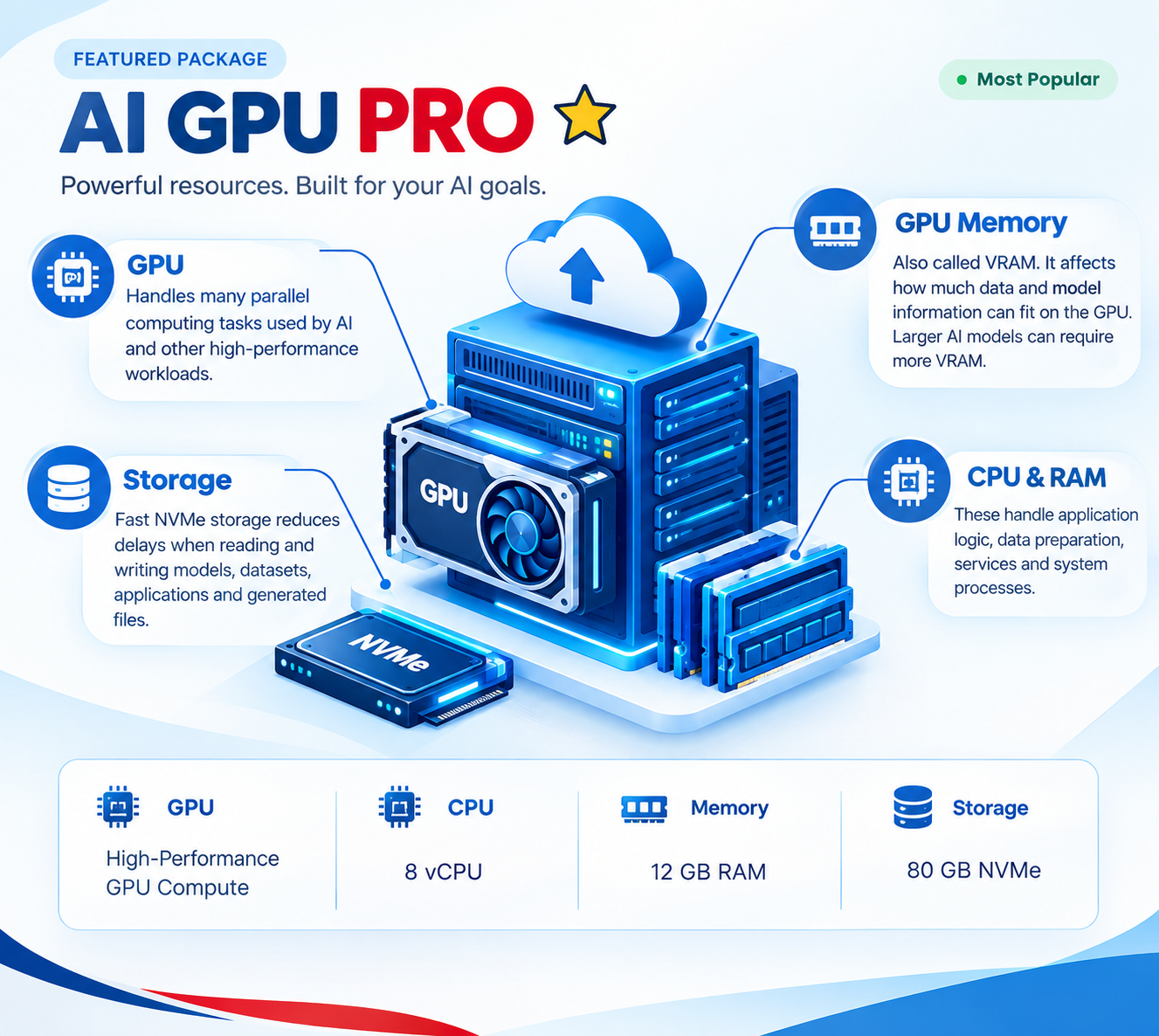
Look for a Shared GPU Hosting plan where the supporting resources match the workload. Neurax Host, for example, lists configurations with vCPU, RAM, NVMe storage, CUDA-ready environments, SSH access, and GPU-accelerated computing.
Before choosing a plan, compare the complete resource package—not only the GPU.
Shared GPU Does Not Mean “One Size Fits All”
The word shared is important. With Shared GPU Hosting, GPU resources are shared between customers rather than giving every customer an entire physical GPU. Because of this, you should understand how the provider manages GPU access and resource availability.
Ask these questions before purchasing:
- How is GPU usage allocated?
- Is GPU access guaranteed?
- What happens during high demand?
- Is there a usage limit?
- Can the plan handle your expected workload?
- Can you upgrade when demand increases?
These questions help prevent a common problem: buying a plan that works during testing but becomes difficult when real customers start using the application. Shared GPU Hosting can make sense when a business wants GPU computing at a lower infrastructure cost, especially for development, testing, inference, and smaller workloads.
However, businesses running large or highly consistent workloads may eventually need a dedicated GPU environment. The right choice depends on how much control, capacity, and predictable performance your application requires.
Make Sure Your AI Software Can Actually Run
Hardware alone is not enough. Your hosting environment must support the software stack your project uses.
For AI workloads, check for support for technologies such as:
- CUDA
- Docker
- PyTorch
- AI frameworks
- Python environments
- SSH access
- API deployment
- Custom model deployment
CUDA support is especially important for many NVIDIA GPU-based AI workloads because it provides the software platform used by applications to access GPU computing capabilities. SSH access is also useful for developers because it allows remote server management and software installation.
A private AI container can make deployment easier by providing an environment separated for the application. Neurax Host highlights CUDA-ready infrastructure, private AI containers, SSH access, and support with deployment and configuration on its GPU hosting page.
For a small business without a large technical team, this can reduce the amount of infrastructure work needed before an AI application goes live. If you want to spend more time building your AI product and less time fighting with server setup, check what technical support is included before you purchase.
Look Beyond Performance: Security, Access and Support Matter
AI hosting is not only about speed. Your server may process customer information, application data, API keys, models, or business files. Security and access controls therefore matter. At minimum, check whether you get secure remote access, proper account controls, network protection, and clear service policies.
Also look at support. When an AI application stops working, a generic hosting answer may not solve the problem. Small businesses often need help with deployment, configuration, software environments, and server resources.
Neurax Host provides SSH access, a dedicated public IP on its listed GPU configurations, private AI containers, and deployment assistance. Its service documentation also covers hosting policies and service commitments. This type of support can be important when a business does not have a full-time infrastructure engineer.
Before signing up, check exactly what technical help is available and what the service agreement covers.
Choose Hosting That Can Grow With Your AI Project
Your first AI project may be small. Six months later, it may have more users, larger models, more API requests, or heavier workloads. That is why scalability should be part of the decision from day one.
A useful GPU hosting provider should make it possible to move to a larger resource configuration when your workload grows. For example, Neurax Host currently lists multiple GPU configurations with increasing vCPU, RAM, and NVMe resources, giving customers different resource levels for different workloads.
This creates a simpler path:
Start with the resources you need → test your application → monitor usage → upgrade when demand increases.
You also avoid spending heavily on physical GPU hardware before you know how much capacity your business actually needs.
Final Checklist Before Choosing Shared GPU Hosting
Before buying, check:
- GPU type and available GPU memory
- CPU and RAM
- NVMe or other storage
- GPU allocation policy
- CUDA and software compatibility
- SSH or administrative access
- Security controls
- Network and public IP options
- Technical support
- Upgrade options
- Billing and resource limits
The best Shared GPU Hosting choice is not simply the plan with the biggest GPU or the lowest price. It is the plan that matches your workload, software, budget, security needs, and future growth.
For small businesses building AI applications, chatbots, APIs, image-generation tools, or other high-performance workloads, a properly matched GPU hosting environment can provide access to useful computing power without the upfront cost of buying physical infrastructure.
If your business is ready to move an AI project from testing to production, review the available GPU resources and choose a setup that can grow with the workload. Neurax Host offers GPU-focused infrastructure, CUDA-ready environments, SSH access, NVMe storage, and deployment support for AI workloads.