
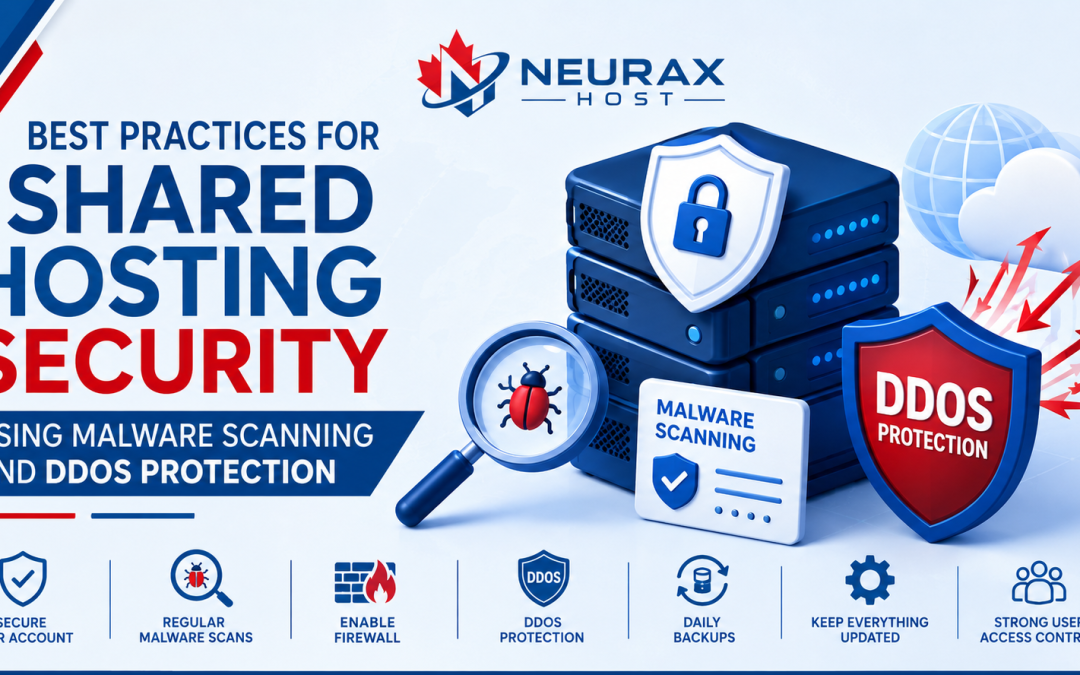
A website is like a small online home. It helps people share information, sell products, and connect with others. Just like a real home needs safety, a website also needs protection. Many small businesses and beginners choose web hosting to start their websites. Shared hosting is a popular choice because it is simple and affordable. But website owners must also think about security.
Online threats like malware, harmful files, and fake traffic attacks can create problems. A website may become slow, stop working, or lose visitor trust. The good news is that simple security steps can protect your website. Using malware scanning, strong malware protection, and proper malware removal methods can keep your website safer.
In this guide, we will learn the best shared hosting security practices that experts recommend. These tips are easy to follow and can help protect your website from common online risks.
1. Why Shared Hosting Security Is Important
Shared hosting means many websites use the same server space. It is a great option for new website owners because it is easy to use and does not cost too much.
However, shared hosting needs proper security care. When a website has weak protection, attackers may try to enter through old software, weak passwords, or unsafe files.
Common website security problems include:
- Malware infections
- Website slowdowns
- Stolen information
- Website downtime
- Loss of visitor trust
For example, imagine a customer visits your website and sees a warning message saying the site is unsafe. Many visitors may leave and not return.
This is why website security should be a priority from the beginning. Experts with years of website experience recommend using secure web hosting, regular checks, and safe website habits. A trusted hosting service can help protect your website and provide support when problems happen. Security is not only about fixing problems after an attack. It is about stopping problems before they start.
2. How Good Web Hosting Helps Keep Websites Safe
Choosing the right web hosting provider is one of the first steps toward website security. Good hosting does more than keep your website online. It provides a safe place where your website files and information can stay protected.
A reliable web hosting service may offer:
- Regular website backups
- Server safety checks
- Security updates
- Help from support teams
- Protection against harmful traffic
Backups are very important. They create a copy of your website information. If something goes wrong, you can use the backup to restore your website. Today, AI web hosting is also becoming popular. AI tools can watch website activity and find unusual actions. For example, if there are many strange login attempts, AI systems can help notice the problem faster.
AI web hosting does not replace human experts. Instead, it helps security teams work faster and make better decisions. The best web hosting combines smart technology with expert knowledge. This creates a safer website experience for both owners and visitors. Choosing a trusted hosting provider is a smart step toward long-term website protection.
3. Malware Protection: Keeping Your Website Safe
Malware is harmful software that can damage a website. It can change website pages, add unwanted files, or create problems for visitors. Strong malware protection helps stop these threats before they cause serious damage.
Website owners can improve malware protection by following simple steps:
- Use strong passwords
- Update website software regularly
- Install trusted plugins and themes
- Avoid unknown downloads
- Check website activity often
Malware scanning is also an important safety step. It checks website files and looks for harmful changes. For example, if a website suddenly has a new unknown file, a malware scan can help find it. Finding problems early makes fixing them much easier.
Experts recommend regular scanning because prevention is better than waiting for a major problem. A website that uses good malware protection gives visitors more confidence. People are more likely to trust websites that keep their information safe.
Security is not a one-time task. Regular care helps keep your website healthy and protected.
4. Why Malware Removal Should Be Done Quickly
Sometimes, malware can enter a website even when safety steps are followed. When this happens, quick action is important. Malware removal helps clean a website by finding and removing harmful files.
Many website owners try to fix malware problems without proper knowledge. This can leave hidden problems behind. A website may look normal but still have harmful code.
Professional malware removal usually includes:
- Checking website files
- Finding infected areas
- Removing harmful software
- Fixing security problems
- Testing the website again
Experts also look for the reason behind the malware attack. For example, an old plugin or weak password may have created a security problem. Fixing the main cause helps prevent the same issue from happening again.
Trusted malware removal services focus on both cleaning the website and improving future protection. A clean website protects your visitors and helps maintain your online reputation. Fast action can reduce damage and help your website return to normal quickly.
5. Protecting Your Website From DDoS Attacks
A website needs to be available whenever visitors want to use it. A DDoS attack can make this difficult. A DDoS attack happens when a website receives a huge amount of fake traffic. This traffic can slow down the website or make it unavailable. DDoS protection helps block harmful traffic and allows real visitors to access the website. Experts recommend choosing web hosting services that include DDoS protection features.
Simple steps for better protection include:
- Monitor unusual traffic
- Use security tools
- Keep software updated
- Choose trusted hosting services
AI web hosting can also help with traffic monitoring. Smart systems can study traffic patterns and notice unusual activity. For example, if a small website suddenly receives thousands of visits from unknown sources, AI tools can help identify that something may be wrong. DDoS protection is important because website downtime can hurt businesses. Visitors expect websites to load quickly and work properly. A protected website creates a better experience and builds customer trust.
6. Expert Tips for Strong Shared Hosting Security
Keeping your website safe does not have to be difficult. Small steps can create strong protection.
Experts recommend these simple security habits:
Keep everything updated:
Updates fix problems and help protect your website.
Create backups:
Backups help you recover your website if something goes wrong.
Use secure passwords:
Strong passwords make it harder for attackers to enter your website.
Choose trusted web hosting:
A reliable provider gives better security features and support.
Scan your website regularly:
Regular checks help find problems early.
Good website security follows four important ideas: experience, expertise, authoritativeness, and trustworthiness.
Experienced professionals understand real website problems. Experts use safe methods to solve issues. Trusted information helps users make better choices. Reliable security builds confidence with visitors. With strong web hosting, malware protection, malware removal support, and modern tools like AI web hosting, website owners can create a safer online space. Security is not just about technology. It is about protecting people, information, and trust.
Frequently Asked Questions (FAQs)
1. What is shared hosting security?
Shared hosting security means protecting websites that use the same server. It includes safe web hosting practices, malware protection, updates, backups, and monitoring to reduce website risks.
2. How does malware scanning help websites?
Malware scanning checks website files for harmful software. It helps find problems early, allowing website owners to fix issues before they damage the website or affect visitors.
3. Why is malware removal important?
Malware removal cleans infected websites by removing harmful files. It helps restore website safety, protect visitors, and fix security problems that may allow future attacks.
4. Does web hosting provide DDoS protection?
Many web hosting providers offer DDoS protection. These tools help block harmful traffic and keep websites available when they face large amounts of unwanted online activity.
5. Can AI web hosting improve security?
AI web hosting can improve security by watching website activity, finding unusual patterns, and helping detect threats faster. It works best with expert support and proper security practices.