
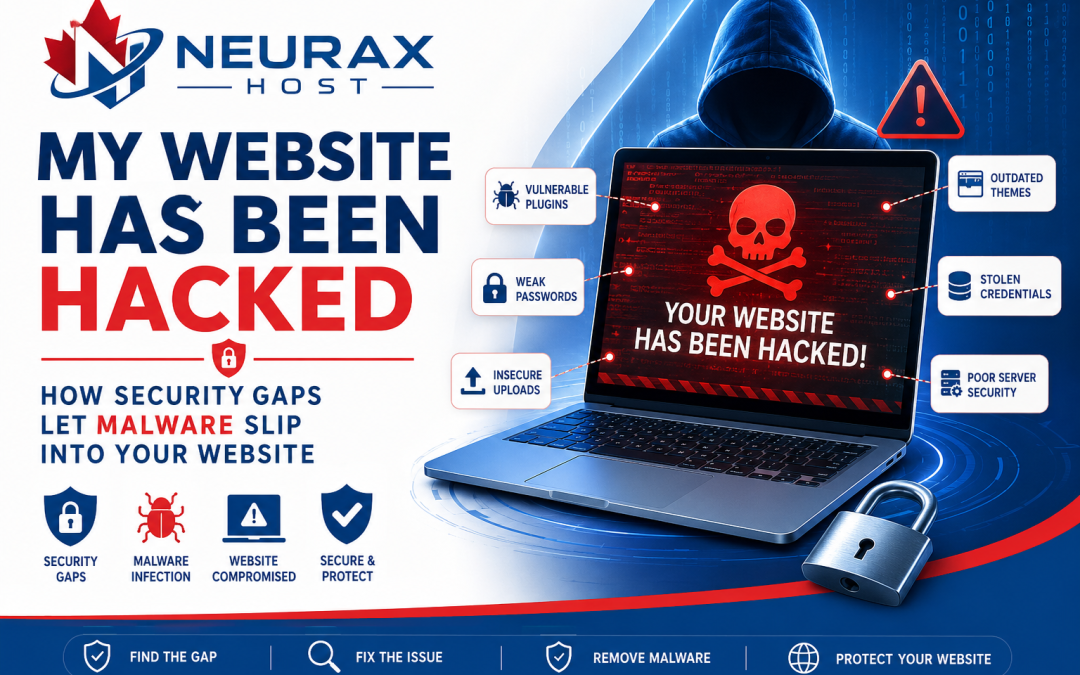
Discovering that your website has been hacked can be frustrating and even frightening. One day your website works perfectly, and the next day visitors are being redirected to suspicious websites, strange files appear on your server, or your hosting provider informs you that malware has been detected.
Many website owners immediately focus on removing the malware. While that is an important first step, it does not solve the real problem. In most cases, malware enters a website because of one or more security gaps. Unless those weaknesses are identified and fixed, attackers can easily infect the website again.
Whether you manage a WordPress website, an eCommerce store, a business website, or even a hosting server, understanding how malware exploits security gaps is essential for keeping your website safe. This guide explains how hackers gain access, the common warning signs of an infection, and the best ways to protect your website from future attacks.
What Does “My Website Has Been Hacked” Actually Mean?
When someone says their website has been hacked, it usually means an unauthorized person has gained access to the website and made changes without permission.
These changes may include:
- Uploading malicious files
- Stealing customer information
- Creating hidden administrator accounts
- Redirecting visitors to harmful websites
- Sending spam emails
- Installing backdoors for future access
In many situations, the attacker installs malware immediately after gaining access.
What Is Malware?
Malware is short for Malicious Software.
It includes harmful programs or scripts designed to damage websites, steal information, or give hackers ongoing access to a server.
Some common types of website malware include:
- Backdoors
- Web shells
- Redirect malware
- SEO spam malware
- PHP malware
- Trojan scripts
- Cryptocurrency miners
- Spam mailers
Unlike viruses on personal computers, website malware usually hides inside website files and continues running until it is detected and removed.
What Are Security Gaps?
Security gaps are weaknesses that attackers use to enter a website.
Think of your website as a house. Even if you install a strong front door, an unlocked window still allows someone to enter. That unlocked window represents a security gap.
Similarly, websites can have weak points that allow hackers to bypass normal security.
Examples include:
- Outdated software
- Weak passwords
- Vulnerable plugins
- Insecure upload forms
- Stolen login credentials
- Incorrect file permissions
- Poor server configuration
Once attackers find one of these weaknesses, they can upload malware or take complete control of the website.
How Malware Enters Websites Through Security Gaps
Outdated Plugins
For WordPress websites, plugins provide useful features such as contact forms, galleries, backups, and eCommerce functionality. However, plugins require regular updates. Developers constantly release security patches to fix newly discovered vulnerabilities.
If a plugin is not updated, hackers can exploit its known security flaws to upload malware or execute malicious code. This is one of the most common causes of hacked WordPress websites.
Vulnerable Themes
Website themes control the design and appearance of a website. Unfortunately, poorly coded or outdated themes may contain security vulnerabilities.
Some insecure themes:
- Fail to validate user input
- Include unsafe upload functions
- Allow unauthorized file execution
As a result, attackers can exploit these weaknesses to install malware. This is especially common with pirated or “nulled” premium themes downloaded from unofficial websites.
Weak Administrator Passwords
Many successful hacks happen because website owners use weak passwords.
Examples include:
- admin123
- password123
- welcome123
Hackers use automated tools that attempt thousands of password combinations every minute.
Once they successfully log in, they can upload malware without exploiting any software vulnerability. Strong, unique passwords remain one of the simplest yet most effective security measures.
Stolen FTP Credentials
FTP (File Transfer Protocol) allows website owners to upload and manage website files directly. If attackers steal FTP usernames and passwords through phishing emails, malware-infected computers, or reused passwords, they gain direct access to the website files.
They can then:
- Upload PHP shells
- Modify website files
- Install hidden backdoors
- Delete important content
Since FTP bypasses the website dashboard, these attacks often go unnoticed for some time.
Insecure File Upload Forms
Many websites allow visitors to upload files, such as:
- Profile pictures
- Product images
- PDF documents
- Job applications
- Videos
If these upload forms do not properly validate uploaded files, attackers may disguise malicious scripts as normal files.
Once uploaded, those scripts can execute on the server and infect the website. For this reason, secure file validation is an essential part of website security.
Compromised Administrator Accounts
Sometimes there is nothing technically wrong with the website itself. Instead, attackers gain access to a legitimate administrator account.
This can happen through:
- Phishing attacks
- Password reuse
- Credential leaks
- Malware on the administrator’s computer
Once logged in, attackers can upload malicious plugins, install backdoors, or modify website files without triggering immediate suspicion.
Incorrect File Permissions
Every website file has permissions that determine who can read, write, or execute it.
If permissions are too open, attackers may be able to upload or modify files they should never have access to. Proper file permission settings help reduce this risk significantly.
Poor Server Security
Sometimes the website itself is secure, but the hosting environment is not.
Examples include:
- Unpatched server software
- Misconfigured services
- Shared hosting vulnerabilities
- Weak firewall settings
If attackers compromise the server, they may infect multiple websites hosted on the same machine.
Warning Signs That Your Website May Be Infected
Malware rarely announces itself immediately. Instead, website owners usually notice unusual behavior.
Common warning signs include:
- Your website suddenly becomes slow.
- Visitors are redirected to unknown websites.
- Google displays security warnings.
- Strange advertisements appear.
- Unknown PHP files are created.
- New administrator accounts appear.
- Search rankings suddenly drop.
- Your hosting provider reports malware.
- Customers receive spam from your domain.
These symptoms should never be ignored.
Why Malware Keeps Coming Back
Many website owners delete infected files and assume the problem has been solved. Unfortunately, malware often returns because the original security gap remains open.
The infection cycle usually looks like this:
- The attacker finds a security weakness.
- Malware is uploaded.
- The website owner removes the malware.
- The security gap is never fixed.
- The attacker uploads malware again.
This cycle continues until the original entry point is identified and secured.
How Security Professionals Find the Real Entry Point
Professional malware investigations focus on identifying how attackers gained access rather than simply deleting infected files.
Typically, experts will:
- Scan the entire website.
- Review recently modified files.
- Analyze server logs.
- Check FTP login history.
- Inspect upload directories.
- Examine plugins and themes.
- Verify administrator accounts.
- Search for hidden backdoors.
- Review scheduled tasks and cron jobs.
Finding the infection source is the key to permanently solving the problem.
How to Protect Your Website from Malware
Fortunately, most malware attacks can be prevented by following good security practices.
These include:
- Keep WordPress, plugins, and themes updated.
- Remove unused plugins and themes.
- Use strong, unique passwords.
- Enable Two-Factor Authentication (2FA).
- Restrict file upload types.
- Scan your website regularly for malware.
- Monitor file changes.
- Secure FTP access with SFTP.
- Install a Web Application Firewall (WAF).
- Choose a reliable hosting provider.
- Take regular backups.
- Limit administrator accounts to trusted users.
Even small improvements in website security can significantly reduce the risk of malware infections.
Seeing the message “My website has been hacked“ is something no website owner wants to experience. However, removing malware is only part of the recovery process. The real challenge is discovering how the attackers gained access in the first place.
Whether the entry point was an outdated plugin, a vulnerable theme, stolen FTP credentials, weak passwords, or an insecure upload form, every successful attack begins with a security gap. By identifying and fixing these weaknesses, you can stop recurring malware infections, protect your website, and provide a safer experience for your visitors. Remember, effective website security is not just about cleaning up after an attack—it is about preventing the next one before it happens.