
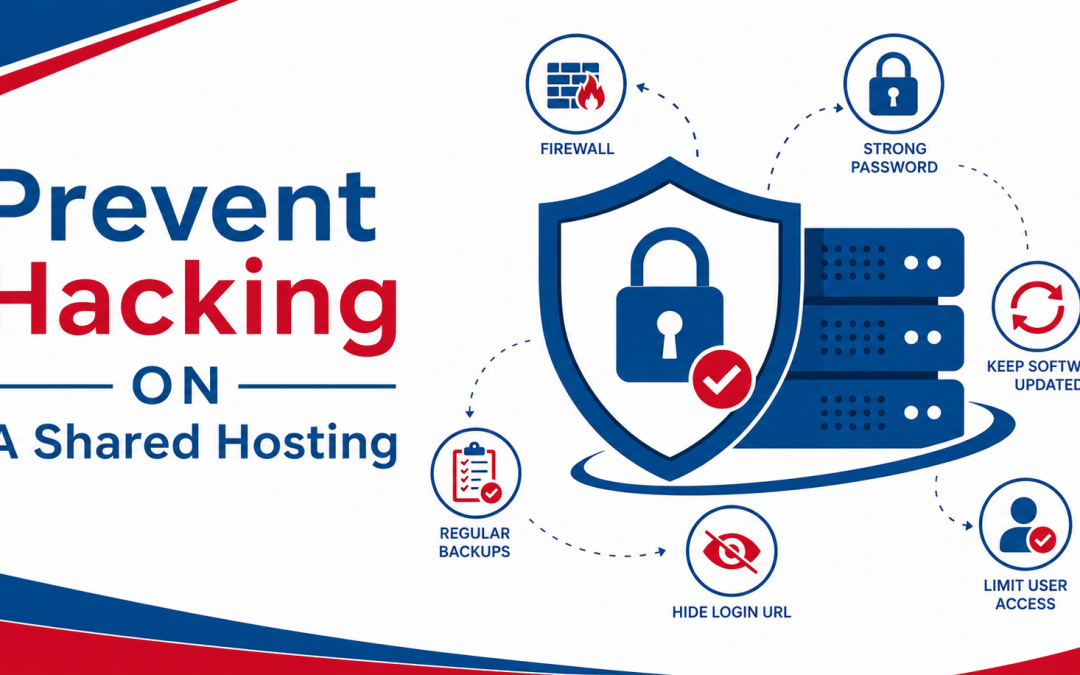
Shared hosting is one of the most popular choices for beginners, bloggers, and small businesses because it is affordable and easy to manage. However, this convenience comes with a trade-off: security risks. Since multiple websites share the same server environment, one weak site can sometimes become an entry point for attackers.
Hacking on shared hosting does not always happen because the hosting itself is unsafe. In most cases, it happens due to weak passwords, outdated software, poor configuration, or lack of basic security practices. The good news is that you can significantly reduce the risk of hacking by following the right preventive steps. This guide explains how to secure your shared hosting website in a practical, structured, and beginner-friendly way.
Understanding Why Shared Hosting Is Vulnerable
In a shared hosting environment, multiple websites operate on the same server resources such as CPU, RAM, and storage. Although providers try to isolate accounts, certain risks still exist if security is not properly managed.
Attackers often target shared hosting because:
- Many users ignore security updates
- Weak passwords are commonly used
- Outdated plugins or themes are left unpatched
- One compromised site can sometimes affect others
Understanding these risks helps you take targeted actions instead of guessing what might go wrong.
Use Strong Authentication and Secure Login Practices
One of the easiest ways hackers gain access to websites is through weak login credentials. If your password is simple or reused across multiple accounts, it becomes highly vulnerable to brute-force attacks.
To prevent this, always use strong and unique passwords for your hosting account, CMS admin panel, and email accounts. A strong password should include uppercase letters, lowercase letters, numbers, and symbols.
It is also important to enable two-factor authentication (2FA) whenever possible. This adds an extra layer of protection by requiring a second verification step during login.
Keep Software, Themes, and Plugins Updated
Outdated software is one of the most common causes of website hacking. Cybercriminals actively scan the internet for websites running older versions of content management systems, plugins, or themes with known vulnerabilities. Regular updates ensure that security patches are applied and weaknesses are fixed. Whether you are using WordPress or another platform, updates should never be ignored.
You should also remove unused plugins and themes because they can still contain vulnerabilities even if they are inactive.
Install an SSL Certificate for Secure Data Transfer
SSL (Secure Socket Layer) encryption protects the communication between your website and its users. Without SSL, data such as login credentials and personal information can be intercepted by attackers.
Most modern hosting providers offer free SSL certificates, which should be enabled immediately after setup. A secure website is also marked with HTTPS in the browser, which improves trust and search engine ranking. SSL does not directly prevent hacking attempts, but it significantly reduces the risk of data theft.
Secure File Permissions and Directory Access
Incorrect file permissions can allow attackers to modify or upload malicious files to your website. On shared hosting, this is a critical but often overlooked security factor.
File permissions should be set carefully to restrict unnecessary access. For example, writable permissions should only be given where absolutely required.
Proper directory structure and access control help prevent unauthorized changes that could lead to hacking or defacement.
Install a Web Application Firewall (WAF)
A Web Application Firewall acts as a protective barrier between your website and malicious traffic. It filters incoming requests and blocks suspicious activity before it reaches your server.
A good WAF can protect against:
- SQL injection attacks
- Cross-site scripting (XSS)
- Brute force login attempts
- Malicious bots and crawlers
Many hosting providers include built-in firewall protection, while others offer third-party integrations. Using a WAF is one of the most effective ways to reduce hacking risks.
Regular Backups and Recovery Strategy
While backups do not prevent hacking directly, they are essential for recovery. If your website is compromised, having a recent backup allows you to restore a clean version quickly.
Automated backups should be enabled on a daily or weekly basis depending on your website activity. It is also important to store backups in a secure external location, not just on the same server. Fast recovery minimizes downtime and reduces the damage caused by cyberattacks.
Comparison of Security Practices in Shared Hosting
| Security Practice | Protection Level | Ease of Use | Impact on Hacking Prevention |
| Strong Passwords | High | Easy | Prevents unauthorized login attempts |
| Two-Factor Authentication | Very High | Medium | Blocks most brute-force attacks |
| Regular Updates | High | Medium | Fixes known vulnerabilities |
| SSL Certificate | Medium | Easy | Protects data in transit |
| Web Application Firewall | Very High | Medium | Blocks malicious traffic |
| Automated Backups | High | Easy | Enables fast recovery after attack |
| File Permission Control | High | Hard | Prevents unauthorized file changes |
This comparison shows that combining multiple security practices creates a much stronger defense than relying on just one method.
Choose a Secure and Well-Maintained Hosting Provider
Your hosting provider plays a major role in your website’s security. Even if you follow all best practices, a poorly managed server can still expose your site to risks.
A secure shared hosting provider should offer:
- Server-level firewalls
- Malware scanning and removal
- Regular security patch updates
- Account isolation between users
- 24/7 monitoring and support
Providers that invest in infrastructure security significantly reduce the chances of hacking incidents affecting your website.
Enable Malware Scanning and Monitoring Tools
Malware can silently infect your website without immediate visible signs. Regular scanning helps detect suspicious files early before they cause major damage. Many hosting providers include automatic malware scanning tools that run in the background. These tools identify infected files, suspicious scripts, and unauthorized changes.
In addition, website monitoring systems alert you if your site goes down or behaves unusually, allowing faster response to potential security breaches.
Avoid Weak or Insecure Plugins and Themes
Plugins and themes are one of the easiest entry points for hackers, especially in CMS platforms like WordPress. Poorly coded or outdated extensions often contain security flaws.
To reduce risk:
- Install plugins only from trusted sources
- Avoid nulled or pirated themes
- Remove unused extensions immediately
- Check reviews and update frequency before installation
A minimal and well-maintained setup is always more secure than a heavily customized but outdated one.
Protect Against Brute Force Attacks
Brute force attacks involve repeated attempts to guess your login credentials. These attacks are common on shared hosting environments.
You can prevent them by:
- Limiting login attempts
- Using CAPTCHA on login pages
- Changing default admin usernames
- Disabling XML-RPC if not needed
These small changes significantly reduce automated attack success rates.
Monitor Website Activity Regularly
Regular monitoring helps you detect unusual activity such as unexpected file changes, login attempts, or traffic spikes. If you notice anything suspicious early, you can take action before hackers gain full control of your website.
Monitoring tools provide insights into:
- Login history
- File modifications
- Traffic sources
- Server performance
This visibility is essential for proactive security management.
Preventing hacking on a shared hosting plan is not about one single tool or feature. It is a combination of smart hosting choices and consistent security practices. While shared hosting has inherent limitations due to its shared environment, proper configuration can make it very secure.
The key is to combine strong authentication, regular updates, firewall protection, secure file management, and reliable backups. Along with that, choosing a trustworthy hosting provider ensures that server-level security is handled professionally. When all these layers work together, your website becomes significantly more resistant to hacking attempts, ensuring better safety, stability, and long-term performance.