
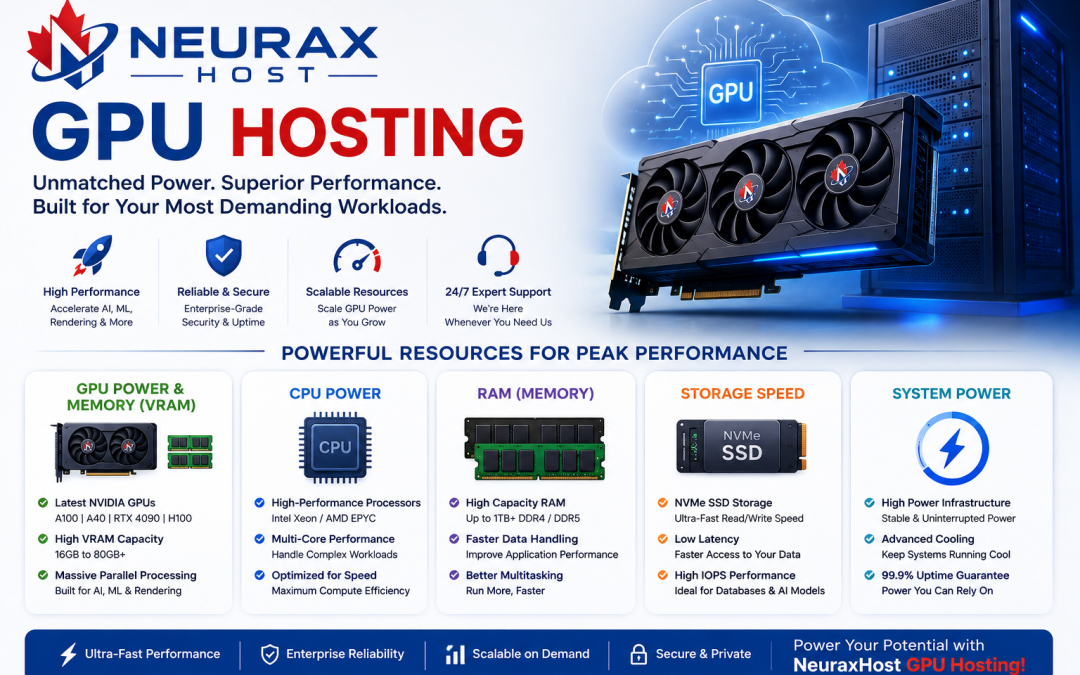
What Factors Should Be Considered When Choosing GPU Hosting?
GPU hosting can be useful for computationally intensive tasks such as AI (Artificial Intelligence) research, machine learning, video production, and data analysis. A GPU is a dedicated processor that can perform big calculations at a much faster pace compared to a CPU. When deciding on GPU hosting, you may want to review some essential tech aspects in a very straightforward manner.
GPU Power and Memory (VRAM)
First and foremost is the GPU unit. GPUs vary in power levels.
Look for:
- Type of GPU (e.g. NVIDIA RTX, A100)
- VRAM (Video Memory), crucial for big data handling
- Higher VRAM yields better performance
In simple words: A highly capable GPU runs heavy operations like AI training and video rendering faster.
CPU, RAM, and Storage Speed
However, GPU being powerful is not enough; other components count too.
Look for:
- CPU (Processor), executes the management of the system
- RAM (Memory), responsible for smooth operation of the applications
- SSD storage (NVMe SSD is the fastest), used for rapid data access
Simply put: If CPU and RAM are not powerful enough, GPU will be under-utilized.
Internet Speed and Latency
Hosting your GPU usually means working online, hence connection speed is crucial.
Look for:
- High bandwidth (fast data transmission)
- Low latency (less delay)
- Reliable connection
Simply put: A faster internet line enables quick data transfer with little waiting time.
Scalability (Ability to Upgrade)
This refers to the ability you have to change the GPU power up or down as the requirement arises.
Look for:
- Will it be possible adding more GPUs in the future?
- How easy is upgrading RAM or storage?
- Are there cloud GPU scaling options?
Simply put: It is possible to “expand” your system when your workload increases.
Price and Billing System
The price for various GPU hosting plans varies.
Typical types:
- Pay each use
- Subscription monthly
- Billing per hour
Simply put: You ought to select a plan that meets both your pocket and your use.
Security and Uptime
Security is a means of protecting your data and uptime that the server keeps running smoothly.
Here is what you should be looking for:
- Data protection (encryption)
- Backup system
- 99.9% uptime guarantee
A really elementary definition: Your work must not get interrupted and the data must remain safe.
Picking GPU hosting essentially means verifying GPU power, system speed, internet quality, upgrade possibilities, price, and security. Although these are technical terms, the main point is quite simple: a good GPU hosting service should be fast, stable, secure, and capable of easy upgrading as your work expands.
What Specifications Should You Look for in a GPU Hosting Plan?
GPU hosting plans are for users who require high computing power continuously. For instance, these plans are perfect for AI training, machine learning, deep learning, 3D rendering, and data analysis. With a GPU hosting plan, you remotely connect to a high-speed computer equipped with a powerful GPU.
However, before purchasing, you have to be acquainted with a few key technical terms in a simple manner to pick a suitable plan.
GPU Type and Performance requirements
Your choice of GPU model and its performance features should be the top factors in your decision-making process.
Take into account:
- GPU models such as NVIDIA RTX, A100, H100
- Cores for CUDA (more cores = faster processing)
- Compatibility with Tensor cores (essential for AI-related work)
Brief explanation: A more powerful GPU acts as a multitasking machine that can perform thousands of calculations simultaneously.
VRAM (Video Memory aspect)
VRAM is a type of memory within the GPU.
Consider:
- 8GB VRAM (simple tasks)
- 16GB, 24GB VRAM (medium AI and rendering)
- 40GB+ VRAM (large AI models)
Brief explanation: An increase in VRAM size allows the GPU to be capable of processing larger data with high speed.
CPU and System Power parts
GPU generally takes up bulk of the tasks, however, CPU also remains a significant factor when it comes to performance aspects.
Consider:
- Multi-core CPU (more cores = better multitasking)
- Processors of the latest generation (for faster speed)
- CPU-GPU pairing in the right balance
Brief explanation: CPU organizes the paperwork in such a way that GPU gets to work without any hiccups.
RAM (System Memory)
RAM actually keeps your computer programs running and ready before getting to the GPU.
Check:
- Minimum 16GB RAM (basic use)
- 32GB, 128GB RAM (professional workloads)
Simply put: Higher RAM size means your computer can multitask more without freezing.
Storage Type and Speed
Storage is the factor that controls the speed of loading the data.
Look for:
- NVMe SSD storage (fastest)
- High storage capacity (500GB to multiple TB)
- Fast read/write speed
Simply put: Faster storage will help you open the files and datasets quickly.
Network Speed and Bandwidth
Since GPU hosting is done online, internet speed is a crucial point here.
Check:
- High bandwidth (fast data transfer)
- Low latency (less delay)
- Stable cloud connection
Simply put: Faster internet will let you upload and download the data without waiting.
Scalability and Flexibility
Scalability is a feature that shows you the possibility of upgrading your plan after you get it.
Look for:
- Add more GPUs anytime
- Upgrade RAM or storage easily
- Support for cloud scaling
Simply put: Your computer can grow when your project becomes bigger.
Pricing and Billing Options
Different plans come with different prices.
Common options:
- Pay-per-hour
- Monthly subscription
- Reserved plans (cheaper for long use)
Simply put: A plan should be selected according to your usage and budget.
Security and Uptime Guarantee
Security is all about keeping your data safe while uptime is all about keeping your system alive.
Check:
- Data encryption
- Backup support
- 99.9% uptime guarantee
Simply put: Your work is safe and always online.
Simply buying a powerful GPU and installing it is not enough. You also need to check the aspects such as VRAM, CPU, RAM, storage speed, internet quality, scalability, price, and security to run your GPU hosting quickly, smoothly and reliably for any heavy computing task