
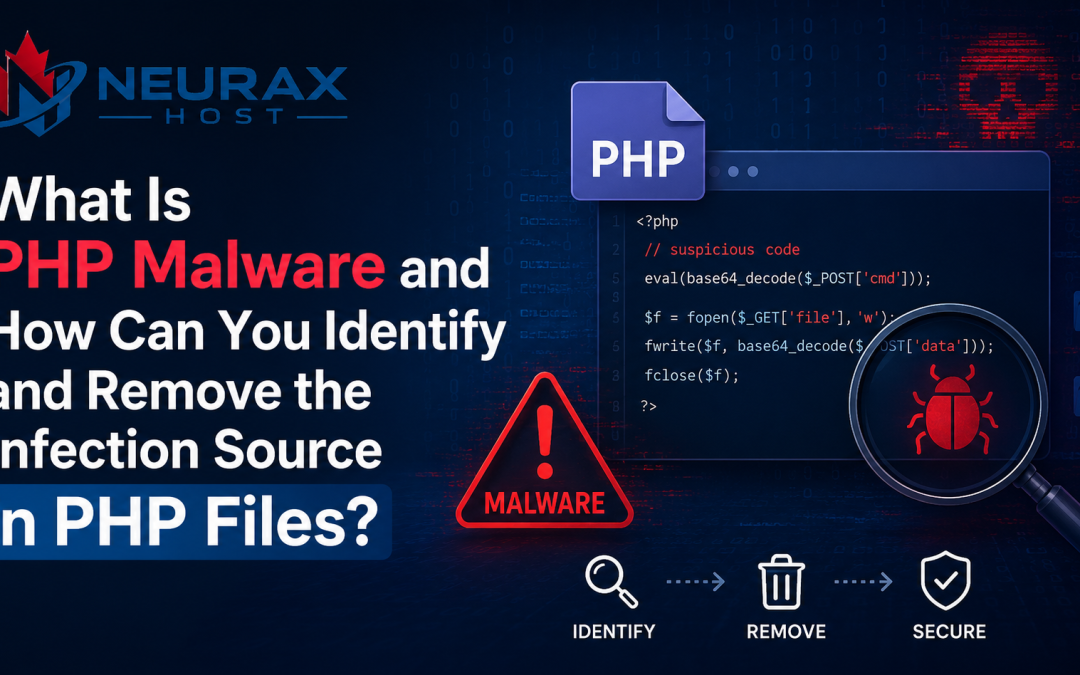
PHP is the engine behind millions of websites globally including very popular ones like WordPress, Laravel, Joomla, and Drupal as well as an untold number of custom web applications. This widespread use means PHP is also a favorite target for cybercriminals. The biggest threat to the website owners and hosting providers is PHP malware.
A malware infection can cause a website to become sluggish, it may also redirect visitors to suspicious pages, or the website may send out spam emails, and at worst, the hackers may gain full control of the website. However, while malware removal is necessary, finding and fixing the source of the infection is even more crucial. If the source is not fixed, the malware will keep returning. Here, we will talk about PHP malware, its sources, how to find the infection source, and how to remove it effectively.
What Is PHP Malware?
PHP malware means scripts that hackers inject into PHP files on the website or server. The main purpose of these scripts is to execute harmful activities without the website owner’s knowledge.
In contrast to regular PHP scripts, malware is coded to facilitate attackers’ objectives such as:
- Stealing data
- Redirecting visitors
- Spamming users via email
- Generating hidden admin accounts
- Installing backdoors
- Uploading malicious files
- Taking control of the website
Since PHP files are executed on the server, malware hidden inside them can be extremely dangerous.
Why Do Hackers Target PHP Files?
PHP files run the most significant website functions. They handle user logins, communicate with databases, manage forms, and create web pages. If a hacker is able to implant harmful code in a PHP file, they might access confidential website data and server resources.
Why Do Hackers Find PHP Files Tempting?
- The server executes them.
- They have the capability to work with databases.
- In many cases, they have access to user data.
- They can be exploited to set up secret backdoors.
How Does PHP Malware Get Into a Website?
Understanding how malware was introduced is crucial before removing it. Random occurrences of malware are hardly ever the case. There is usually a door for entry.
Outdated Software
Outdated software is one of the most frequent causes.
Examples include of:
- Older versions of WordPress
- Plugins that are outdated
- Themes that are vulnerable
- PHP versions that are not supported
Because known vulnerabilities are simpler to exploit, hackers actively look for websites with out-of-date software.
Weak Passwords
Attackers may gain access to hosting accounts, FTP accounts, or website dashboards by using weak passwords.
Examples of weak passwords include:
- admin123
- password123
- website2024
Once attackers gain access, they can modify PHP files directly.
Infected Plugins and Themes
A lot of website owners get free themes and plugins from unofficial sources. However, some of these files have hidden malware which gets activated after installation.
Compromised FTP Accounts
One common purpose of FTP accounts is to upload website files. If hackers get hold of FTP credentials after phishing or malware on a computer, they can upload malicious PHP files directly to the server.
Vulnerable File Upload Forms
If a website allows file uploads, the feature could become a weakness if the upload is not properly validated. Hackers may upload a malicious PHP script hidden inside an image or a document file.
Poor Server Security
Untight file permissions, weak configurations, absence of security measures, etc. can become points of entry for attackers to compromise PHP files.
Common Signs of PHP Malware
Many website owners don’t realize they have malware until they start having obvious issues.
Typical warning indicators include:
Unexpected Redirects: – Visitors are routed to unidentified websites automatically.
Website Slowdowns: – Malware frequently uses up server resources, which slows down the loading of pages.
Odd Popups: – Popups or unexpected ads show up on pages.
Fresh PHP Files: – Suddenly, unknown files show up inside website directories.
Examples:
- shell.php
- update.php
- cache.php
- admin_new.php
Search Engine Warnings: – Search engines may show alerts that suggest the website might be dangerous.
Enhanced Utilization of Resources: – Unexpected increases in CPU, RAM, and bandwidth utilization occur.
How to Identify the Infection Source
Many people focus only on removing malware. However, the most important step is identifying the infection source. If you remove malware without fixing the vulnerability that allowed it in, attackers can simply infect the website again.
Review Recent Changes
Start by asking:
- What changed before the infection appeared?
- Was a plugin installed?
- Was the theme updated?
- Was a new administrator account created?
Recent changes often provide important clues.
Check Website Logs
Server logs can reveal suspicious activity.
Look for:
- Repeated login attempts
- Unauthorized file uploads
- Unknown IP addresses
- Suspicious requests
Logs often help identify how attackers entered the website.
Scan Recently Modified Files
Attackers usually modify files during an infection. Check which files were recently changed.
Pay special attention to:
- PHP files
- Configuration files
- Upload directories
Inspect User Accounts
Review all website and hosting accounts.
Look for:
- Unknown administrators
- Suspicious email addresses
- Recently created users
Attackers often create hidden accounts to maintain access.
Examine Plugins and Themes
Make sure that all your plugins and themes are from reliable vendors. Uninstall the ones that you are not sure of and don’t need.
Inspect FTP Access Logs
Analyze the FTP logs for suspicious attempts to get access. If you see login activities that you never expected, that could be a sign that your credentials were compromised.
How to Remove PHP Malware
Once you identify infected files and the infection source, the cleanup process can begin.
Create a Backup
Before making changes, create a complete backup of:
- Website files
- Databases
- Configuration files
This ensures important data is not lost during cleanup.
Put the Website into Maintenance Mode
Temporary maintenance mode helps prevent visitors from being affected while repairs are underway.
Scan the Website
Use malware scanning tools to locate infected files.
Popular options include:
- Imunify360
- Wordfence
- ClamAV
- Malware Detect
These tools help identify suspicious files and code.
Remove Infected Files
Eliminate risky code from compromised PHP scripts and delete malicious files. Clean versions from authoritative sources should be substituted for altered files whenever feasible.
Update Everything
Update:
- WordPress
- Plugins
- Themes
- PHP version
Updates often contain important security fixes.
Change Passwords
Reset all important credentials:
- Hosting account passwords
- FTP passwords
- Database passwords
- Administrator passwords
This prevents attackers from using previously stolen credentials.
Remove Unauthorized Accounts
Discard any admin/user accounts that don’t have to be there.
Fix the Vulnerability
This is the crucial step. Find the exact entry of the malware and close that security hole.
For example:
- Uninstall the exposed plugins.
- Come up with stronger passwords.
- Make file uploads more secure.
- Adjust the server permissions.
- Turn on more security features.
How Hosting Providers Can Prevent PHP Malware
From a hosting provider’s perspective, prevention is much simpler than cleaning up afterwards.
Enable Regular Malware Scanning
Scheduled scans can spot cyber threats before they lead to significant losses.
Use Web Application Firewalls
A good firewall could stop a wide range of attacks targeting common vulnerabilities in PHP files.
Enforce Strong Password Policies
Require customers to use secure passwords.
Enable Two-Factor Authentication
Adding an additional layer of security with two-factor authentication is wise.
Monitor File Changes
Alerting on unexpected file changes is a good idea.
Maintain Daily Backups
Backups made on a daily basis provide a safety net in case of a security breach.
Keep Software Updated
Keeping software updated with the latest security patches is one of the best ways to protect yourself.
Secure File Permissions
The best way to prevent unauthorized file changes is to have the right file permissions.
PHP malware is currently one of the most significant security threats to websites. Removing malicious code is just one part of the solution. The problem is that the source of infection stays hidden.
Usually software that is not updated, weak passwords, hacked FTP, vulnerable plugins, insecure files uploads, bad configurations of the server are some of the reasons for the infections. Website owners will make sure that malware will not return if they investigate logs, review changes, scan files, and fix vulnerabilities.
Security is not only about preventing but also about detecting. To a great extent, regular updates, malware scanning, strong authentication, backups, firewalls, and continuous monitoring counter PHP malware infections and result in websites that are safe over a long period of time.