
Managing a small business comes with many daily responsibilities. You have to answer customer questions, book appointments, remember important details, and keep your work organized. When customers contact you by phone, email, website, or social media, it can be hard to keep track of everything. This can take up a lot of time and make your work more stressful.
One missed appointment or forgotten customer follow-up can mean lost time and a lost business opportunity. The solution does not always require expensive software. A free CRM for bookings can help you organize customer details, manage appointments, and see your schedule in one place.
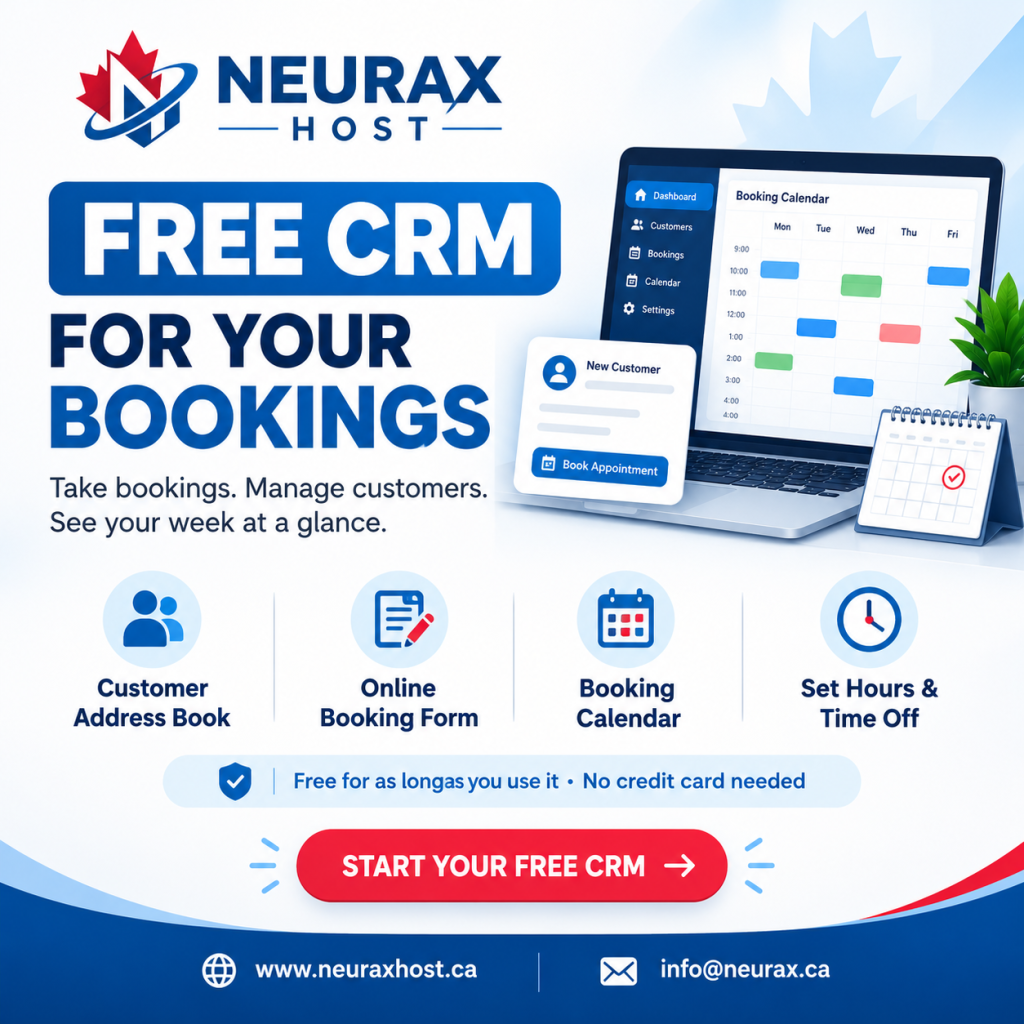
Neurax Host offers a free booking CRM designed to help businesses manage customers and appointments without unnecessary complexity. Its Basic CRM includes a customer address book, an online booking form, a booking calendar, and controls for opening hours and time off. The basic plan is free without a time limit, and no credit card is required to get started.
Why Managing Bookings Manually Can Hurt Your Business
Many small business owners begin with notebooks, spreadsheets, phone reminders, or chat messages. These methods may work when you have only a few customers. But as your business grows, keeping track of everything becomes harder.
Imagine running a cleaning service. A customer books a visit through your website, another calls to change an appointment, and a third sends their details through social media. If you store each booking separately, you may forget a change or lose important information.
Common booking problems include:
- Missed appointments: Important dates and times can get lost among messages.
- Scattered customer details: Contact information may be spread across several tools.
- Confusing schedules: It becomes harder to see your upcoming appointments and available time.
- Wasted time: You repeatedly answer questions about your availability.
- Poor customer experience: Customers may become frustrated when you forget their booking details.
These problems can affect freelancers, consultants, repair services, cleaning companies, and other appointment-based businesses.
A simple appointment management system helps bring order to these daily tasks. Instead of searching through multiple apps, you can keep your customer information and bookings together.
How a Free CRM for Bookings Makes Daily Work Easier
CRM stands for Customer Relationship Management. It helps businesses organize customer information and manage their interactions with customers.
A booking CRM connects this customer information with your appointment process. It helps you keep track of who your customers are, when they book, and how your schedule is organized.
Neurax Host’s Basic CRM offers four useful features:
Customer address book: Keep customer contact information organized instead of searching through old messages or handwritten notes.
Online booking form: Give customers a way to submit booking requests through a form on your website or through a shared link.
Booking calendar: View your bookings in one calendar so you can understand your upcoming schedule more easily.
Opening hours and time off: Set your available days and times, and block out periods when you are unavailable.
For example, a consultant can share a booking form with potential clients. Customers can submit their booking details, while the consultant can manage bookings through the CRM and calendar. This creates a clearer process and reduces the need for repeated messages about appointment arrangements. The important benefit is organization. A CRM cannot guarantee more sales or eliminate every scheduling problem, but it can help you manage bookings more consistently.
How to Start Using Neurax Host’s Free Booking CRM
You do not need to begin with complicated software or a large technology budget. The goal is to build a simple booking process that works for your business.
Here is how to get started with Neurax Host’s free CRM.
Step 1: Create your free account
Visit the Neurax Host Free CRM page and sign up. Verify your email address to get started. You do not need a credit card for the Basic CRM.
Step 2: Set your working hours
Choose the days and times when you accept bookings. Remember to block out holidays, personal time, or other periods when you cannot take appointments.
Step 3: Share your online booking form
Add the booking form to your website or share its link with customers. This gives people a convenient way to submit their booking information.
Step 4: Check your booking calendar
Review your appointments regularly so you know what is coming up and can plan your workday. This simple setup can be especially useful for new businesses that want a more organized booking process without immediately paying for a booking management tool.
Is a Free Booking CRM Enough for Your Growing Business?
A free CRM can be a practical starting point, but your business needs may change over time.
If you are a freelancer or solo business owner who mainly needs customer records, an online booking form, and a calendar, the Basic CRM may be a good fit.
However, you may eventually need to manage more than appointments. For example, a home-service company may need to prepare quotations, track jobs, create invoices, and monitor payments.
Neurax Host provides upgrade options for these additional needs:
- Basic CRM: Customer details, bookings, a calendar, and an online booking form.
- Grow CRM: Adds job sheets, quotations, invoices, products and services, and paid bookings.
- Advanced CRM: Adds team members with their own sign-ins and permissions.
Paid bookings and separate team-member access are not included in the free Basic CRM. Choosing the right option depends on your workflow and whether you manage the business alone or with a team.
One useful advantage is that Neurax Host states you can bring your existing free CRM customers and bookings over when you switch on the CRM through a Business Launch plan.
This gives you a way to start simple and consider additional tools when your business requires them.
Simplify Your Booking Process with Neurax Host
Your time is valuable. Every hour spent searching for customer details, checking messages, and organizing appointments is time you could spend serving customers or improving your business.
A free CRM for bookings can help you create a more organized routine, provide customers with a convenient way to submit bookings, and keep your schedule easier to manage.
Rather than investing in several tools before you understand your needs, start with the essentials. Organize your customers, set your availability, share your booking form, and review your calendar regularly.
Ready to make booking management simpler?
Explore Neurax Host’s free CRM and see whether it fits your business workflow. Start without a credit card or a time-limited free trial, then consider additional features when your needs grow.
Neurax Host — A simpler way to organize your bookings, manage customer details, and build a more organized business.