
Managing customers involves more than keeping their contact details. Businesses also need to handle enquiries, bookings, jobs, invoices, follow-ups, and reports. When these tasks are managed through different tools, important information can be difficult to find and easy to miss. A Smart CRM brings these key activities together in one place. It helps businesses stay organized, follow customer activity, and clearly understand what needs to happen next.
Manage Customers Without Losing Important Details
Customer information is often spread across different places. One customer may contact a business by phone, another through a website form, and another through email or social media. If these details are not organized, follow-ups can easily be missed.
A CRM gives the business a central place for customer information. Instead of searching through different conversations, staff can work from organized customer records. This becomes even more useful when a customer contacts the business again. The team can understand the customer, their request, and the next action that may be needed.
For example, imagine a local contractor receives an enquiry for a home repair. The first contact can be recorded, followed by the customer’s requirements, booking details, job information, and later invoice. This creates a connected customer record instead of several separate notes.
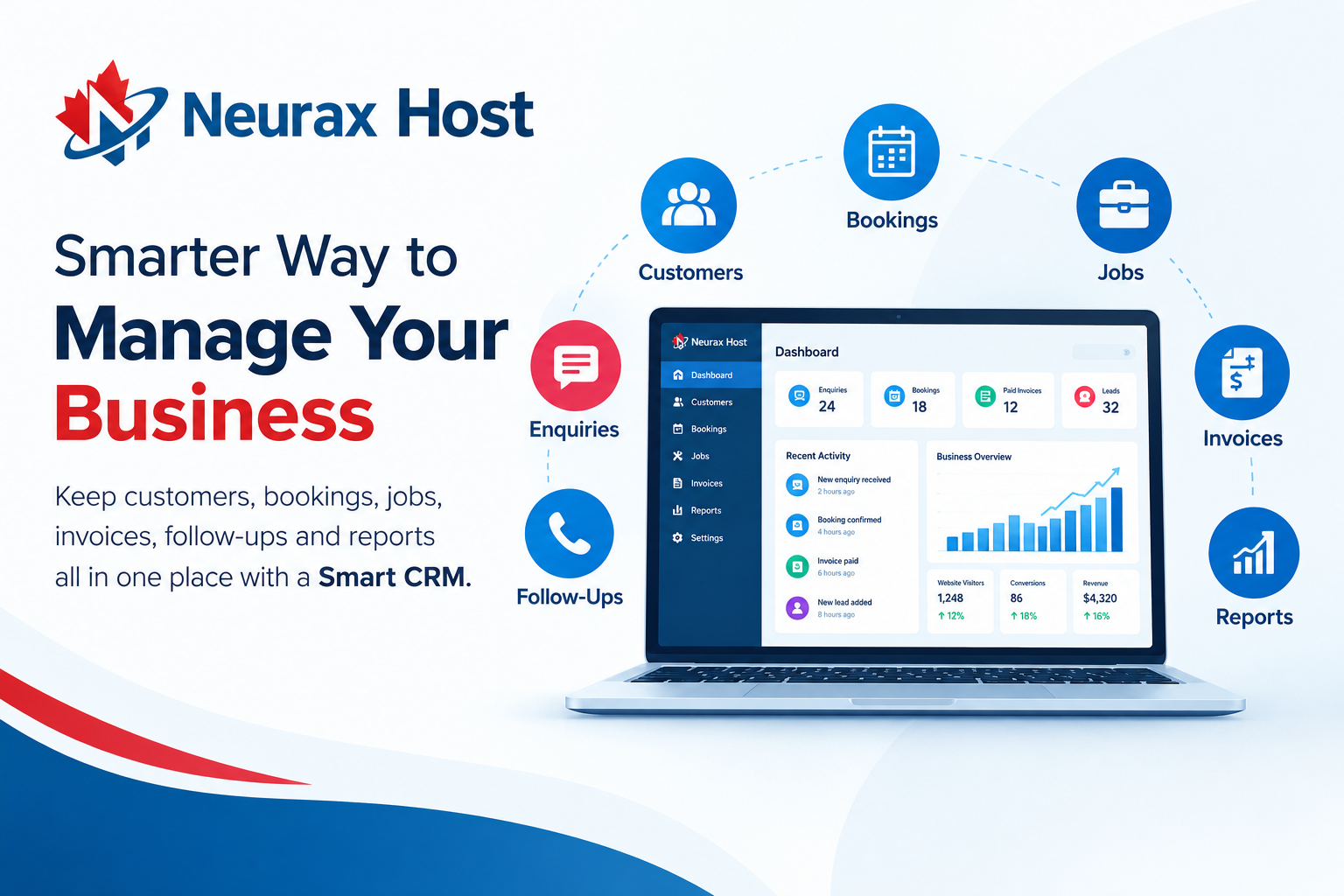
Neurax’s business platform is designed to connect customer management with lead tracking, bookings, invoices, and business analytics. Its dashboard also brings enquiries, calls, booking requests, paid invoices, and lead pipeline information together.
Connect Bookings, Calendars and Jobs in One Workflow
Bookings become difficult when appointments are managed separately from customer information. A customer may book an appointment, but the business still needs to know why the customer booked, what service is required, who will handle the job, and what needs to happen afterward.
A connected CRM workflow can reduce this gap.
| Business Stage | When Smart CRM Becomes Useful | What Can Go Wrong Without It | How Smart CRM Helps | Practical Business Benefit |
| Growing Customer List | Customer details start coming from websites, calls, emails, and forms | Contact details and customer history can become scattered | Keeps customer information in one organized place | Easier customer follow-up |
| More Customer Enquiries | The business receives several enquiries each day | Leads may be forgotten or follow-ups may be delayed | Helps organize leads and customer requests | Fewer missed opportunities |
| Regular Bookings | Customers need appointments or scheduled services | Double bookings, missed appointments, or calendar confusion can happen | Connects bookings with customer records and calendars |
Smoother appointment management
|
| Multiple Jobs | Several customer jobs are active at the same time | Staff may lose track of job status or next steps | Helps organize job information and progress | Better daily coordination |
| More Invoices | The business sends invoices regularly | It can become difficult to know what is paid or pending | Keeps invoice and payment information connected | Easier payment follow-up |
| Business Growth | More customers and employees are added | Manual spreadsheets and separate tools become harder to manage | Brings important business activities into one system |
Less manual work and tool switching
|
| Need for Business Reports | The owner wants to understand sales, leads, bookings, or payments | Data may be spread across different platforms | Brings useful business information into a central dashboard |
Better decisions based on business data
|
| Customer Follow-Ups | Existing customers may need reminders or future services | Follow-ups can depend on memory or scattered notes | Keeps customer activity easier to track |
More consistent customer service
|
| Using Multiple Tools | The business uses separate apps for CRM, bookings, invoices, and reports | Switching between tools takes time and information may not stay connected | Connects key activities into a more unified workflow |
Simpler business management
|
| Scaling the Business | Daily operations become too large to manage manually | Small mistakes can increase as the workload grows | Provides a more organized process for customer and business activity |
A stronger foundation for growth
|
This type of workflow is useful for contractors, home-service companies, salons, repair businesses, consultants, and other service-based companies.
Neurax Grow currently includes online booking and appointments, lead tracking, invoices and payment tracking, business analytics, and a business performance dashboard. The important point is not simply having more features. The real value is keeping related business activities connected.
Keep Jobs, Invoices and Payments Easier to Follow
Completing a job does not mean the business process is finished. The customer may still need an invoice, payment reminder, receipt, or follow-up. When jobs and invoices are handled in separate systems, it can become difficult to see the full picture. A connected CRM can help businesses follow the process from customer request to completed work and payment.
For example:
Customer request → Booking → Job → Invoice → Payment → Follow-up
This simple flow can help answer practical questions:
- Which jobs are scheduled?
- Which jobs are completed?
- Which customers still need an invoice?
- Which invoices have been paid?
- Which customers may need follow-up?
Neurax’s business dashboard is built to show business activity such as booking requests, paid invoices, enquiries, phone-call clicks, lead pipeline, and estimated lead value. The website also clearly states that the figures shown in its dashboard are examples, not guaranteed results.
That distinction matters. A CRM does not automatically guarantee more sales. Its main value is better organization and clearer information, which can help a business make better decisions.
Turn Business Data Into Useful Reports
Many business owners have data but do not have a simple way to understand it. Knowing that a website received visitors is useful. Knowing how many visitors became enquiries, bookings, or customers is more useful. Business reports can help owners see where activity is happening and where a process may need attention.
For example, a business may have many website enquiries but very few bookings. This could suggest that follow-up needs improvement. Another business may have many completed jobs but several unpaid invoices. In that case, payment follow-up may deserve more attention.
Neurax brings website visitors, enquiries, phone-call clicks, booking requests, Google reviews, paid invoices, lead pipeline, and estimated lead value into its business dashboard.
This gives business owners a broader view instead of looking at each activity separately.
The goal of reporting should not be to create complicated charts. It should be to answer simple business questions:
What is happening? What needs attention? What should happen next?
Why Neurax Smart CRM Can Simplify Daily Business Management
A CRM should solve real business problems, not create another complicated system to manage.
This is where the broader Neurax approach can be useful. Neurax positions its Business Launch Package as a platform that brings the domain, website, email, CRM, booking, AI, reviews, and hosting together. Its Grow package adds booking, invoices, payment tracking, lead tracking, analytics, and a business performance dashboard.
The AI package goes further by adding an AI website agent that can answer customer questions, capture and qualify leads, collect quote information, schedule appointments, draft customer replies, and add leads to the CRM.
For a growing business, this can create a more connected path:
Website → Customer → Lead → Booking → Job → Invoice → Payment → Report
That is the real purpose behind Neurax Smart CRM. It is not simply a place to store contact names. It is designed to help businesses organize the work that happens after a customer shows interest.
For businesses currently using spreadsheets, separate booking tools, manual invoice tracking, and scattered customer notes, bringing these activities closer together can make daily work easier to manage.
The best CRM is not necessarily the one with the longest feature list. It is the one that helps a business know who the customer is, what they need, what has already happened, what is happening now, and what needs to happen next.