
A business website does more than show services and contact details. It can become the first step in a complete customer journey. A visitor may find your website, ask a question, book a service, receive an email, and later become a regular customer.
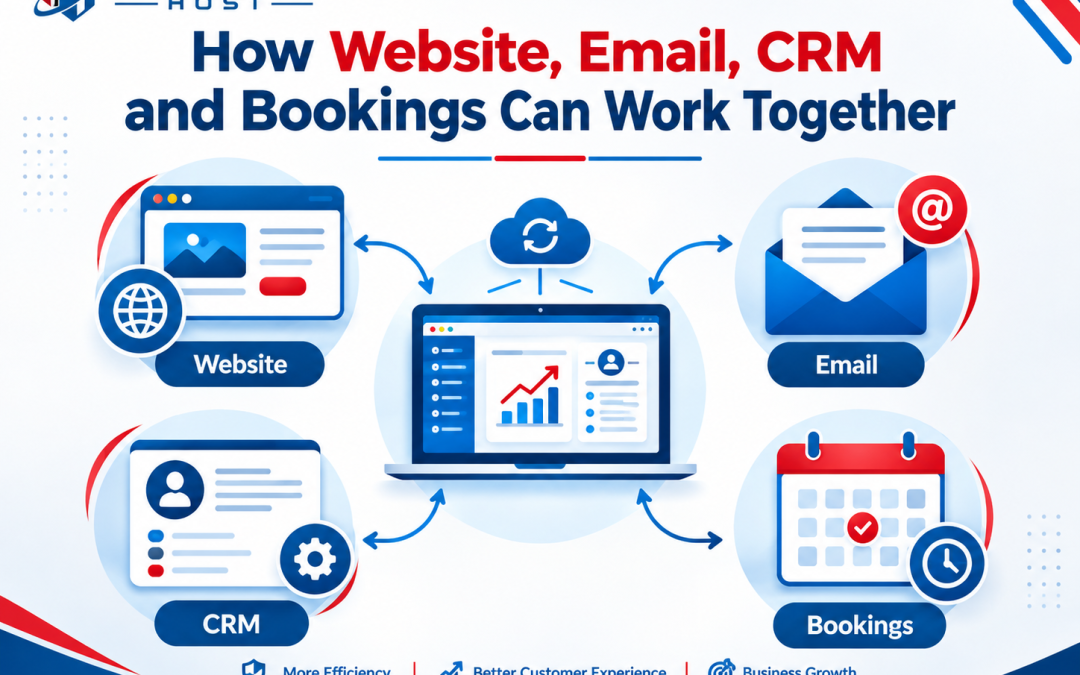
When the website, email, CRM, and booking system work together, these steps can happen in an organized way. Customer information can move between systems instead of being entered again and again. This connected setup can save time, reduce missed leads, and give customers a smoother experience.
Your Website Starts the Customer Journey
Your website is often the first place where a potential customer interacts with your business. It should make it easy for visitors to understand what you offer and take the next step. That next step could be filling out a contact form, requesting a quote, calling the business, or booking an appointment.
For example, a customer looking for a computer repair service may visit your website and choose an appointment time. The booking form can collect details such as the customer’s name, email address, phone number, service type, and preferred time.
This information should not stay only inside the website. With the right integration, it can be sent to other business systems. Forms can connect with a CRM, while booking tools can send appointment data to the CRM or another connected platform. APIs and webhooks are commonly used to move information between different software systems.
The result is a website that does more than attract visitors. It becomes an active part of the sales and service process.
Email Keeps Customers Updated
Email becomes more useful when it is connected to information from your website and booking system. After a customer submits a form, the business can send an automatic confirmation email. A booking system can also send appointment details, reminders, changes, or cancellation notices.
For example, after someone books a consultation, they might receive:
- Booking confirmation
- Appointment date and time
- Business location or meeting link
- Preparation instructions
- Reminder before the appointment
- Follow-up message after the service
These messages reduce the need for staff to send every update manually.
Email automation can also support lead follow-up. If someone submits an inquiry but does not book, the CRM can help identify that person for later contact. This is useful because not every visitor is ready to buy or book during their first visit.
A key technical point is consent and data protection. Businesses should use proper permission and follow applicable email and privacy rules when collecting and using customer information.
CRM Organizes Customer Information
A CRM, or Customer Relationship Management system, acts as a central place for customer and lead information. Instead of keeping customer details in separate spreadsheets, emails, and booking records, a CRM can bring important information together.
A customer record may include contact details, previous inquiries, appointments, purchases, notes, and follow-up tasks.
For example, imagine a customer visits your website and requests a quote. The CRM can create a new lead. If that person later books an appointment, the booking information can be added to the same customer record. This gives staff more useful context before they speak with the customer.
CRM integration can also help businesses track the customer journey. A lead may move from new inquiry to contacted, then booked, and finally completed.
The exact workflow depends on the CRM and other software being used. Not every system supports the same integrations, so businesses should check API, webhook, and automation options before choosing tools.
Booking Systems Turn Interest Into Action
A booking system helps customers move from interest to a confirmed appointment without waiting for a phone call or email response. Customers can see available times, select a suitable slot, enter their information, and receive confirmation.
When connected with the website, email, and CRM, the process becomes much more organized.
A simple workflow could look like this:
Website visit → Form or booking → CRM record → Confirmation email → Appointment reminder → Service → Follow-up
This can reduce manual data entry and lower the chance of missed appointments. It can also give employees a clearer view of what needs attention. However, automation should be planned carefully. Duplicate customer records, incorrect calendar settings, failed integrations, and poor data mapping can create new problems. Regular testing, secure access, backups, and clear ownership of customer data are important parts of a reliable setup.
The goal is not to connect every tool just because integration is possible. The goal is to create a clear customer journey where each system has a useful role.
When your website brings people in, email keeps them informed, the CRM organizes their information, and booking software manages appointments, these tools can work as one connected business process. That can make daily work easier while giving customers a faster and more consistent experience.