
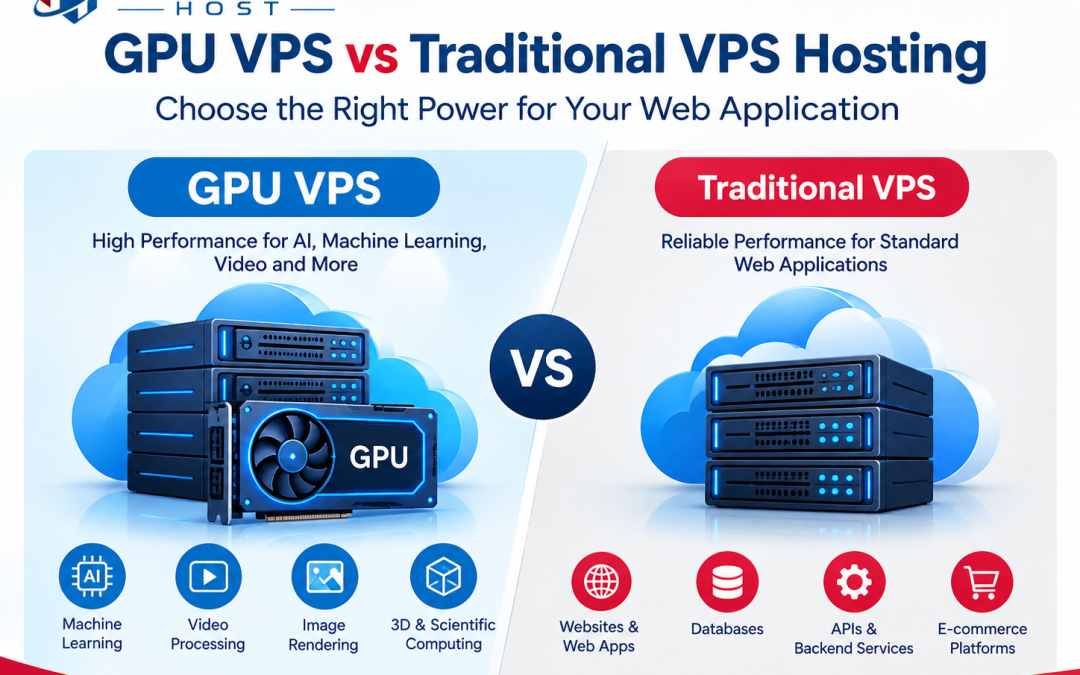
Web applications are becoming more powerful. Some websites and apps need much more computing power than a normal site. Examples include AI tools, video processing apps, image platforms, 3D applications, data analysis tools, and machine learning projects.
For these workloads, hosting choice matters. Two common options are GPU VPS hosting and traditional VPS hosting. Both give you dedicated virtual resources, but they are designed for different types of work.
Understanding the difference can help you choose the right VPS for your application without paying for resources you do not need.
What Is Traditional VPS Hosting?
A VPS (Virtual Private Server) is a virtual server created on a physical server. It gives you your own allocated resources, such as CPU, RAM, storage, and operating system environment.
Traditional VPS hosting mainly uses the server’s CPU for processing tasks. Modern CPUs are powerful and can handle many web applications very well.
Traditional VPS hosting can be a good fit for business websites, online stores, databases, APIs, content management systems, and many standard web applications.
For example, a busy WordPress website may need more RAM and CPU power as traffic grows. Moving from shared hosting to a VPS can provide more control and predictable resources.
However, CPU-based VPS hosting may not be the best option for workloads that perform many calculations at the same time.
What Is GPU VPS Hosting?
A GPU VPS provides access to a virtual server with a Graphics Processing Unit (GPU). GPUs are designed to perform many calculations in parallel.
This makes GPUs useful for workloads that can split large numbers of calculations into smaller tasks. Common examples include machine learning, AI inference, video encoding, scientific computing, image processing, and some 3D workloads.
A GPU VPS still has normal CPU, RAM, storage, and networking resources. The key difference is the added GPU processing capability.
For an AI application, for example, a GPU can process certain model operations much faster than using only a CPU. The actual performance depends on the GPU model, software, workload, and how well the application uses GPU acceleration.
GPU VPS vs Traditional VPS: Key Differences
The biggest difference is how the server handles demanding workloads.
| Feature | Traditional VPS | GPU VPS |
| Main processor | CPU | CPU + GPU |
| Best for | General web apps | AI and parallel workloads |
| AI workloads | Limited for some tasks | Better suited to many GPU-accelerated tasks |
| Video processing | CPU-based | Can use GPU acceleration |
| Standard websites | Excellent fit | Often unnecessary |
| Cost | Usually lower | Usually higher |
| Software needs | Generally simple | May require GPU-compatible software |
| Resource control | CPU, RAM, storage | CPU, RAM, storage + GPU |
A traditional VPS may be enough for an application that mainly handles database queries, web requests, and normal server-side processing. A GPU VPS can be useful when the application spends a large amount of time doing parallel mathematical calculations.
It is important not to choose a GPU simply because it sounds faster. If your application cannot use the GPU, you may pay for hardware that provides little or no benefit.
Which VPS Is Better for Resource-Intensive Applications?
There is no single VPS type that is best for every application. The right choice depends on what your application actually does. A traditional VPS may work well for a high-traffic website, API, database service, or e-commerce platform when the main limits are CPU, RAM, storage, or network capacity.
A GPU VPS may be more suitable for AI model inference, machine learning tasks, image generation, computer vision, video workloads, and other software that supports GPU acceleration. You should first identify your application’s biggest resource problem.
If CPU usage stays high during normal workloads, adding a GPU may not fix the issue. You may need more CPU cores or better application optimization. If the application supports CUDA, ROCm, or another GPU computing framework and spends much of its time on parallel calculations, GPU hosting may provide a better fit.
Testing is important. Measure CPU usage, RAM usage, GPU utilization, processing time, and response time before making a long-term hosting decision.
How to Choose the Right VPS for Your Web Application
Start by listing your application’s requirements. Check how much CPU, RAM, storage, bandwidth, and processing power it needs. Then ask whether your software can actually use a GPU. Check the application’s documentation and supported frameworks. A GPU will not automatically speed up every website or application.
You should also consider storage speed and network performance. A powerful GPU cannot solve a slow database, poor code, limited disk performance, or network bottleneck. Security and server management also matter. Look for a provider that offers regular backups, security controls, monitoring, and clear resource limits.
For production applications, check whether the provider gives you enough GPU memory, CPU resources, storage, and bandwidth for your workload. Also understand billing. GPU resources can cost more than standard VPS resources.
For many normal websites and business applications, traditional VPS hosting can provide the resources needed at a lower cost. For applications built around GPU-accelerated processing, a GPU VPS can provide the extra computing resource required.
The best choice comes from measuring your workload first and matching the server resources to your actual needs. This helps avoid both underpowered hosting and unnecessary spending.