
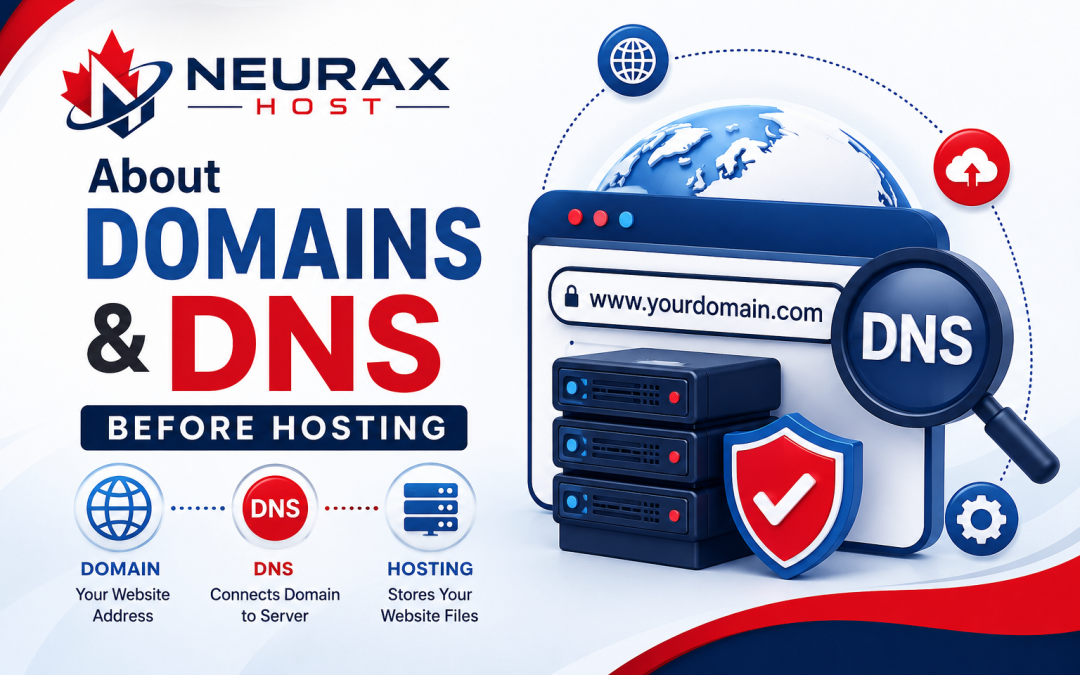
If you are planning to launch your first website, two terms can feel confusing: domain and DNS. Many beginners buy a domain, purchase hosting, and then get stuck when the website does not open or emails stop working. The good news is that these concepts are much easier than they sound.
Think of a domain as the name of your website, and DNS as the system that connects that name to the correct server. Once you understand this connection, setting up hosting becomes much simpler. In this guide, we’ll break everything down with easy tips and real examples, helping you avoid common beginner mistakes and launch your website with confidence.
Domain vs DNS Comparison Table
| Feature | Domain | DNS |
| Purpose | Gives your website a human-readable name | Connects the domain to the correct server |
| Example | example.com | A record, CNAME, MX record |
| Used by | Visitors | Browsers and internet systems |
| Changes often? | Rarely | Sometimes when hosting or email changes |
| Controls website name | Yes | No |
| Controls website location | No | Yes |
| Needed for email setup | Yes | Yes, through MX records |
| Where managed | Domain registrar | DNS management panel |
What Is a Domain Name?
A domain name is the address people type to visit your website, such as yourbusiness.com.
Imagine your website is a house. The domain is the street address written on the front gate. Without it, visitors would need to remember a long IP address such as 192.0.2.1, which is not practical.
What beginners should know
- Buy the domain from a trusted registrar.
- Keep the spelling short and easy.
- Avoid numbers and hyphens if possible.
- Renew it on time to avoid losing it.
A common beginner mistake
Many people think buying a domain automatically creates a website. It does not. A domain is only the name. You still need hosting and DNS configuration.
What Is DNS in Simple Words?
DNS stands for Domain Name System.
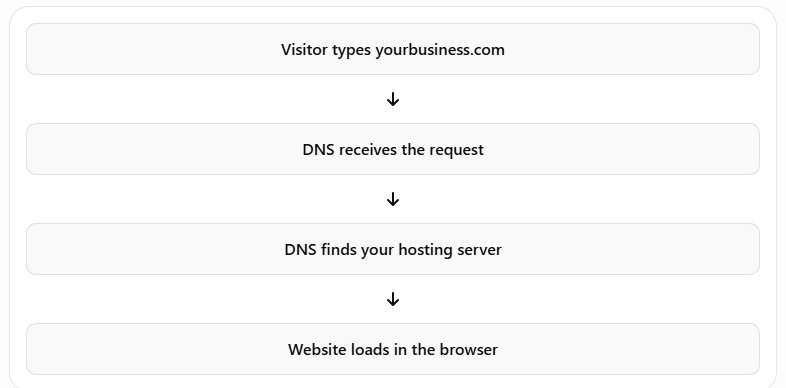
When someone types your domain into a browser, DNS tells the browser which server contains your website.
Think of DNS as the phone contact list of the internet.
- You know the person's name.
- Your phone knows the actual number.
Similarly:
- Visitors know yourbusiness.com
- DNS knows the server IP address
Without DNS, the browser would not know where to go.
The Three DNS Records Beginners Use Most
You do not need to learn every DNS record. Start with these three.
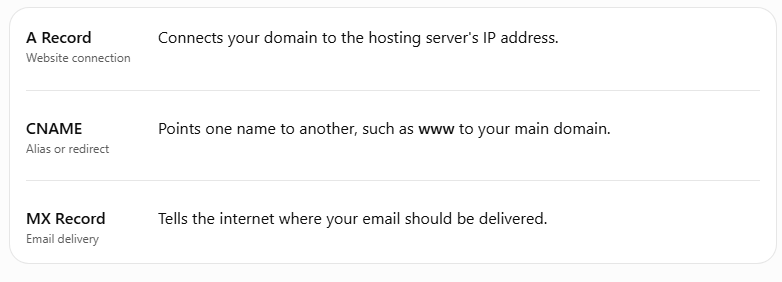
If your website is not opening, the A record is often the first thing to check.
If your email is not working, check the MX records.
How Domain, DNS, and Hosting Work Together
Here is the complete flow:
Why Beginners Often Get Confused
“I changed hosting but my old website still appears”
DNS changes can take time to spread across the internet. This is called DNS propagation. It may take a few minutes, but sometimes up to 24–48 hours.
“My website works without www but not with www”
The CNAME record for www is missing or incorrect.
“My website works but email stopped”
The MX records were replaced during hosting changes.
These are extremely common problems, even for experienced users.
A Simple Real-Life Example
Suppose you buy:
- Domain: myshop.com
- Hosting: Neurax Host
Neurax Host gives you:
- Nameservers or
- An IP address
You then update the DNS.
After propagation:
- myshop.com opens your website
- www.myshop.com also opens your website
- info@myshop.com receives emails
That is the entire setup in simple terms.
The Safest Setup for First-Time Website Owners
If you are a beginner, use this checklist:
- Buy the domain and keep auto-renew enabled.
- Use the hosting provider's nameservers.
- Install SSL (HTTPS).
- Test both domain.com and www.domain.com.
- Verify email before launching.
- Take a screenshot of DNS settings before making changes.
This avoids most setup issues.
One Important Tip That Saves Hours
Before editing DNS, ask yourself:
Am I changing the website, the email, or both?
- Website only: Check A record or nameservers.
- Email only: Check MX records.
- Both: Review all DNS records carefully.
This single question prevents many accidental outages.
Build Your Website With Confidence
Beginners do not need to become network engineers to launch a website. The key is understanding the difference between domain, DNS, and hosting.
- Domain = your website's name
- Hosting = where the website files live
- DNS = the connection between the two
Once these three pieces are clear, website setup becomes much less stressful. You will know what to change, what not to touch, and how to solve common problems quickly.
If you are starting your first website, focus on buying a good domain, using reliable hosting, and keeping DNS simple. That small amount of knowledge can save hours of confusion and help you launch your website with confidence.